



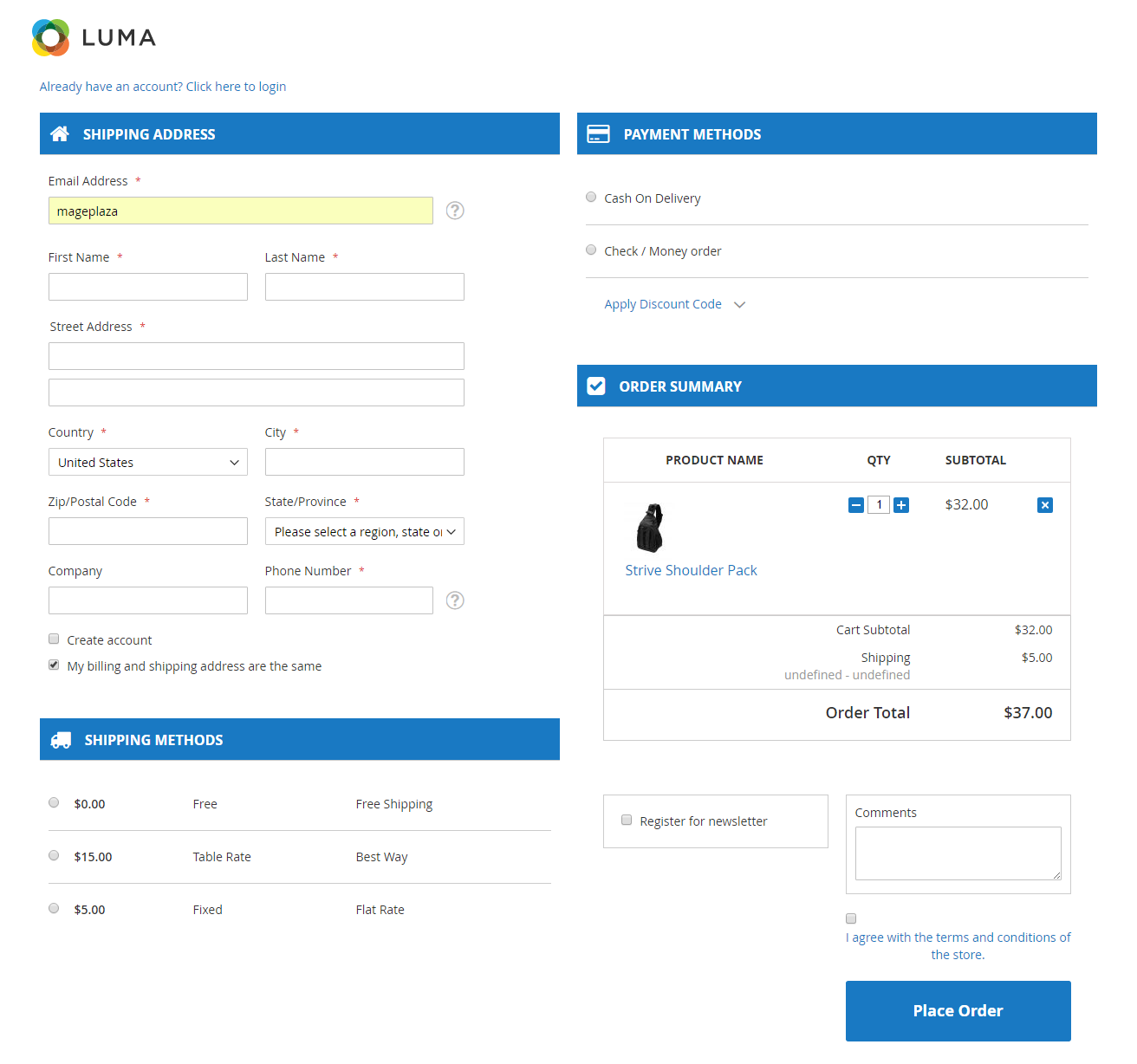
2-Column Checkout Page is considered as the standard checkout layout because of the clear interface. Therefore, Magento 2 has developed from 6 checkout steps into 2 steps with 2 columns on the checkout page. However, the checkout page of Magento default is quite unreasonable as the left column is much longer than the right column which only has order review. So, today I’ll suggest you an outstanding feature integrated in Mageplaza One Step Checkout, it is Magento 2 checkout 2 columns which displays beautifully on every size of screen. The advanced 2-column checkout page will surely please your shoppers.
Checkout 2 Columns Benefits
- Clearly and smartly design
Because 2-Columns Checkout by Mageplaza is more optimized than Magento 2 default so that all required fields and information is grouped neat and tidy for the customer.
- Manage easily without any code
You can easily manage checkout layout without coding knowledge because this product allows you configuring checkout layout right in the backend without touching any code.
- View and check easily
Because all required information are in just one page and arranged smartly so your shoppers can view and check all information easily. The shopper’s buying experience is also improved strongly.

Guest CheckoutAccording to a survey in 2017 of Baymard Institute, 37% of US adults abandoned their carts because “The site wants me to create an account.”Turn into 2019, it is still safe to say that a large number of online customers prefer a guest checkout rather than registering an account.
Having known that fact, yet the sellers still force them to login.Why?- Customers love guest checkout: Fasten checkout process; Get rids of advertising emails; Free from data exploitation.
It turns out increasing the conversion rate and reducing the cart abandonment.- On the other side, online merchants are afraid of losing touch with potential customers and getting a poor database for marketing.
Let alone, guests also find it inconvenient to track and reorder products.To solve this issue, Magento 2 developed Guest Checkout feature integrated in One Step Checkout.
The Magento 2 Guest Checkout- Checkout as Guest feature is a unique and effective solution for any e-commerce stores.
So that, Checkout procedure will be shortened significantly.2.

Magento 2 Hide Price extension is a great solution for Magento 2 businesses to control price visibility.
The advanced module encourages customers to contact stores directly and helps admins manage product prices with ease.
Features included in the extension:
- Auto-hide price by rules
- Hide prices for viewers
- Customers groups to access price
- The detailed report of price requests
- Admin email notifications
- Hide price for guest
- Well compatible with: Checkout Module, Google reCaptcha, Social Login, Advanced Reports