
IT-based systems are part and parcel of all business today. At times, companies need to replace or upgrade servers, conduct server maintenance, or relocate to a data centre, during which they need to perform data migration.
But, there are risks associated with data migrations, such as downtime, file corruption, lost and misplaced files, compatibility issues etc.
So, you should conduct your data migration carefully to avert such possible risks.
The first step in successful data migration is a fool-proof data migration plan to select, prepare, extract, transform and transfer data of the correct form and quality.
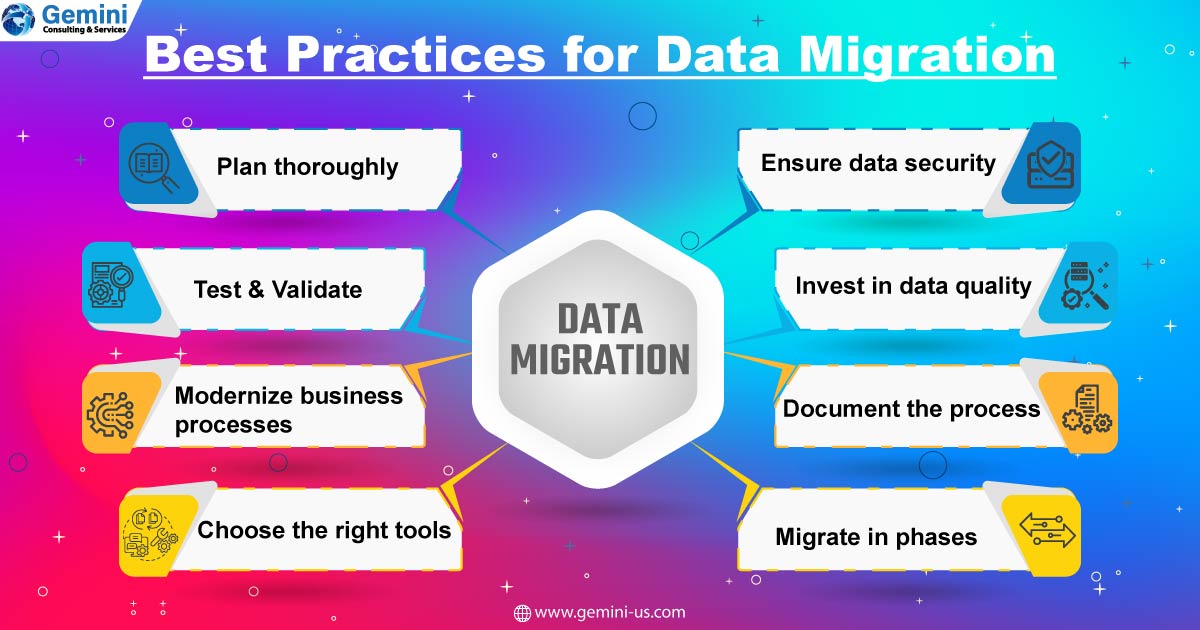
To help you conduct a successful data migration, we list and explain seven impactful steps:
Identify the Data Format, Location, and Sensitivity
You should start with identifying your data. Begin the process by identifying the data you will migrate and the format in which the data is in, and what will that be after migration.
With the identification, you will gain a solid understanding of the entire project framework. It will also help you to spot any potential risks associated with the migration. You will be able to take corrective measures.
It is the process that is important, and you can implement any method you are comfortable with, and it does not matter if you prefer using a spreadsheet or whiteboard.
Formulate the Size and Scope of the Project
Once you have a thorough understanding of the data, it is time to define the scope of the data migration plan.
List the resources you will need during the data migration process and set up a budget, determining the expenditure you will incur.
Conduct a thorough analysis of the source and target system, and set a flexible timeline for the project. Determine if the data migration will interfere with your business operations or bring about downtime.
If you find that the migration will disturb your business operations, you can schedule the migration on weekends to avoid interrupting business operations.
But, before you kick start the process, ensure that you let all stakeholders aware of the migration downtime.
Backup All Data
Do not start the migration without backing up all data. Ensure that you backup all data, especially the files you will migrate. If any issue arises during migration, such as corrupt, incomplete, or missing files, you can have the original backup data.
You can implement the safest and secure data backup method--the cloud backup.
Assess Manpower Capabilities
Data migration is a complex job. It involves moving many files and also sensitive information. As such, determine:
- If you need to hire an outside expert to carry out the task, or that is not necessary as your internal team has the requisite knowledge and skills
- Whether your team can devote the necessary time to accomplish the project
- Examine the software you will use for the data migration project, and determine whether it can successfully actuate the migration
Actuate the Data Migration Plan
Set in motion your plan. Ensure that you apply the right system permissions to migrate the data successfully.
Extract all data from the source to the target system. Clean the data to protect the target system and subsequently transform it into a proper format before the migration.
Move the clean data to the target system following the rules of the plan you already formulated. Monitor the data migration closely to identify any issue that may arise if you can take corrective action.
Testing
Once the migration attains completion, look for any connectivity issues with source and target systems. If there is any, rectify it, and check whether all data has migrated. To verify whether the data you transferred is correct, secure, and in the proper location, conduct a test. You can conduct unit, system, volume, web-based application and batch application tests.
Follow-up
There can be some errors creeping in during the data migration process. So, conduct a full audit of the system and data quality to ensure that the entire system is free of errors. If you find any error, missing, incomplete, or corrupt data, replace them from the backup files.
What Should You Not Do?
In addition to these seven practical steps, you should be mindful of some possible mistakes that can break your data migration project.
No Automation
If you do not opt for automating the process, the data migration process will be slow, consuming valuable time. As the process is complex, manual work can lead to inefficiencies. It is good to put a machine to work to avoid all these data migration mistakes and speed up the process.
No Documentation
Failure to document everything about the migration project can lead to hassles. You might not be able to keep track of the whole process. Documentation becomes essential, especially if you outsource the project. When you document all settings and file structure, it becomes easy for you to adapt to the process. Ensure that every migration step is documented, and both parties know what they should do within the agreement framework.
Choosing the Wrong Migration Time
If you conduct the data migration project on a weekday, there will be downtime, disrupting the productive work hours. So, it is good to conduct the migration on weekends, when your employees will not be there in the office. There will be a low volume of incoming data during weekends, and the amount of potential user-generated errors is minimum.
Conclusion
You can accomplish a successful data migration project by following the seven steps outlined in this article.




CRM migration can be described as a process of migrating customer-related information from your current CRM system to a new one.
If you want to learn the details related to CRM migration, please read the article CRM Data Migration Checklist: Reasons and Nuances