





After a software update, the Samsung Accessory Service app has caused multiple issues for its users, probably that’s the reason you are here. This article explains what this app does and some common issues caused by it, and we have also answered if it’s a necessary app.
Everything About Samsung Accessory Service
Samsung Accessory Service is an Android app by Samsung; it provides multiple features that connect accessories like the Galaxy watch to your mobile device.
- Features
- File transfer
- Sending/receiving data
Required permissions
The app service requires Storage permission for transferring media files to the accessory device.
Read Also:
- What is IoT Hidden Menu on Android? Know all About it.
- What is cmhprovider? All About cmhprovider
- Does Android Auto Use Data-Android Auto QnA
Why Does the App Say Samsung Accessory Service Transferring File Please Wait?
The “Transferring file, please wait” notification became an issue after a new update; it is common to see it on Galaxy devices: S7, S8, S9, etc. Keep in mind that occasionally seeing this notification is not an issue; as mentioned before, the app sends/receives data, and some people have reported getting this notification right after they end a phone call; if your watch is connected with the device, the app registers the call history on it.
Re-install the Galaxy Wearable app; it should re-install the plugin and the accessory service app automatically, this will install the files correctly, and hopefully, you will stop seeing the transferring file notification.
If the method mentioned above does not work, try force-stopping the app and clear the cache.
Settings > Apps > Samsung Accessory Service > Force stop.
You can also try unpairing the watch, then re-pair the watch and restart your phone.
Samsung Accessory Service Draining Battery
After the update, hundreds of users have complained about the battery draining issue, and most of them are One Plus users. To fix the battery draining issue, deactivate the battery optimization on all the Galaxy Wear apps & plugins. Battery optimization is found to be closing and rebooting the apps, which drains all the battery. If the app suggests you not deactivate battery optimization because it will affect the battery performance, ignore it because keeping it activated will drain the battery more.
Read more: https://fixyourandroid.com/about/samsung-accessory-service/

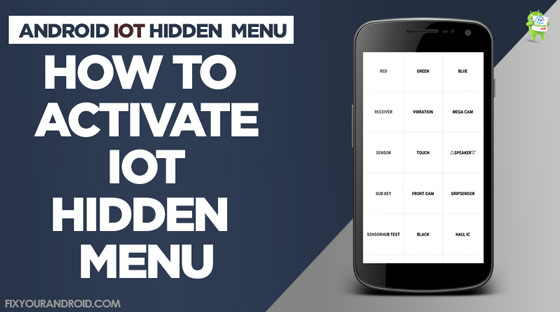
The IoT hidden menu on Android phones is a software-oriented menu on Andriod that helps you to diagnose the associated hardware and the functional error of the hardware like camera, wifi, Bluetooth, radio services, touch screen sensors, Proximity Sensor, Accelerometer and many more.This IoT hidden menu is not accessible to the user in the apps section or the settings.The only method to access the menu is to key-in the combination of special codes called MMI codes on the dialer.Well, there are seamless features and functions you will find on this hidden IoT menu on Android.Feature of IoT Menu1.
GripsensorHow to Access IoT Hidden MenuTo access the IoT menu on Android Samsung, you need to open the dialer app type *#0*# and press dial.
And for other Android brands, you can use *#*#4636#*#* to access the hidden IoT menu.
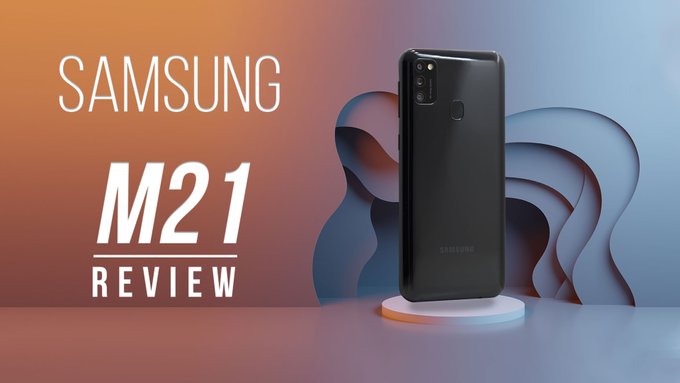
Triple camera setup – 48MP (F1.8) main camera + 8MP (F2.2) ultra wide camera + 5MP (F2.2) depth camera | 20MP (F2.2) front camera• 16.21 centimeters (6.4-inch) Super Amoled – Infinity U cut display, FHD+ capacitive multi-touch touchscreen with 2340 x 1080 pixels resolution, 404 ppi with 16M color support• Android v10.0 operating system with 1.7GHz+2.3GHz Exynos 9611 Octa core processor• Memory, Storage & SIM: 4GB RAM | 64GB internal memory expandable up to 512GB | Dual SIM (nano+nano) dual-standby (4G+4G)• 6000mAH lithium-ion battery• 1 year manufacturer warranty for device and 6 months manufacturer warranty for in-box accessories including batteries from the date of purchase• Box also includes: Travel adapter, USB cable, ejection pin and user manualhttp://www.dreamvazaar.com