





Starting from Android 8.0, it lets user to launch activities in picture-in-picture mode(PIP mode). Use case includes watching a video in a small pop-up window floating in the screen while allowing a user to perform navigation between apps or browsing content on the main screen. By default, the location of pip windows in on the corner of the main screen, also it's draggable so the user can move/drag it to another location on the main screen.
Following are the examples and usage of PIP in Mobile Technology PIP-enabled apps let users switch a video into PIP mode and allow it to watch till the end.
How to put everything together?
For adding PIP mode in the apps, we need to make some changes in Android Manifest.
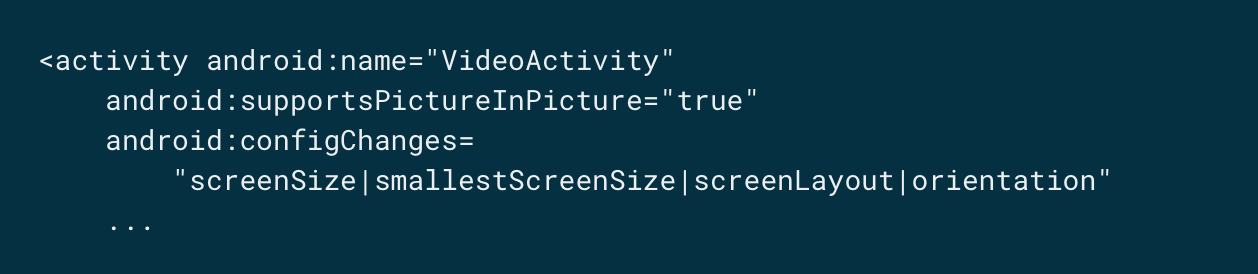
The following set of attributes are required:
supportsPictureInPicture
configChanges
Switching your activity to picture-in-picture
Continue Reading: picture-in-picture mode

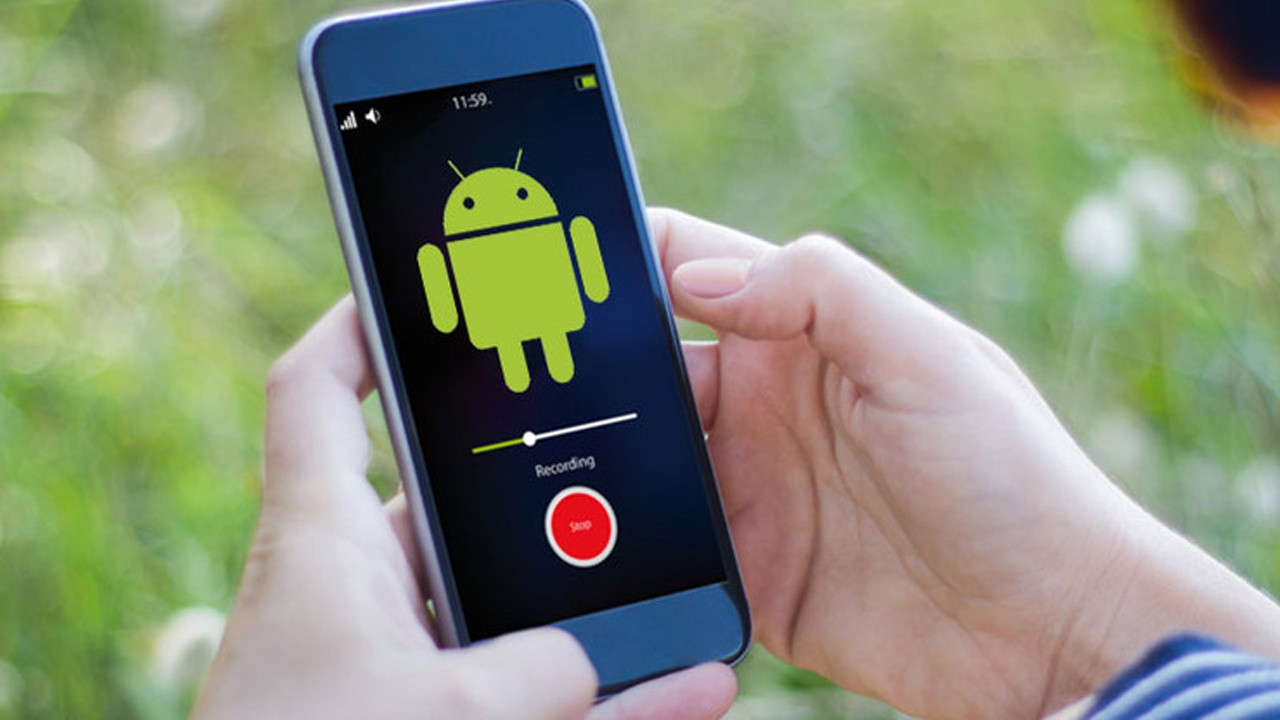
Android Picture in Picture (PiP) mode is a phenomenal feature of Android that allows Android users to watch videos in a tiny overlay window as well as use other apps at the same time.
For example, you can watch your favorite web series on Netflix while chatting with your friends on WhatsApp or Facebook.
So, if you haven’t used the “PiP” mode on your Android mobile, then we suggest that you should try this fabulous feature right now.
Here’s how you can use the Android “Picture in Picture” mode on your Android smartphone.How Can You Enable Android Picture in Picture Mode?Follow these steps to enable Android “Picture in Picture” mode:Head over to the settings menu of your Android smartphone.Now press the “Apps or Apps & Notifications” option.Next, choose the app in which you want to enable the “PiP” mode.Finally, enable the “Allow Permission” option using the toggle button near it.Note: If your smartphone runs on Android Oreo and above, then you don’t have to enable Android “Picture in Picture” mode manually.
How Can You Use Android Picture in Picture Mode in Google Chrome?Follow these steps to use Android “Picture in Picture” mode in Google Chrome:Navigate to a website that contains videos.Next, play the video and go full screen.After that, hit the “Home” button to see the video in “Picture in Picture” or “PiP” mode.Now, you can see your video as well as use other apps at the same time.How Can You Use Android Picture in Picture Mode on YouTube?Note: You must have a YouTube Premium subscription to use the Android “Picture in Picture” mode on YouTube.Follow these steps to use Android “Picture in Picture” mode:Navigate to the video that you want to watch in the “PiP” mode and then hit the “Home” button.Now, your video will start playing in the “PiP” mode.You can also use the “Background play” feature instead of Android “Picture in Picture” mode if you want to watch videos when your mobile’s screen is off or when you are using other apps.
To do this:Go to the YouTube app and tap on it to open it.Now navigate to the settings menu of the app.Next, tap on the “Background & Downloads” option.Now hit the “Playback” option, which is present under the “Background Play” section.Next, you will see three options on your screen (Always on, Headphones or external speakers, off).Finally, select the “Always on” or “Headphones or external speakers” option to complete the process.How Can You Use Android Picture in Picture Mode on Facebook?Follow these steps to use Android “Picture in Picture” mode on Facebook:Hit the Facebook app icon to launch the Facebook app.Next, navigate to the video that you want to view in the “PiP” mode.After that, play the video and then hit the little square, which is present on the top left corner.Now your video will start playing in the “PiP” mode.How Can You Use Android Picture in Picture Mode in VLC?Follow these steps to use Android “Picture in Picture” mode in VLC:Open the VLC app.Now hit the “More” option, which is present on the bottom right side of your screen.Next, hit the “Settings” option.Now, scroll down a little and hit the “Background/PiP mode” option present under the “Video” section.Finally, hit the “Play Videos in Picture-in-picture mode” option to complete the process.You can also use the built-in pop-up player of the VLC app to enter the “PiP” mode.
A month ago, Apple had announced the updated version of its operating system, iOS 14 for iPhone users.
If yes, then you have arrived at the right page.
Here, in our following article, we are going to tell you everything about this new feature along with the methods to use it on your iPhone.
Now, reverting to that text is important, but on the other hand, you don’t want to interrupt your binge-watching.
To move the video, point your finger on the video and drag it in the direction you want.
Currently, there are fewer apps that support this feature in iOS 14, namely Apple TV, Podcasts, Facetime, Safari, Music App, Amazon Prime Video and Netflix.
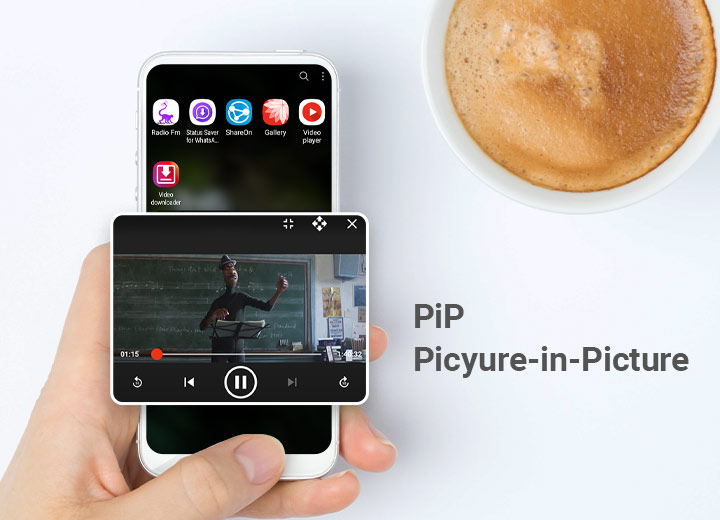
Looking for something where you can watch video songs or movies while using other sites on your smartphone or PC?So you should go for PiP mode which is one of the important features of Rocks Video Player.PiP stands for Picture-in-Picture mode where you can watch videos in floating windows so that you can handle other sites as well while watching your favourite video songs or movies on Rocks Video Player.Now you must be thinking about how to Enable PiP mode in Rocks Video Player?Well, Here is the answer to your problem.Tap to the video/movie you wanna watch and then click on the pop-up window option placed on the Rocks Video player screen.Then you'll be able to watch video songs/movies while using other social media sites or anything else as well.Somewhere, we all love to watch movies but workload never allow us to do so.
right?You should try this PiP mode on Rocks Player to watch movies and continue to do your work easily on your system or smartphone.Also, Android automatically plays Picture-in-Picture video on mobile phones with Rocks Video Player.
It allows users to play an element in a small overlay window that isn't blocked by other windows so that they can watch while doing other things.