


Mobile development is not that hard to learn: the main thing is to know where to start. It is better to understand all the code symbols and development languages right away in practice. But to develop a good application for apple mobile devices pay maximum attention to details. Developing a user-friendly iOS application paying attention to the user interface level is not enough. You need to know and follow the best practices at all stages of creating applications from design to support.
Calm down, it's not as difficult as it might seem at first glance. This article is an overview of such recommendations, formulated both by Apple itself and by independent iOS developers.
Apple iOS development tools you should invest in
I don’t want to start with bad news, but you can only develop applications for iOS on macOS. But do not rush to put an end to the career of an iOS developer because of expensive Apple technology. Consider options with virtual machines or a Hackintosh if you are at your learning stage. Instructions for use can be easily found in any search engine. When buying used equipment, check the compatibility of macOS versions and the Xcode development environment. If you are not sure that the Mac will receive a couple more new versions of the OS, it is better to refrain from such a purchase.
Learn iOS Coding
Once you’ve purchased iOS, you probably already want to conquer the App Store ratings, but first, you need to master the tools with which you will work.
The most important is, of course, the Swift programming language. Swift is a very beginner-friendly coding language. You will see this by writing your first program- Hello World. This is the simplest application that all new developers create in the first lesson, it displays a window with your name and a greeting. It can be written even if you do not yet know all the tools of the language. Thanks and
Thanks to the Swift playground in the Xcode development environment, you can start writing code without understanding the development environment itself and the features of the system, and there is also the Swift Playgrounds application on the iPad. It's a real code editor where you can develop small apps, games, and learn Swift in an interactive tutorial. Working on custom iPhone application development tools can save you from coding.
iOS applications are developed in full-fledged projects. In them, you can not only write code but also work with resources, interfaces, tests, as well as configure and publish the project.
Core iOS Frameworks
Once you got the mastery of language, you need to know how to create a user interface and screen transitions also focus on how to receive data over the network and store information in the phone's memory.
To get started, focus on learning UIKit, which is a framework for creating an iOS app interface also try custom iPhone application development. Buttons, text fields, labels, lists, animations, windows, gestures, drag-and-drop - all this and more is included in UIKit.
To create an application interface in Xcode, there is a graphical editor. It allows you to easily add the necessary elements to the screen and set the rules for their construction. It is used not only by beginners but also by professional developers. So don't waste your time coding.
Planning
While learning system frameworks, you can start working on applications. Planning is just a backup step where you can track the progress of your work. Analyse similar apps in the App Store. This will help you understand what your competitors are doing and what is missing. Make a list of your app's features. Write down all your ideas, so you don't forget.
Select some of the most important ones. This will be your scope of work for the first release.
It's time to move on to design. Start with pencil sketches, and if you want to create some real layouts, you don't have to master complicated applications. You can even limit yourself to Keynote.
Development
Try to think in advance about what and how you will implement in the code. We know, without experience, it is difficult to think over the architecture of the application. Here are some tips that can help you with this.
- Study someone else's code. There are a huge number of articles on the Internet with examples of good code, and on Github, you can find the source code of entire applications.
- Learn to find answers to questions on the Internet. The search engine, Stack Overflow, documentation, tutorials, and how-tos will answer most of your questions.
- Find a person or community to ask unanswered questions. And if you want good answers, learn how to ask the right questions—detailed ones.
Check all scenarios, not just positive ones. It is useful to give your application to another person. This will allow you to find errors not only in the implementation but also in the very concept of the application.




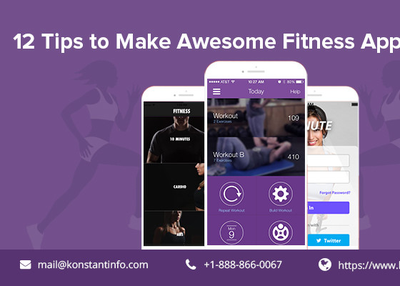
Today there are many iOS fitness app. We can also develop a iOS App for health if you follow proper tips. Here are some tips for App develop. For more information-https://bit.ly/2GnFmbe