You go to a bank to keep your money is kept safe. Other than serving as a safeguard for your money, you also can carry out other businesses with your bank. They include activities such as withdrawing your deposits from your bank account, regularly keeping track of your savings and taking loans if the savings are not enough.
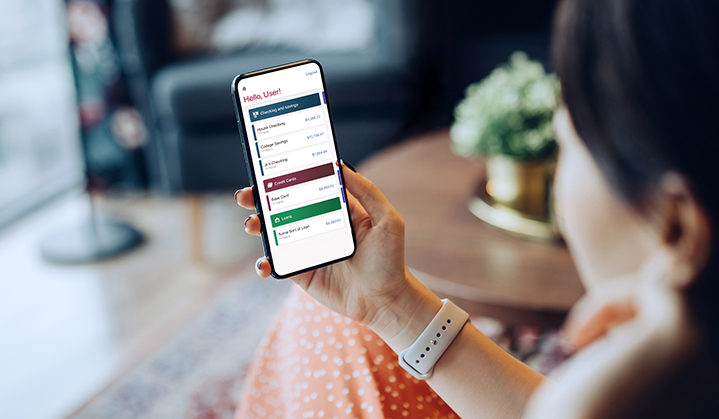
But, it is important to keep in mind to conduct business with the bank, you must have an account there. If not, you should open a new bank account, which is a simple task thanks to banking apps. Please read the steps below to learn how that can be done using smartphone apps:
1. Download the app:
Downloading the app is the first thing that you should do to open your bank account. Finding the app is very easy. All that one needs is to open the play store and search for the app. After opening the link, you need to click on the button that lets you install the app on the phone.
2. Provide the details on the form:
Then, you should open the app and click on the option that takes you to the account opening form. On the form, you need to provide the bank with basic information such as your name, age, address and contact number. Once you have provided the necessary details, you need to back up the information you provided by producing documents.
3. Producing the documents:
After the step mentioned above, to open a bank account, you need to submit the official documents. If you want your account to start, the documents submitted should be genuine. The bank will verify that all the information provided by you are accurate. The documents also confirm with the bank the proof of your identity. You can submit documents like the passport, address proof, proof of identity and proof of age, all of which can be verified by government-issued ID cards. To submit the documents, you can upload the soft copies of all your documents on the app. After submitting the documents, you will get your account details through the mail.
4. Receiving the account number:
Once the documents have been submitted, you will get the account number for your bank account. The number will be given to you in a welcoming kit that consists of the number, passbook, debit card and chequebook. After you get these, you have the option of either using the account immediately or getting back to it later.
5. Log in to the account:
After receiving the account details, you can test if the bank account has started. That can be done by logging into your account. After that, you’ll be taken to the home screen. From there, you can start accessing other features of banking apps you can enjoy.
To open zero balance account or a savings account, you need to follow the aforementioned procedures. Following the four steps should help you in opening a bank account. However, if you want more information, please get in touch with the bank of your choice.
In an increasingly digital world, your customers want answers to their queries instantly.
Adding live chat is a quick and convenient way to engage with your customers while they are on your website.
Research confirms that 82% of website visitors who are on live chat are more likely to convert to customers.
Here is how live chat can help you grow your business.
- Both are customizable and scalable.
- Live chat is proactively engaging and helps with targeted marketing at scale
What can you do with the database collected from live chats and chatbots?
Strengthen your inbound marketing strategy. Live chat and chatbots can give you access to insights on where your consumers are in the buyer journey. This information can help you engage your target audience irrespective of where they are in the marketing funnel.
- Share your newsletter or content collaterals
- Create new experiences for the visitors by sharing tailored paid ads leading to live chats
- Showcase your products or new releases
- Upsell current customers and time your customer’s journey with key events. For instance, share a combo offer when a customer is on your pricing page
- Qualify your leads without wasting anytime
- Route your leads to the right salesperson or teams
- Follow up using the CRM
Integrate Live Video Into Your Communication Strategy
Best practices for integrating live chats into your current workflow
- Be data driven – quantify your goals and metrics to success
- Define your intent – analyze your buyer’s journey to increase your conversion rates
- Set measurable goals – use A/B testing for your messages sent through emails
- Ensure faster communication – always plan to provide an escape CTA
- Implement new tech – integrate chatbots with your current tech tools
Using live chat for your business does more than improve your sales and revenue. It helps you create strong relationships with your customer—the vital foundation for building a successful business.
Originally published on Yorke Communications