






has emerged as a leading platform for virtual meetings and collaboration. With its seamless user experience and comprehensive features, WebEx Meetings has become an indispensable tool for businesses, educators, and individuals alike. In this article, we will explore advanced features and share valuable tips to make your WebEx Meetings even more effective. So, let's dive in and discover the full potential of WebEx!
But, before delving into advanced features, let's quickly recap the key features of WebEx Meetings.
The key features include:
a. HD Video and Audio: WebEx Meetings offers high-definition video and crystal-clear audio, ensuring a seamless communication experience.
b. Screen Sharing: Share your screen with participants to showcase presentations, documents, or any other content in real-time.
c. Chat and File Sharing: The integrated chat feature allows participants to communicate via text messages, while file sharing enables quick and easy exchange of documents.
d. Meeting Recording: Capture important discussions and presentations with the meeting recording feature, ensuring that no valuable information is lost.
Now, let’s look at the advanced features.
Advanced features for enhanced collaboration include:
a. Breakout Rooms: Breakout Rooms enable seamless group collaboration. Divide participants into smaller groups for brainstorming sessions or focused discussions, and then reconvene in the main meeting room to share the results.
b. Polling and Q&A: Engage your audience with interactive features like polls and Q&A sessions. Conduct real-time polls to gather opinions or utilize the Q&A feature to address questions from participants.
c. White boarding: The digital whiteboard feature allows participants to draw, write, and brainstorm ideas collaboratively. Use it to enhance creativity and facilitate visual explanations.
d. Background Noise Removal: WebEx Meetings intelligently filters out background noise, ensuring clear audio transmission during your meetings. This feature helps eliminate distractions and enhances the overall meeting experience.
Now that we've explored advanced features, let's focus on some valuable tips to make your Webex Meetings even more effective:
Tips for effective WebEx Meetings
a. Prepare and Share Agendas: Share meeting agendas in advance to set clear expectations and allow participants to come prepared. This ensures that meetings stay focused and productive.
b. Utilize Keyboard Shortcuts: Familiarize yourself with WebEx Meetings' keyboard shortcuts to save time and navigate the platform effortlessly. For example, "Alt+V" toggles video on and off, and "Alt+M" mutes and unmutes your audio.
c. Optimize Internet Connection: To prevent disruptions during meetings, ensure a stable internet connection. Use a wired connection if possible or position yourself closer to your Wi-Fi router.
d. Encourage Active Participation: Engage participants by encouraging them to contribute, ask questions, and provide feedback. This fosters a collaborative environment and makes meetings more productive.
e. Record and Share Meeting Summaries: Record important meetings and share summaries afterward to ensure everyone is on the same page. This helps absent participants catch up and reinforces key takeaways.
Conclusion:
Cisco Webex Meetings is a powerful tool that facilitates seamless collaboration and effective communication. By utilizing advanced features such as breakout rooms, polling, and whiteboarding, and following practical tips, you can elevate your Webex Meetings to new heights. Empower yourself with these insights, and unlock the full potential of WebEx for your meetings and virtual collaborations.
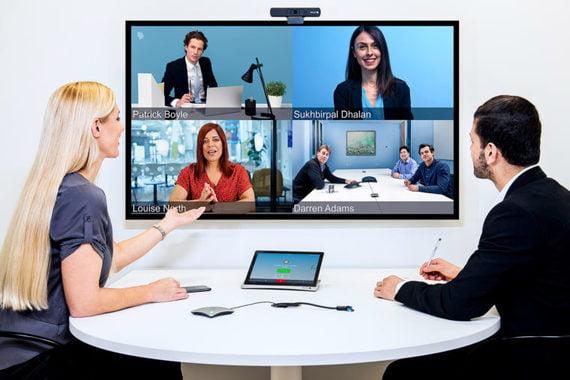
Explore the latest Cisco Webex DX80 products reviews in Mauritius & Africa.
With Cisco Webex Meetings, businesses can access an easy-to-use conference space in seconds.
Now Cisco has introduced a new Webex solution: Desk Pro.
Visit our website https://dynamiccom.mu/ for more details.


Enhance video content management with HARMAN media suite, offering Cisco Webex Integration for cloud and on-premise video conferencing through multicast streaming support, video AI, live streaminghttps://services.harman.com/products-and-solutions/harman-media-suite/cisco-integration