


Introduction:
In the world of smartphones, the iPhone stands out as a symbol of innovation and quality. However, even the most advanced devices can encounter issues, and one common problem iPhone users face is a muffled or distorted speaker. Fear not, though – with the right knowledge and a gentle touch, you can restore your iPhone speaker to its crystal-clear glory. How To Clean iPhone Speaker? In this comprehensive guide, we'll walk you through the step-by-step process of cleaning your iPhone speaker.
Step 1: Gather Your Materials
Before diving into the cleaning process, it's essential to assemble the necessary materials. You'll need a soft-bristled brush (such as a toothbrush), a can of compressed air, a microfiber cloth, and a toothpick. Ensure that your iPhone is powered off to prevent any electrical mishaps during the cleaning.
Step 2: Remove the Case
Take off any protective case from your iPhone to access the speaker without any hindrance. This step allows you to inspect the speaker more closely and ensures that every nook and cranny is cleaned effectively.
Step 3: Brush Away Surface Debris
Use the soft-bristled brush to gently sweep away any visible dirt, lint, or debris from the speaker grills. Be delicate in your approach to avoid causing damage to the delicate components. Make sure to brush from various angles to cover the entire speaker area.
Step 4: Utilize Compressed Air
Hold your iPhone with the speaker facing downward and use the can of compressed air to blow out any remaining particles. This step is crucial for dislodging debris that may be stuck deeper within the speaker grills. Maintain a safe distance between the can and the speaker to prevent any damage.
Step 5: Precision with a Toothpick
For stubborn dirt or debris that the brush and compressed air couldn't dislodge, take a toothpick and very gently pick at the edges. Exercise extreme caution during this step, ensuring not to push the debris further into the speaker.
Step 6: Microfiber Cloth Finish
To add a finishing touch, take a microfiber cloth and gently wipe the speaker grills and the surrounding area. This will help remove any remaining residue and give your iPhone a polished look.
Step 7: Power On and Test
Once you're satisfied with the cleaning process, power on your iPhone and test the speaker. Play a variety of audio to ensure that the sound is clear and undistorted. If the issue persists, you may want to consult with Apple support or visit an authorized service center.
Conclusion:
Congratulations! You've successfully navigated the process of cleaning your iPhone speaker. Regular maintenance of your device, including keeping the speaker clean, can contribute to a better overall user experience. By following these steps and exercising care, you've taken a proactive approach to ensure that your iPhone continues to deliver high-quality sound for your calls, music, and videos.

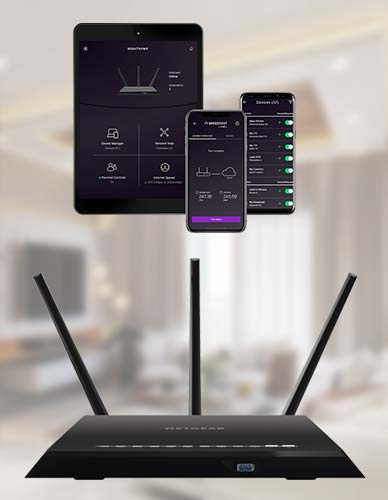
Get a step-by-step guide to Nighthawk app download from the Nighthawk App Download website.
Which provides you the setup instructions to log in to your router to connect to the Internet.
For more information visit our website.