

DStv, South Africa leading digital satellite television service, offers a vast array of entertainment options. However, as with any technological service, users may encounter challenges such as signal loss and issues related to upgrades. This article aims to provide practical guidance for troubleshooting DStv upgrades and addressing signal loss to ensure uninterrupted viewing pleasure.

Understanding DStv Upgrades: DStv regularly updates its services to enhance user experience and introduce new features. Upgrades may include software updates, channel additions, or changes in service packages. While upgrades are intended to improve performance, they can sometimes lead to temporary disruptions in service or compatibility issues with older equipment.
Here are steps to ensure a smooth transition during DStv upgrades:
- Stay Informed: Keep abreast of DStv announcements regarding upcoming upgrades through official communication channels such as emails, SMS alerts, or the DStv website.
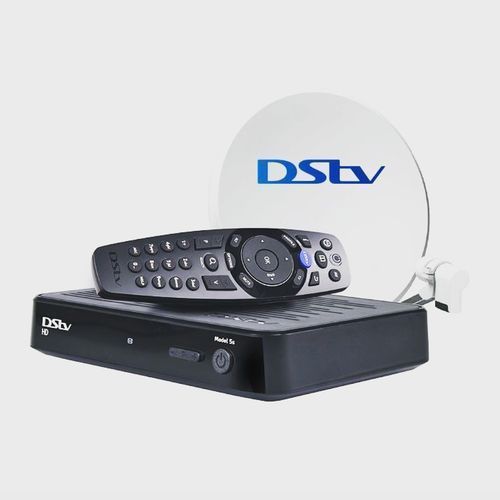
- Equipment Compatibility: Verify that your decoder and other related equipment are compatible with the latest upgrades. Older decoders may require firmware updates or even replacement to support new features.
- Follow Instructions: If prompted, follow on-screen instructions or guidelines provided by DStv to complete the upgrade process. This may involve rebooting your decoder or performing specific actions to install updates.
- Patience is Key: During upgrades, be patient as the process may take some time. Avoid interrupting the upgrade process to prevent potential issues or data corruption.
Troubleshooting Signal Loss: Signal loss is a common issue faced by DStv users and can be attributed to various factors such as weather conditions, faulty equipment, or misalignment of satellite dishes. Here are steps to troubleshoot signal loss effectively:
- Weather Check: Adverse weather conditions such as heavy rain, thunderstorms, or strong winds can interfere with satellite signals. If signal loss occurs during inclement weather, wait for the weather to improve as signal reception may resume once conditions stabilize.
- Satellite Dish Alignment: Ensure that your satellite dish is properly aligned to receive signals from the satellite. Over time, factors such as wind or physical movement may cause the dish to lose alignment. Contact a professional installer to realign the satellite dish if necessary.
- Check Connections: Inspect all cable connections between the satellite dish, decoder, and television for any loose connections or damage. Securely fasten all connections and replace any damaged cables to ensure optimal signal transmission.
- Decoder Reboot: Sometimes, simply rebooting the decoder can resolve signal loss issues. Unplug the decoder from the power source, wait for a few minutes, and then reconnect the power to reboot the device. Allow the decoder to restart and attempt to tune into the desired channel again.
- Professional Assistance: If troubleshooting steps fail to resolve the signal loss problem, contact DStv customer support or seek assistance from a qualified technician. They can diagnose the issue and provide solutions tailored to your specific situation.
DStv upgrades and signal loss can occasionally disrupt your viewing experience, but with the right troubleshooting techniques, you can quickly address these issues and enjoy uninterrupted entertainment. By staying informed, ensuring equipment compatibility, and following troubleshooting steps, you can effectively navigate DStv upgrades and overcome signal loss challenges with ease. Remember, patience and diligence are key to resolving these issues and maximizing your DStv viewing experience.