Introduction
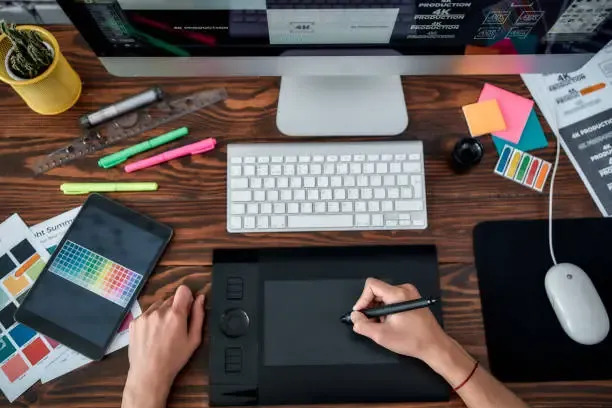
In the ever-evolving realm of graphic design, staying ahead often means mastering a suite of digital tools and applications. With a plethora of options available, from industry-standard software to niche applications catering to specific design needs, navigating the landscape of graphic design tools can be both exciting and overwhelming. In this blog, we'll delve into the realm of graphic design applications, offering insights into popular software and tools while conducting a comparison to help you find the right fit for your creative endeavors.
Graphic Design Applications: A Diverse Ecosystem
Graphic design applications come in various shapes and sizes, each offering unique features tailored to different aspects of the design process. From raster-based image editors to vector graphics software, the choices are abundant. Let's explore some of the most prominent graphic design applications widely used by professionals and enthusiasts alike:
1. Adobe Creative Cloud: Adobe's suite of creative software stands as the industry standard for graphic design. From Photoshop for image editing and manipulation to Illustrator for vector graphics and InDesign for layout design, Creative Cloud offers a comprehensive toolkit for designers.
2. Affinity Suite: Serif's Affinity Suite has emerged as a strong contender to Adobe's dominance, providing powerful alternatives with Affinity Photo, Designer, and Publisher. These applications boast robust features and a one-time purchase model, appealing to those seeking alternatives to subscription-based services.
3. CorelDRAW Graphics Suite: CorelDRAW has long been a staple in the graphic design community, offering a range of tools for illustration, layout, and photo editing. With its intuitive interface and extensive feature set, CorelDRAW remains a popular choice among designers.
4. Sketch: Targeted towards digital interface design, Sketch has gained popularity for its focus on user experience and interface design. Its vector-based workflow and plugin ecosystem make it a preferred choice for many UI/UX designers.
5. Canva: Catering to both professionals and beginners, Canva provides a user-friendly platform for creating graphics, presentations, and marketing materials. With its drag-and-drop interface and vast library of templates, Canva simplifies the design process for individuals and small businesses.
Design Tools Comparison: Finding the Right Fit
When selecting a graphic design application, it's essential to consider factors such as your specific design needs, budget, and workflow preferences. Let's compare these tools based on key criteria:
1. Features: Adobe Creative Cloud offers an extensive range of features across its applications, making it suitable for a wide array of design tasks. Affinity Suite and CorelDRAW also provide robust feature sets comparable to Adobe's offerings, while Sketch excels in digital interface design. Canva, though more limited in functionality, provides accessible tools for basic design needs.
2. Pricing Model: Adobe Creative Cloud operates on a subscription-based model, which may be a deterrent for some users. Affinity Suite and CorelDRAW offer one-time purchase options, providing cost-effective alternatives in the long run. Sketch follows a traditional licensing model, while Canva offers both free and subscription-based plans.
3. Learning Curve: Adobe's software can have a steep learning curve due to its extensive feature set, whereas Affinity Suite and Sketch are known for their intuitive interfaces. Canva, with its simplicity and guided approach, appeals to users with minimal design experience.
4. Platform Compatibility: Adobe's applications are available on both Windows and macOS platforms, providing broad compatibility. Affinity Suite, Sketch, and CorelDRAW are also compatible with these operating systems. Canva operates as a web-based platform, accessible from any device with an internet connection.
Conclusion
In the realm of graphic design, the choice of tools can significantly impact workflow efficiency and creative output. Whether you opt for the industry-standard Adobe Creative Cloud, explore alternatives like Affinity Suite and Sketch, or prefer the simplicity of Canva, each application offers unique strengths suited to different design needs. By considering factors such as features, pricing, learning curve, and platform compatibility, you can make an informed decision to find the right graphic design tools to unleash your creativity.
In this blog, we've explored the diverse ecosystem of graphic design applications, conducting a Design tools comparison to help you navigate the plethora of options available. Whether you're a seasoned professional or a budding designer, understanding the landscape of graphic design tools is crucial for achieving your creative aspirations. So, equip yourself with the right tools of the trade and embark on your design journey with confidence.
Visit More Blogs: - Graphic design for business