


Article
Understanding the Importance of Speed Test for Xfinity
What is Xfinity?
Xfinity is a brand name for Comcast Cable Communications, one of the largest internet service providers in the United States. It offers a wide range of services including cable TV, internet, and phone services to millions of customers across the country.
Why Speed Test Xfinity?
Internet speed is crucial for any online activity, whether it's streaming, gaming, or working from home. Testing your Xfinity internet speed ensures that you're getting the service you're paying for and helps identify any potential issues affecting your connection.
How to Conduct a Speed Test on Xfinity
Using Xfinity Speed Test Tool
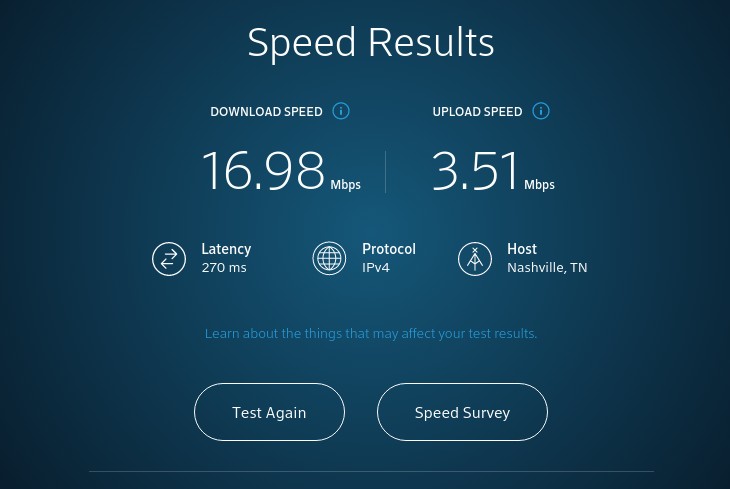
Xfinity provides its own speed test tool, which is easily accessible on their website. Simply visit the Xfinity speed test page and click the "Start Test" button. Within a few moments, you'll receive information about your download and upload speeds.
Alternative Speed Test Tools
If you prefer, there are numerous third-party speed test tools available online. Websites like Ookla's Speedtest.net or Fast.com by Netflix offer reliable alternatives. These tools work similarly to Xfinity's and provide insights into your internet speed.
Interpreting Your Results
Once you've conducted a speed test, it's essential to understand the results. Your download and upload speeds will be measured in megabits per second (Mbps). Compare these speeds to what you're paying for with your Xfinity plan. If your speeds are significantly lower, it may indicate an issue with your connection.
Factors Affecting Xfinity Internet Speed
Equipment Quality
The quality of your modem and router can significantly impact your internet speed. Older or outdated equipment may struggle to provide the speeds promised by your ISP.
Connection Type
The type of connection you have with Xfinity can also affect your internet speed. For example, wired connections tend to be faster and more reliable than wireless connections.
Network Congestion
During peak usage times, such as evenings or weekends, network congestion can occur, slowing down internet speeds for everyone in your area.
Improving Xfinity Internet Speed
Upgrading Your Equipment
Consider upgrading your modem or router to a newer model that supports higher speeds. Xfinity often provides compatible equipment for their services.
Optimizing Router Placement
Ensure your router is placed in a central location away from obstructions to maximize signal strength throughout your home.
Contacting Xfinity Support
If you're experiencing consistently slow internet speeds or believe there's an issue with your connection, don't hesitate to contact Xfinity support for assistance.
Conclusion
Ensuring you have adequate internet speed is essential for a seamless online experience with Xfinity. By regularly conducting speed tests, understanding the factors that affect your speed, and taking steps to improve it, you can enjoy faster and more reliable internet.
FAQs About Xfinity Speed Test
1. How often should I conduct a speed test on Xfinity?
- It's a good idea to test your internet speed periodically, especially if you're experiencing issues or have recently made changes to your equipment.
2. What is a good internet speed for Xfinity?
- The ideal internet speed depends on your needs. However, for most households, speeds of at least 25 Mbps for downloads and 3 Mbps for uploads are sufficient for basic tasks like streaming and browsing.
3. Why are my Xfinity internet speeds slower than advertised?
- Several factors could contribute to slower speeds, including network congestion, outdated equipment, or issues with your connection. Conducting a speed test can help identify the problem.
4. Can I improve my Xfinity internet speed without upgrading my plan?
- Yes, optimizing your equipment, router placement, and troubleshooting connection issues can often improve your internet speed without the need to upgrade your plan.
5. Is Xfinity's speed test tool accurate?
- Xfinity's speed test tool is generally reliable, but using multiple speed test tools can provide a more comprehensive picture of your internet speed.




SiteAnalysisTool is an SEO analysis tool & website analysis tool provides website analysis like performance monitoring, speed test, quality, security in one tool.