

Brands from all sizes can gain from embracing WhatsApp for marketing as it’s currently among the most popular messaging apps. The green checkmark by your WhatsApp display name is a representation of your brand’s legitimacy and trustworthiness. This post will explain how to get a WhatsApp green tick next to your WhatsApp display name and what benefits it might offer your company in WhatsApp Commerce.
Let’s first examine what a WhatsApp green tick certification is and determine if you require one.
Shortcuts: ✂️
- What is a Green Tick on WhatsApp?
- Advantages of verifying your WhatsApp business account and obtaining a green badge
- Steps to secure a green tick verification for your WhatsApp business account
- How to proceed if the verification of your green tick is denied
- Get WhatsApp green tick verification for free on WebMaxy
- FAQs
What is a Green Tick on WhatsApp?
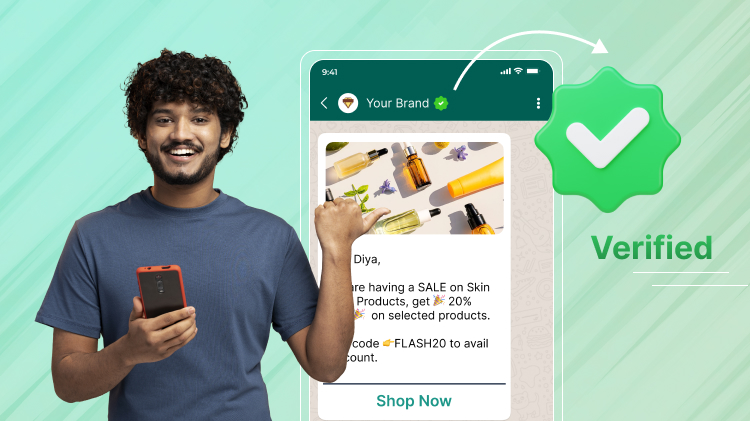
On WhatsApp, legitimate brand accounts can be easily identified by their green tick badge. It means the account is authenticated through WhatsApp and is associated with the business it represents.
Users can be sure they’re speaking with a legitimate company and not a phoney one when they see this badge. This function helps to establish the brand’s credibility and trustworthiness while also enhancing the validity of your account.
In order to protect its users from spam and fraudulent accounts, WhatsApp takes the validation and authentication of business accounts very seriously.
Let’s look at how to begin the verification procedure now that you are aware of the WhatsApp green tick badge.
Ways to Get WhatsApp Green Tick
1. Via Meta Business Manager
- Create your account on Meta Business Manager.
- Link your WhatsApp Business account to Meta Business Manager via settings in Meta.
- Finish up Business Verification by offering required documents in Meta Business Manager.
- Submit details and request Official Business Account Verification.
- Wait for the approval until WhatsApp review, and if approved, you’ll get the green tick.
2. Via WhatsApp Business Solution Provider
- Sign Up with WhatsApp Business Solution Provider.
- Start WhatsApp Business API with your WhatsApp Business Solution Provider.
- Ask for Verification via WhatsApp Business API.
- Wait for Approval until WhatsApp’s review.
Advantages of verifying your WhatsApp business account and obtaining a green badge
In your official WhatsApp Business profile, the WhatsApp green tick, also known as the WhatsApp Business green badge, appears next to your business name. Following are some advantages of getting the green tick for WhatsApp Business verification:
Avoid having your WhatsApp Business account banned.
It’s possible for some individuals to report or ban your WhatsApp Business account when you broadcast communications to your clients over WhatsApp. The green checkmark for WhatsApp Business indicates that users won’t report your account as spam going forward. The reason for this is that WhatsApp has formally confirmed the legitimacy of your brand and your business.
Users are also less likely to ban your WhatsApp Business account because they recognize that the messages are coming from a reputable company when they see the green checkmark next to your company name.
Boost the credibility and dependability of your WhatsApp business account.
Brand identities maintain your clients’ loyalty. The green checkmark for WhatsApp Business verification signifies your brand’s authority. Having this green tick on WhatsApp gives your brand a unique status and a great reputation, as not all businesses are able to obtain it.
Boost the performance of your WhatsApp broadcasting efforts.
Put yourself in the position of the customer: you have just seen two WhatsApp broadcast messages, one from a company that has a green checkmark for WhatsApp Business and one from an unknown number. Which message do you think you’ll open first?
Given the previous situation, it is clear that if you have the WhatsApp Business green tick, your broadcasting campaigns will produce superior results, such as higher open and read rates. The conversion rate is certain to increase as WhatsApp’s green check mark improves branding and exposure.
Consumers don’t even need to save your phone number to view your company name.
Your brand name will appear as opposed to an unknown number to potential and current clients once you receive the WhatsApp Business verification green tick. Customers will find it easier as a result of not having to store the phone number of each company in order to send a WhatsApp message, which will make buying with your brand more convenient and enhance the overall customer experience.
Steps to secure a green tick verification for your WhatsApp business account
To obtain a green badge in WhatsApp Business, it’s crucial to adhere to the following instructions:
Guidelines to be followed for the green tick WhatsApp Business verification
Detailed instructions for requesting the green tick for WhatsApp Business verification
It will take five to seven business days for the evaluation to be completed. Throughout this period, you can keep using your WhatsApp Business account normally. You can continue to use your WhatsApp Business account normally even if your request for a green tick is rejected.
However, your WhatsApp Business account will instantly display the green tick after the application is approved.
Tips for gaining approval to your green tick verification
Here are some pointers on how to validate your WhatsApp Business account with a green tick in addition to the above stated requirements:
How to proceed if the verification of your green tick is denied
Your WhatsApp Business account is not qualified for the green badge if your request for the verification of green tick has been rejected. Regretfully, there is no right to appeal; the decision is final.
In the mean time, you can focus on growing the number of organic Facebook Page likes, enhancing your company website, and extending your brand visibility across news and media throughout the 30-day period that elapses before you can reapply.
You can then give it another go in the hopes that this time, maybe, you’ll succeed!
Note: However, with the growing online presence this time around, there is a high probability that the application will be approved.
Get WhatsApp green tick verification for free on WebMaxy
WebMaxy provides free application support to its clients, in contrast to several WhatsApp BSPs that charge up to $50 for obtaining the WhatsApp verified tick verification.
You can expect free onboarding help, which includes application for the green tick WhatsApp Business verification, when you enroll in one of our yearly programs. We have a 100% success rate in verifying our client business profiles for the green tick. Our committed staff will walk you through the application process and provide recommendations based on your business needs.
FAQs