





Google advertising is not excluded from the effects of the shifting online privacy landscape.
Google plans to discontinue the use of third-party cookies in Chrome by the end of 2024. This means that brands cannot rely on third-party data to discover general online habits of their users, like purchases and interests on unaffiliated websites and apps.
However, be at ease. Hyper-targeted advertisements will continue after this change. Even better, it makes room for creative advertising. Google actually advises marketers to concentrate on developing first-party connections, which entails obtaining first-party information from users of your website, such as browser types, web sessions, page hits, demographics, and sources of traffic.
Unsure of how to begin cultivating one-on-one relationships with customers?
We present to you Meta Click-to-WhatsApp Advertising for WhatsApp Commerce!
Shortcuts: ✂️
- What are click-to-WhatsApp ads?
- How do meta click-to-WhatsApp ads benefit businesses?
- How to use click-to-WhatsApp ads: Business use cases
- What is required to set up click-to-WhatsApp advertisements on facebook?
- Most recent WhatsApp updates for click-to-WhatsApp ads
- How to make ads in ads manager that click-to-WhatsApp
- Tips for Successful Click to WhatsApp Ads
- Tip to Handle Click to WhatsApp Ads
- Conclusion
- Click to WhatsApp Ads FAQs
What are click-to-WhatsApp ads?
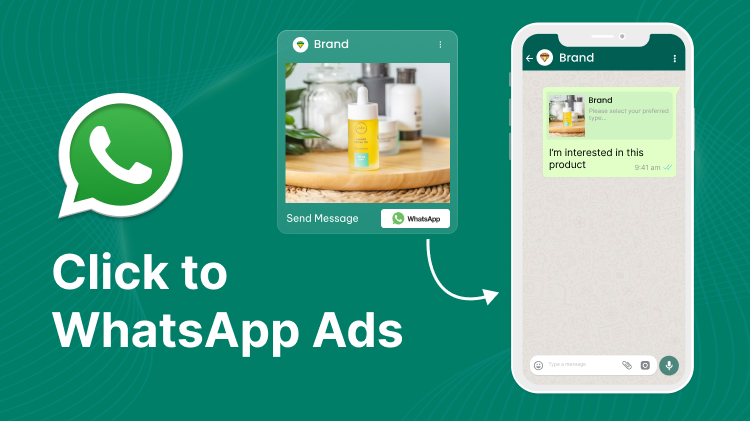
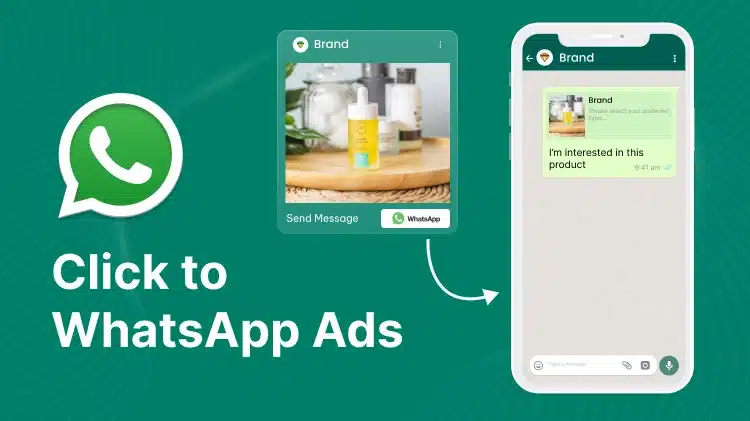
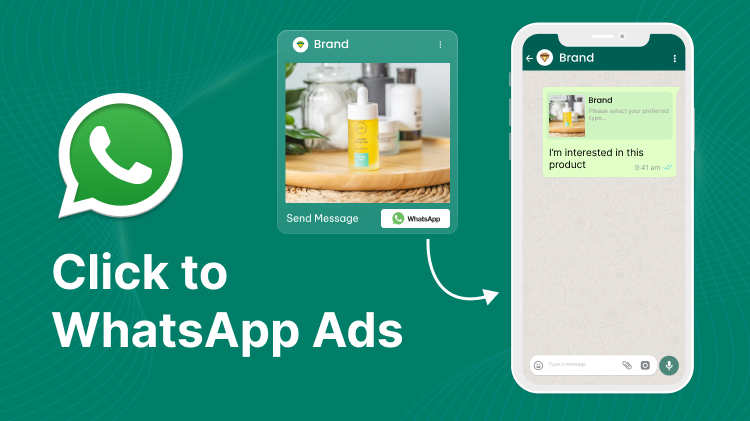
On Facebook’s News Feed, Stories, and Marketplace as well as Instagram’s News Feeds, Stories, and Explore, there is an ad format called Click-to-WhatsApp. The intended audience is expected to initiate a conversation by clicking the Ad and directing them to the WhatsApp profile of a business.
The best thing about Click-to-WhatsApp Ads is that! They do away with the extra procedures customers usually need to perform in order to contact a firm. Your customers do not have to look for your phone number or complete long forms to get in touch with you. With only a single click, they can start a conversation with you and inquire about your goods or services.
Make Your Brand Stand Out with WebMaxy!
Click to improve WhatsApp Engagement now.
How do meta click-to-WhatsApp ads benefit businesses?
1. Compile first-party data and create detailed visitor profiles.
Customers who want to speak with businesses directly before making a purchase find WhatsApp to be an appealing alternative because it gives them control over the conversation and their privacy. They will naturally divulge more personal information. You can gather your target’s name, phone number, interest in purchases, and website usage patterns with click-through advertising on WhatsApp, then store that data in your CRM for retargeting.
2. Use the chat to increase sales and visibility.
Click to WhatsApp advertisements are most effective when they show users how to use a product or service or try to convince them to purchase it. For instance:
- When a client requires advice prior to purchasing your goods or services.
- When creating custom orders requires consumer information.
- When arranging an appointment requires knowing a customer’s preferences.
- When using a WhatsApp Chatbot to do surveys or lead generating campaigns.
3. Reduced acquisition costs.
According to a poll conducted by Stone, a Brazilian financial technology business, 47% of its clients preferred to be reached via WhatsApp. Next, the company reached out to business owners via Facebook click-to-WhatsApp advertisements, offering them a chance to speak with their remote sales team. The company started almost 6,000 discussions in just two months. Click-to-WhatsApp Ads indicated a cost per acquisition that was five times lower than comparable online conversion strategies.
How to use click-to-WhatsApp ads: Business use cases
When employing click-through advertisements to WhatsApp, you must determine the critical points in the buyer’s journey where interactions are most important and incorporate WhatsApp into your campaign.
Examine the following examples. For your WhatsApp business ads, you can apply the same approach at various stages of your consumer lifecycle.
1. Product discovery: Maggi Germany uses WhatsApp to advertise online cooking courses on Facebook and Instagram.
Maggi, a well-known food company that has been offering cooking supplies and services to German consumers for more than 130 years, developed a digital assistant on its WhatsApp channel that enables users to get in touch with Maggi at all times. Clients can benefit from a free online cooking curriculum that includes video tutorials, Q&A sessions, and detailed instructions for various cooking techniques. Through quick quizzes, the digital assistant can teach users about nutrition and proper food handling practices in addition to providing a shopping list for every dish.
Maggi promoted the service via clickable advertisements on Facebook and Instagram that lead to WhatsApp. Those who clicked on the advertisements were taken to the culinary course on WhatsApp, where they could choose which class to enrol in first and then opt in. Consequently, in just two months, 200,000 messages were sent, raising campaign awareness by three points.
2. Lead generation: A Malaysian real estate developer uses WhatsApp to connect sales representatives and prospective purchasers.
Estate builder EcoWorld is based in Malaysia and specialises in building residential townships in three of the nation’s core economic zones.
EcoWorld made the decision to diversify its lead source by using WhatsApp. To entice potential homeowners using WhatsApp to initiate a discussion with a sales representative about EcoWorld properties, EcoWorld ran click-to-WhatsApp advertisements on Facebook and Instagram. In addition to reaching a large number of prospective homeowners, the advertisements are displayed to users who have interacted with the business on Facebook, Instagram, or its website.
Salespeople will be able to personally engage with clients on a deeper level and assist them along the path as a result.
There were 15,000 link clicks to start a WhatsApp chat as a result of the ads. Of those leads, 21% were good enough for further investigation. Depending on the value of the reservations made for properties, the return on WhatsApp business advertising expenditure can reach 6.5X.
What is required to set up click-to-WhatsApp advertisements on facebook?
1. Open a business account on WhatsApp.
It is not possible to communicate with the viewers of your adverts using a personal WhatsApp number. Get a WhatsApp Business account before creating ads in Ads Manager that click to WhatsApp. You have two options: download the WhatsApp Business App or register for the WhatsApp Business API with WebMaxy, one of the best known WhatsApp Business Solution Providers.
You can personalise the profile with your brand name, address, working hours, social network accounts, web page URL, product catalogue, and logo by using the free WhatsApp Business App. Conversely, a WhatsApp Business account (WABA) equipped with the WhatsApp Business API offers more sophisticated functionalities, such as:
It should be noted that if your company does not currently have a Facebook page, you will also need to create one. In your individual Facebook profile, WhatsApp will not be an option. Verify that you can access your page as an admin.
2. Link your Facebook page to your WABA phone number.
Next, link your Facebook Page to your WhatsApp account. Take these actions if you’re using the WhatsApp Business App:
You must make a request to link your Facebook page to the WABA phone number if you are taking advantage of the WhatsApp Business API. Observe the guidelines listed below:
Your Instagram and WABA accounts will automatically connect to your Facebook page after you follow the above procedures.
Most recent WhatsApp updates for click-to-WhatsApp ads
It used to be necessary to link your Facebook account to your WhatsApp Business Account in order to generate a click-to-WhatsApp advertisement. It’s now possible to make click-to-WhatsApp advertisements without requiring a Facebook account.
The most exciting feature of this update is that it allows merchants to create, buy, and post advertising on Facebook right from within the WhatsApp Business App. An email address is all that’s required!
Potential clients can start a WhatsApp chat with your company with only one click.
Using an email address, you can make a click-to-WhatsApp advertisement like follows:
Keep in mind that if you create a click-to-WhatsApp ad using an email address, it will only appear on Facebook. By making an account on Facebook and connecting it to Instagram, you can improve the visibility of your ads there.
How to make ads in ads manager that click-to-WhatsApp
Here are five simple steps to follow in order to set up your Facebook click to WhatsApp advertising in Ads Manager.
Step 1: Establish your advertisement’s goals and be aware of ad placements.
These advertisements differ in terms of size and features. Some are especially helpful in achieving particular objectives. Consequently, when creating an approach for your advertising through WhatsApp, begin with your end objective and work your way down.
Do you wish to pique customers’ curiosity, for instance? Based on how visitors to your website browse, Dynamic advertising in the Carousel or unique Photo formats can actively promote the most pertinent products from your product inventory. Alternatively, if you want to boost online sales, think about including a Meta pixel on your website, which enables you to track and improve your advertising campaigns according to the actions visitors perform. Alternatively, let’s say you wish to use chat to get client feedback. Before putting the click-to-WhatsApp advertising, think about setting up WhatsApp automation (more on this below) to avoid hiring additional agents to handle the sudden flood of discussions.
Step 2: Design the text and images for your advertisement.
Make sure your ad creatives are clear and concise. Consider who is most likely to make a purchase when writing your advertisement copy. They should be able to quickly determine from your advertisements what you’re offering, what will benefit them, and how to proceed.
Use social proof in your advertisements to build credibility if you’re aiming to reach a large audience. You can display, for instance, the endorsements, comments, and reviews left by your clients.
In order to do split testing on the title, ad copy, and visuals, prepare at least two sets of advertisements. It assists you in figuring out what kind of message most encourages folks to get onboard.
Step 3: Design advertisements in Ads Manager that click-to-WhatsApp.
To build advertising in Ads Manager that click-to-WhatsApp, follow these steps:
Step 4: Avoid answering repetitive questions by using a self-service chatbot.
The free WhatsApp Business App lets you place click-through ads in WhatsApp, but it does not let you set up automated workflows. For this reason, a lot of medium-sized to large-sized companies use the WhatsApp Business API to automate and manage discussions ranging from Facebook clicks to WhatsApp ads at scale.
You can use WhatsApp automation to build a chatbot that will automatically show potential clients a range of options and direct them to landing sites.
You can set up a custom workflow in your Shopify store that will route discussions to customer support agents automatically through a queue. From there, they can assist clients in any way required, such as adding products to a cart or provide a payment link via chat.
Tips for Successful Click to WhatsApp Ads
1. The message must be clear from the contents that clicking on Click to WhatsApp ads will open WhatsApp chat for business communications/ conversations.
2. Do not create confusion by creating messages and dialogues.
3. Focus on your Click to WhatsApp ads at a specific audience segment. Click to WhatsApp ads can be an efficient tool for lead generation and for encouraging customer engagement. They can bring potential customers instantly into contact with customer service or sales teams. However, it’s vital to use these ads sensitively and focus on the right audience to acquire the most out of them because launching people directly into a chat window when they aren’t expecting it can lead to a high abandonment rate and result in an underperforming campaign.
Tip to Handle Click to WhatsApp Ads
There are some prospective limitations when using Click-to-WhatsApp ads that advertisers should be aware of. For example, many people do not want to go into any WhatsApp conversation while they are using social media. So, this increases the abandonment rate easily. The wording of the messages must be precise and to the objective of the audience, so they can click on ‘Send Message’, for what they are looking for.
For different stages of audience in the sales funnel, it will entirely cause the abandonment due to distraction, unnecessary diversion of WhatsApp will cause incompletion of the purchase journey for many customers.
Conclusion
You now understand how to write the ideal copy for your WhatsApp Click-to-WhatsApp advertisements! You can design advertisements that captivate your viewers and motivate them to act by using these pointers and techniques. Recall to keep things lighthearted, relatable, and uncomplicated. You can easily create advertisements that stand out and capture the attention of your audience by combining strategic thinking with a little bit of creativity.
Contact us at info@webmaxy.co now and grab the opportunity to Master WhatsApp Marketing. Take advantage of our highly advanced platform and inspire customers to make purchases easily.
More leads does not mean better results.
A campaign that generates 500 form submissions with a 10% callback rate and a 2% close rate is underperforming a campaign that generates 200 WhatsApp