

Understanding the Basics of an Indoor Golf Simulator
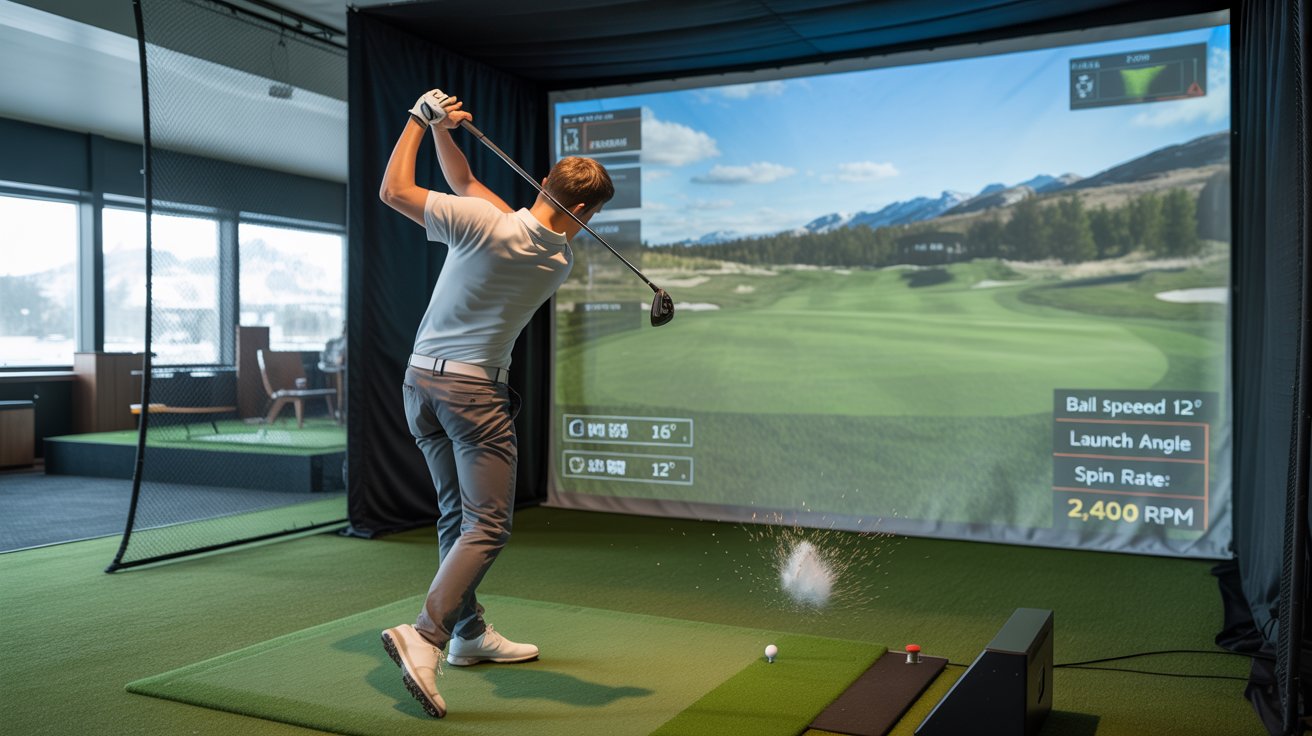
An indoor golf simulator is a sophisticated piece of technology that allows you to play and practice golf in the comfort of your own home or any indoor space. It uses a combination of sensors, cameras, and software to track your golf shots and simulate the experience of playing on a real golf course. Whether you are a beginner or a seasoned golfer, an indoor golf simulator can help you improve your game, enjoy the sport year-round, and have fun with friends and family.
Setting Up Your Home Golf Simulator: Essential Steps and Equipment
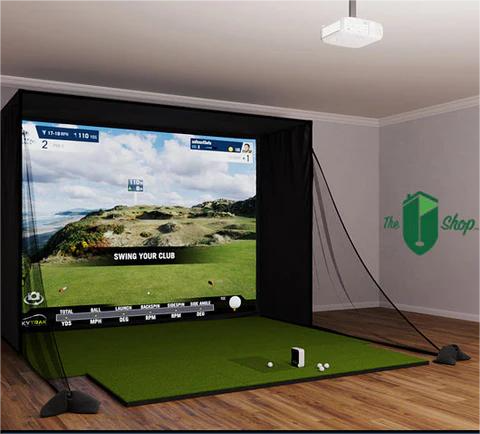
Setting up a home golf simulator requires careful planning and the right equipment. Here's a step-by-step guide to help you get started:
1. Choose the Right Space: The first step is to select a suitable space in your home. Ideally, you need a room with high ceilings (at least 9 feet) and enough space to swing your club freely. A garage, basement, or spare room can be perfect.
2. Invest in a Quality Golf Simulator: There are various golf simulators available on the market, ranging from basic to high-end models. Consider your budget and the features you need. Popular options include SkyTrak, OptiShot, and Tackman.
3. Get a Projector and Screen: To create a realistic golf experience, you'll need a high-quality projector and an impact screen to display the virtual golf course. Ensure the projector has a high resolution and brightness to provide clear images.
4. Install a Golf Mat and Net: A durable golf mat is essential to protect your floor and provide a realistic feel when hitting the ball. Additionally, a net or enclosure will catch your shots and keep the area safe.
5. Set Up the Sensors and Cameras: Follow the manufacturer's instructions to install the sensors and cameras that will track your shots and provide data on your swing, ball speed, and trajectory.
6. Connect to a Computer or Mobile Device: Most golf simulators require a computer or mobile device to run the software. Make sure your device meets the system requirements and has a stable internet connection.
Transforming Your Indoor Space into an Indoor Sports Bar
Why stop at just a golf simulator? Transform your indoor space into a full-fledged indoor sports bar where you can enjoy various activities with friends and family. Here are some ideas:
1. Add Comfortable Seating: Invest in comfortable seating options like recliners, bar stools, and couches to create a cozy and inviting atmosphere.
2. Install a Bar Area: Set up a small bar area with a mini-fridge, shelves for drinks, and a countertop for serving beverages and snacks.
3. Include Other Sports Equipment: Consider adding other sports equipment like a dartboard, pool table, or table tennis to provide more entertainment options.
4. Enhance the Ambiance: Use lighting, decorations, and sports memorabilia to create a fun and lively environment. Consider installing a sound system to play music or broadcast sports events.
Maximizing the Benefits of Your Indoor Golf Simulator
Once your indoor golf simulator is set up, it's time to make the most of it. Here are some tips to help you get the best experience:
1. Practice Regularly: Consistent practice is key to improving your golf skills. Set aside time each week to practice different aspects of your game, such as driving, chipping, and putting.
2. Analyze Your Performance: Use the data provided by the simulator to analyze your performance. Pay attention to metrics like ball speed, launch angle, and swing path to identify areas for improvement.
3. Play Virtual Courses: Take advantage of the simulator's ability to play virtual courses from around the world. This can help you practice different types of shots and course conditions.
4. Compete with Friends: Invite friends and family over for friendly competitions. Many simulators offer multiplayer options, allowing you to play against others in real-time.
The Growing Popularity of Indoor Golf in Canada
Indoor golf is becoming increasingly popular in Canada, with more and more people discovering the benefits of playing golf indoors. Whether it's due to the long winters or the convenience of playing at home, indoor golf simulators are gaining traction among golf enthusiasts of all ages.
In cities like Brampton, Ontario, indoor golf facilities and home setups are on the rise. These simulators provide a way to stay active, improve golf skills, and enjoy the sport regardless of the weather outside.
Choosing the Right Golf Simulator for Your Needs
With so many options available, choosing the right golf simulator can be overwhelming. Here are some factors to consider:
1. Budget: Determine how much you are willing to spend. Golf simulators can range from a few hundred to several thousand dollars.
2. Features: Consider the features you need, such as swing analysis, virtual courses, and multiplayer options. Higher-end models typically offer more advanced features.
3. Space Requirements: Ensure the simulator fits in your available space. Check the dimensions and setup requirements before making a purchase.
4. User Reviews: Read user reviews and testimonials to get an idea of the simulator's performance and reliability. Look for feedback from other users in Canada to see how it performs in similar conditions.
Maintaining Your Indoor Golf Simulator for Longevity
To ensure your indoor golf simulator lasts for years to come, proper maintenance is essential. Here are some tips:
1. Keep the Sensors Clean: Dust and debris can affect the accuracy of the sensors. Regularly clean them with a soft cloth to ensure they function correctly.
2. Protect the Screen: The impact screen can wear out over time. Consider using a protective cover or replacing it when necessary to maintain a clear display.
3. Update the Software: Check for software updates regularly to ensure you have the latest features and improvements. Manufacturers often release updates to enhance performance and fix bugs.
4. Store Equipment Properly: When not in use, store your clubs, balls, and other equipment in a safe and dry place. This will help prevent damage and prolong their lifespan.
Conclusion: Enjoying the Ultimate Indoor Golf Experience in Brampton, Ontario
Setting up an indoor golf simulator in your home can provide endless hours of entertainment and help you improve your golf skills. By following the steps outlined in this guide, you can create a fantastic indoor golf experience that rivals any outdoor course. Whether you're in Brampton, Ontario, or anywhere else in Canada, an indoor golf simulator offers a convenient and enjoyable way to play golf year-round. So, gather your equipment, set up your space, and get ready to tee off in the comfort of your own home!