Kiosk systems are essential for expediting transactions and improving customer satisfaction in today's hectic society. For duties like scanning IDs, tickets, or receipts, many kiosks use USB cameras to take pictures and conduct optical character recognition (OCR). However, optimizing OCR accuracy needs careful hardware and software optimization and goes beyond simply connecting to any camera. Performance can be greatly enhanced with the correct USB camera technology, guaranteeing error-free and flawless data extraction.
High-Resolution USB Cameras for OCR Precision
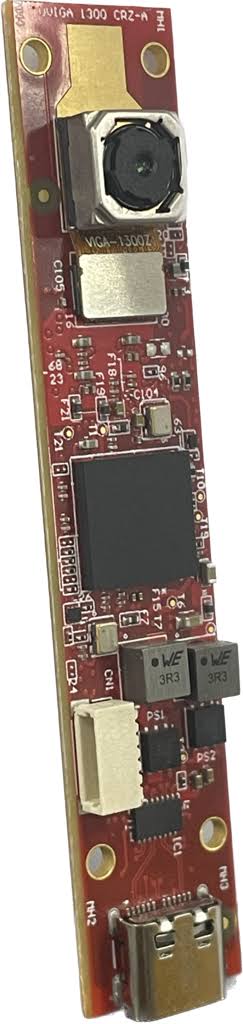
A key factor in OCR success is the resolution of the camera. High-resolution USB cameras capture finer details, allowing the software to interpret text accurately. Whether scanning small fonts on a receipt or barcodes on labels, a 4K USB camera ensures that the input data is sharp and readable, reducing the chances of misreads.
Autofocus USB Cameras for Real-Time Adjustments
In dynamic kiosk environments, the objects being scanned can vary in size and position. Autofocus USB cameras offer real-time focusing capabilities, ensuring optimal clarity regardless of the object’s placement. This feature is especially beneficial in kiosks handling a variety of documents, such as driver’s licenses, payment slips, or boarding passes.
Low-Light USB Cameras for Better OCR in Dim Settings
Many kiosks are placed in environments with poor lighting, such as parking garages or transportation hubs. Low-light USB cameras improve image quality under these conditions, ensuring that OCR systems can function effectively without additional lighting equipment. With enhanced sensitivity, these cameras capture clear images, even in challenging lighting conditions.
The Role of USB Camera Drivers and Software Optimization
The performance of a USB camera used for OCR isn’t just hardware-dependent. Proper driver installation and software optimization are essential for seamless integration. Camera drivers that support UVC (USB Video Class) ensure plug-and-play compatibility with most operating systems, while software tweaks can enhance frame rates, color balance, and exposure for OCR accuracy.
USB Camera Placement Strategies in Kiosks
The positioning of the USB camera plays a crucial role in OCR effectiveness. A well-placed camera reduces the need for users to adjust documents manually, speeding up the process. Cameras embedded at an optimal angle help avoid glare and shadows, ensuring better capture quality.
Exploring Future Trends: AI-Powered OCR and USB Cameras
As OCR technology evolves, AI integration with USB cameras is becoming more common. AI-powered OCR can interpret complex layouts and recognize handwriting with higher accuracy. Future USB camera systems will likely incorporate advanced sensors and edge-computing capabilities, making kiosk operations faster and more reliable.
Are you trying to improve your kiosk systems' OCR performance? Discover our extensive selection of USB camera solutions made to satisfy the needs of contemporary kiosks. To find out more about the newest advancements in camera technology and how we can help your OCR systems function at their best, get in touch with us today.