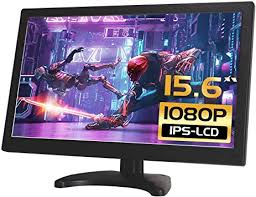
Understanding Refurbished Computer Monitors and Their Benefits
Refurbished computer monitors are pre-owned devices that have been returned to the manufacturer or retailer for various reasons. These monitors undergo a thorough inspection, testing, and repair process to ensure they meet the original specifications and performance standards. The reasons for return can vary from minor cosmetic damages, customer dissatisfaction, or simply being an open-box item. Once refurbished, these monitors are resold at a significantly lower price compared to brand-new models.
One of the primary benefits of purchasing a refurbished computer monitor is the cost savings. Consumers can save a considerable amount of money by opting for a refurbished model without compromising on quality. Manufacturers and retailers often offer warranties and return policies for refurbished monitors, providing buyers with peace of mind and assurance of the product's reliability.
Another advantage of refurbished monitors is their positive impact on the environment. By choosing refurbished products, consumers contribute to reducing electronic waste and promoting sustainability. The refurbishment process involves recycling and reusing components, which helps conserve valuable resources and reduces the carbon footprint associated with manufacturing new devices.
In addition to cost savings and environmental benefits, refurbished monitors often come with the same features and performance as new ones. Many refurbished models are high-end monitors that have been restored to their original condition, offering excellent display quality and functionality. Buyers can enjoy the latest technology and features at a fraction of the cost, making refurbished monitors an attractive option for budget-conscious consumers.
Where to Find Refurbished Monitors for Sale: Trusted Sources and Tips
Finding reliable sources for refurbished monitors is crucial to ensure the quality and authenticity of the product. Several reputable manufacturers and retailers specialize in selling refurbished electronics, including monitors. Some of the most trusted sources for refurbished monitors include:
1. Manufacturer Refurbished Stores: Many manufacturers, such as Dell, HP, and Apple, have dedicated refurbished stores where they sell certified refurbished monitors. These monitors undergo rigorous testing and come with warranties, making them a reliable option for buyers.
2. Authorized Retailers: Retailers like Best Buy, Amazon, and Newegg offer a wide range of refurbished monitors from various brands. These retailers often provide detailed product descriptions, customer reviews, and return policies to help buyers make informed decisions.
3. Online Marketplaces: Websites like eBay and Craigslist can be good sources for finding refurbished monitors at competitive prices. However, it's essential to exercise caution and verify the seller's reputation and return policy before making a purchase.
4. Local Electronics Stores: Some local electronics stores may also offer refurbished monitors. Visiting these stores allows buyers to inspect the product in person and ask questions about the refurbishment process and warranty coverage.
When shopping for refurbished monitors, it's important to consider a few key tips to ensure a satisfactory purchase:
1. Check the Warranty: Look for refurbished monitors that come with a warranty. A warranty provides assurance that the product has been tested and is backed by the manufacturer or retailer.
2. Read Customer Reviews: Customer reviews can provide valuable insights into the quality and performance of refurbished monitors. Look for reviews from other buyers who have purchased the same model to gauge their satisfaction and experiences.
3. Verify Return Policy: Ensure that the seller offers a return policy for refurbished monitors. A return policy allows buyers to return the product if it does not meet their expectations or if there are any issues.
4. Inspect the Product: If possible, inspect the refurbished monitor in person before making a purchase. Check for any visible damages, test the display quality, and verify that all necessary accessories are included.
How to Choose the Best Refurbished Monitors: Key Features and Recommendations
Choosing the best refurbished monitor involves considering several key features and specifications to ensure it meets your needs and preferences. Here are some important factors to keep in mind when selecting a refurbished monitor:
1. Display Size: The size of the monitor is a crucial factor to consider. Larger monitors offer more screen real estate, making them ideal for multitasking, gaming, and media consumption. However, they may also take up more space on your desk.
2. Resolution: The resolution of the monitor determines the clarity and sharpness of the display. Higher resolutions, such as 1440p (QHD) or 2160p (4K), provide better image quality and are suitable for tasks that require detailed visuals, such as graphic design and video editing.
3. Refresh Rate: The refresh rate indicates how many times the monitor updates the image per second. Higher refresh rates, such as 120Hz or 144Hz, offer smoother motion and are beneficial for gaming and fast-paced activities.
4. Panel Type: Different panel types, such as IPS, TN, and VA, offer varying levels of color accuracy, viewing angles, and response times. IPS panels are known for their excellent color reproduction and wide viewing angles, making them suitable for professional work and media consumption.
5. Connectivity: Ensure that the refurbished monitor has the necessary connectivity options, such as HDMI, DisplayPort, and USB ports, to connect to your devices. Multiple connectivity options provide flexibility and convenience for various use cases.
6. Ergonomics: Consider the ergonomic features of the monitor, such as adjustable height, tilt, and swivel. Ergonomic monitors allow for a comfortable viewing experience and reduce strain during extended use.
Based on these factors, here are some recommendations for the best refurbished monitors available in the market:
1. Dell UltraSharp U2718Q: This 27-inch 4K monitor offers stunning visuals with its IPS panel and HDR support. It features a wide color gamut, excellent color accuracy, and multiple connectivity options, making it ideal for professional work and media consumption.
2. HP Z27n G2: The HP Z27n G2 is a 27-inch QHD monitor with an IPS panel and thin bezels. It offers vibrant colors, wide viewing angles, and a fully adjustable stand, making it suitable for both work and entertainment.
3. ASUS ROG Swift PG279Q: Designed for gamers, the ASUS ROG Swift PG279Q is a 27-inch QHD monitor with a 165Hz refresh rate and G-Sync support. Its IPS panel delivers excellent color accuracy and smooth motion, providing an immersive gaming experience.
4. LG 34WK650-W: This 34-inch ultrawide monitor features a 21:9 aspect ratio and Full HD resolution. Its IPS panel offers vibrant colors and wide viewing angles, making it perfect for multitasking, media consumption, and productivity tasks.
5. BenQ PD2700U: The BenQ PD2700U is a 27-inch 4K monitor with an IPS panel and factory-calibrated color accuracy. It is designed for creative professionals and offers features like dual-view mode and CAD/CAM mode for enhanced productivity.
By considering the key features and recommendations mentioned above, you can find the best refurbished monitor that suits your needs and preferences. Refurbished monitors offer a cost-effective and eco-friendly alternative to new models, allowing you to enjoy high-quality displays without breaking the bank.