Project Modules
Admin Module
- Dashboard: In this section admin can briefly view of subjects and teachers.
- Subjects : In this section, admin can manage the Subjects (add/delete).
- Teachers : In this section, admin can view the registered teachers.
- Profile: In this section admin can update his/her profile.
- Change Password: In this section admin can change his/her own passwords
- Logout: Through this button admin can logout.
Click: https://phpgurukul.com/teachers-record-management-system-using-codeigniter/
Teachers Module
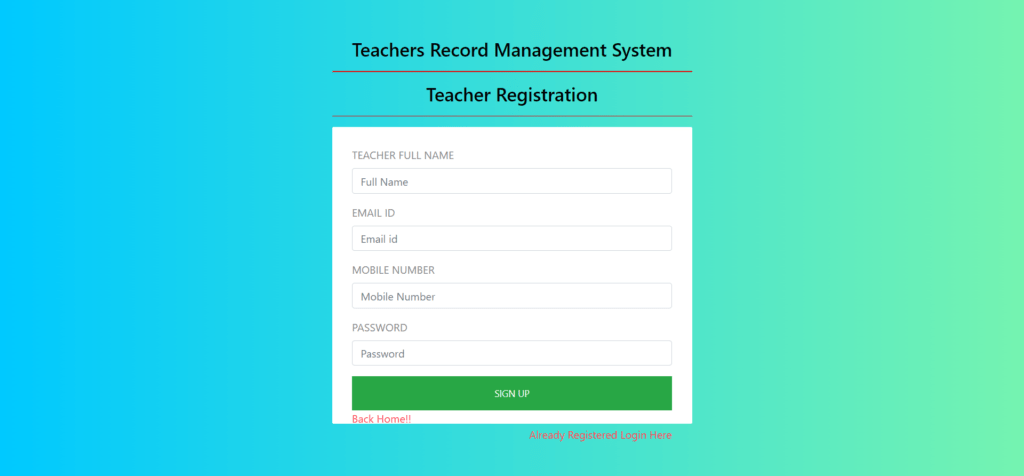
- Signup: In this section, teacher can regsister your self.
- Signin: After successfull registration teacher can login with valid credentials.
- User Profile: In this section, Teacher can update own details.
- Change Password: In this section Teacher can change his/her own passwords.
- Logout: Through this button Teacher can logout.
DEMO: https://youtu.be/1Nv6TrgH2Mc
User Module
In this module, the user can search teachers by subject name.
How to run Teachers Record Management Project using CodeIgniter
- Download the zip file
- Extract the file and copy
trms-cifolder - Paste inside root directory(for xampp xampp/htdocs, for wamp wamp/www, for lamp var/www/html)
- Open PHPMyAdmin (http://localhost/phpmyadmin)
- Create a database with name
trmsci - Import
trmsci.sqlfile(given inside the zip package in SQL file folder)
- Run the script
http://localhost/trms-ci(frontend)
Teacher CredentialUsername: amit@gmail.comPassword: Test@123
Admin CredentialUsername: admin@gmail.comPassword: Test@123
PHP Gurukul
Welcome to PHPGurukul. We are a web development team striving our best to provide you with an unusual experience with PHP. Some technologies never fade, and PHP is one of them. From the time it has been introduced, the demand for PHP Projects and PHP developers is growing since 1994. We are here to make your PHP journey more exciting and useful.
Website : https://phpgurukul.com