





With the rapid rise of eCommerce and the increasing sophistication of cyber threats, securing your WooCommerce store in 2025 is not a luxury—it’s a necessity. As online stores handle sensitive user data, payment information, and high-value orders, any lapse in security can lead to data breaches, revenue loss, and brand reputation damage.
This guide breaks down the best security plugins, proven practices, and two-factor authentication tips to help you secure your WooCommerce store against evolving threats.
Why Security Matters More Than Ever
Cybercrime is projected to cost businesses over $10.5 trillion globally by 2025. WooCommerce, being the most popular eCommerce plugin for WordPress, is a prime target for:
Without proactive measures, your store could be exposed—even if it seems secure on the surface. Whether you're running a boutique shop or processing millions of orders (requiring advanced Optimizing Database Performance), strong security architecture is your first line of defense.
1. Use a Secure Hosting Environment
Security starts at the server level. Choose hosting providers that offer:
Providers like Kinsta, WP Engine, and SiteGround offer WooCommerce-optimized hosting environments with enterprise-grade security features baked in.
If you're also focused on Speeding Up WooCommerce, you'll find that secure hosts usually deliver better performance as well—win-win.
2. Keep Everything Updated
Outdated plugins and themes are the number one reason WordPress sites get hacked. Regularly updating:
…ensures that any known vulnerabilities are patched quickly. Enable auto-updates where safe and test all changes on a staging site before deploying to production.
3. Use a Security Plugin Designed for WooCommerce
Security plugins add layers of protection without the need for deep coding knowledge. Here are the best options for 2025:
🔒 Wordfence Security
🔒 iThemes Security Pro
🔒 Sucuri Security
Most of these integrate seamlessly with WooCommerce, protecting critical files, customer data, and payment gateways.
4. Enforce Strong Login Security
WooCommerce admin panels are prime targets for brute force attacks. Strengthen access with:
These tactics drastically reduce the chances of unauthorized access.
5. Implement Role-Based Access Control (RBAC)
WooCommerce supports multiple user roles: Admin, Shop Manager, Customer, etc. To tighten security:
Minimizing privileges helps mitigate risks if an account is compromised.
6. Secure the Checkout Process
Your checkout page is where sensitive information is exchanged. Here’s how to keep it safe:
A secure checkout experience not only protects your store but builds customer trust and increases conversions.
7. Perform Regular Security Audits
Monitoring is as important as implementing. Use tools and services to:
Also, perform penetration tests periodically or hire a security agency to do it for you.
8. Set Up Automated Backups
Always be prepared for the worst. Use tools like:
…to schedule daily or hourly backups. Ensure backups are stored offsite (Google Drive, Dropbox, S3) and can be restored quickly in case of a breach.
9. Disable Unused WooCommerce Features
WooCommerce is modular, which means you can disable features you're not using:
The fewer active endpoints your store has, the smaller the attack surface.
10. Work with Professional WooCommerce Developers
Security is an ongoing process. For stores with high traffic, complex checkout systems, or advanced order volumes, working with experienced developers makes a massive difference.
Professional agencies offering WooCommerce Development Services can help you:
Final Thoughts
With 2025 bringing both technological innovation and advanced cybersecurity threats, WooCommerce store owners must stay vigilant and proactive about protection.
From plugins and policies to two-factor authentication and backups, every layer counts. Don’t wait for a breach to take action—start securing your store today.
Need help with performance, scalability, or secure WooCommerce development? Our team can help you with everything from Optimizing Database Performance to security implementation to Speeding Up WooCommerce for a seamless, safe shopping experience.



We’re the top WordPress development agency for ambitious businesses using WordPress and WooCommerce.https://annexcore.com/woocommerce-development/
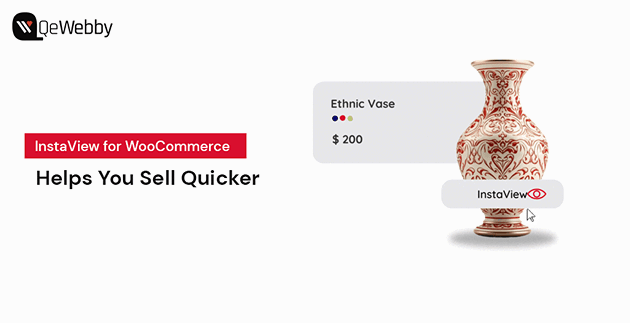
In eCommerce, every extra click can cost you a customer.
Online shoppers today expect speed, convenience, and instant access to product information. If they have to open multiple pages just t