



If you’re stepping into the digital world of websites, data management, or online services, you've likely encountered the term hosted server. A hosted server refers to a physical or virtual server that’s housed and maintained by a third-party hosting provider. Instead of managing hardware and software in-house, businesses can lease server resources that are managed externally. This setup gives users access to powerful server infrastructure without the costs and technical expertise associated with owning and maintaining their own hardware. Hosted servers are a popular choice for startups, e-commerce sites, SaaS platforms, and even established enterprises that prefer a scalable and secure way to manage their digital operations. Understanding how they work is crucial for making informed decisions about hosting solutions.
 How a Hosted Server Works
At its core, a hosted server is a remote computing environment. When you subscribe to a hosting plan, the provider allocates server resources such as CPU, RAM, and storage based on your chosen configuration. The server is installed in a data center equipped with high-speed internet, backup power, firewalls, and physical security measures. You access your server remotely, typically through a secure interface like SSH (for Linux) or Remote Desktop Protocol (for Windows). Everything from installing applications to running scripts or storing files is done virtually. While the provider handles hardware maintenance, updates, and uptime monitoring, you’re free to manage the software environment and user access.
Types of Hosted Servers
Hosted servers are not one-size-fits-all. Depending on your requirements, you can choose from several types:
1. Shared Hosting
Multiple websites reside on a single server, sharing its resources. This is ideal for small websites with minimal traffic. While affordable, it offers limited control and can be affected by other sites on the same server.
2. VPS (Virtual Private Server)
Here, a single physical server is divided into multiple virtual servers, each with dedicated resources. VPS offers more flexibility and better performance than shared hosting, making it suitable for medium-sized businesses or web applications.
3. Dedicated Servers
As the name suggests, you get an entire server to yourself. This option provides maximum performance, customization, and security. It’s ideal for resource-intensive applications and large enterprises.
4. Cloud Servers
These operate on a network of connected virtual and physical cloud servers. Cloud hosting allows you to scale resources dynamically, making it a great choice for businesses expecting fluctuating traffic.
5. Managed Hosting
With managed hosting, the provider handles server setup, management, monitoring, and maintenance. This is useful for users who want the benefits of a hosted server without the hassle of day-to-day server management.
Benefits of Using a Hosted Server
There are numerous reasons why hosted servers are widely used.
Cost-Effective
You avoid the upfront investment of buying hardware and the ongoing costs of maintenance, cooling, electricity, and security. Hosting providers spread these costs across many clients, lowering your overall expense.
Scalability
Hosted solutions are flexible. Need more storage, bandwidth, or processing power? Just upgrade your plan. This agility allows your infrastructure to grow with your business without disruption.
Security
Reputable hosting providers implement advanced security measures such as firewalls, DDoS protection, malware scanning, and encrypted backups. These features safeguard your data against common threats.
Reliability and Uptime
Data centers hosting servers offer robust power backup, redundant internet connections, and failover systems to ensure consistent uptime. Most providers promise 99.9% uptime, ensuring that your website or application remains accessible.
Expert Support
Most hosting plans come with 24/7 customer support. Whether you face technical issues or need configuration assistance, support teams are available to help troubleshoot and resolve problems quickly.
Focus on Core Business
Since the provider takes care of the infrastructure, you can focus on growing your business, improving user experience, or developing your product instead of managing servers.
Key Considerations Before Choosing a Hosted Server
While hosted servers offer many advantages, selecting the right solution requires careful consideration.
Understand Your Needs
What kind of website or application are you running? What traffic levels do you expect? How much storage or bandwidth do you need? Answering these questions helps narrow down the type of server you should choose.
Performance Requirements
Assess your performance needs based on resource usage. A content-heavy website or a high-traffic application will demand more CPU power and memory.
Budget Constraints
Hosting costs vary significantly. Shared hosting is the most affordable, while dedicated and managed servers come with a premium price tag. Weigh the cost against the value you receive.
Technical Skills
If you or your team lack technical knowledge, consider managed hosting to ensure smooth server operation. On the other hand, if you prefer complete control and customization, unmanaged plans might be better suited.
Backup and Recovery Options
Look into how often the hosting provider performs backups and how easy it is to restore your data in case of a failure or cyberattack.
Customer Reviews and Reputation
Check reviews and ratings of the hosting provider. Their track record in customer service, uptime, and technical performance can be a reliable indicator of what to expect.
Hosted Servers vs. On-Premise Servers
The alternative to using a hosted server is maintaining your own infrastructure on-site. Here’s how the two compare:
1. Cost
On-premise servers require upfront hardware investment, licensing, and maintenance. Hosted servers operate on a subscription model with predictable monthly expenses.
2. Maintenance
With on-premise servers, your internal team handles all maintenance. Hosted solutions shift that responsibility to the provider.
3. Flexibility
Hosted servers can be upgraded or downgraded easily. Scaling on-premise infrastructure often requires purchasing new hardware.
4. Security Control
On-premise servers allow complete control over security protocols, while hosted environments rely on the provider’s security practices.
5. Deployment Speed
Hosted servers can be deployed almost instantly. On-premise servers take time to set up, configure, and test.
Real-World Use Cases for Hosted Servers
E-Commerce Websites
E-commerce businesses need a reliable, scalable hosting solution to handle traffic spikes during promotions or holiday seasons. Hosted servers allow these sites to run efficiently without downtime.
SaaS Applications
Software companies offering web-based products benefit from hosted servers because they can focus on application development while the server infrastructure is managed externally.
Corporate Websites and Intranets
Enterprises use hosted servers to manage internal tools, employee portals, and customer-facing websites. They offer performance, reliability, and administrative control.
Media Streaming Platforms
Video and audio streaming require high bandwidth and low latency. Hosted servers, particularly dedicated or cloud-based ones, offer the resources needed to deliver smooth user experiences.
Final Thoughts
Hosted servers play a pivotal role in the digital ecosystem. From cost savings and scalability to high-performance capabilities, they offer a practical solution for businesses of all sizes. Whether you're launching a new website or expanding your existing infrastructure, understanding how hosted servers work empowers you to make smarter technology decisions. If your business requires more control, enhanced security, and custom configurations, you might eventually graduate to dedicated hosting—a premium solution tailored for high-demand environments



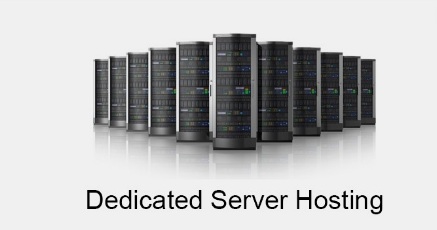
Dedicated server hosting is a hosting when a single server is leased to a website owner or even an organization.
This type of hosting has many benefits, and this is exactly what makes it so important for certain kinds of businesses.Dedicated hosting offers the client better security.
This fact, combined with security patches and regular updates, makes this probably the most secure hosting options.Before purchasing a dedicated server hosting, the website owner must evaluate the website's memory requirements, and how this will affect their loading speeds.
This is in the form of Random Access Memory.
Therefore, the more RAM a website has, the faster it will load.Dedicated hosting means better security because servers are kept in climate-controlled secure environments for the host's location.
It is the duty of the web hosting service provider to make sure that the server is properly protected from condensation and extreme temperature fluctuations to ensure that its performances are usually not affected.Due to low budget most of the webmasters do not get the chance to have fun with the handling a dedicated server.