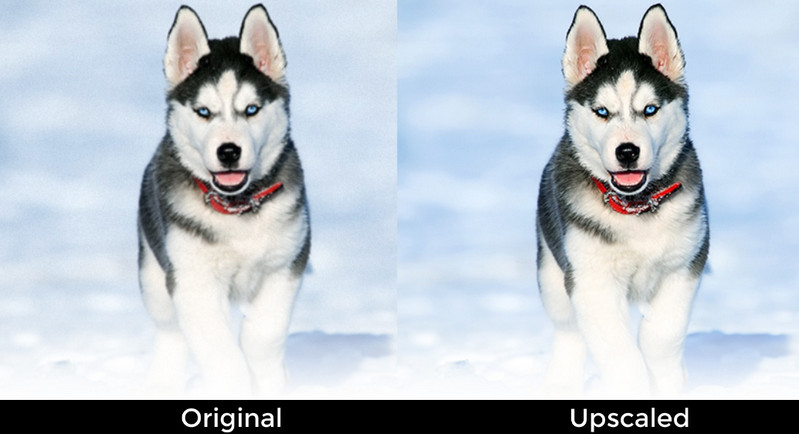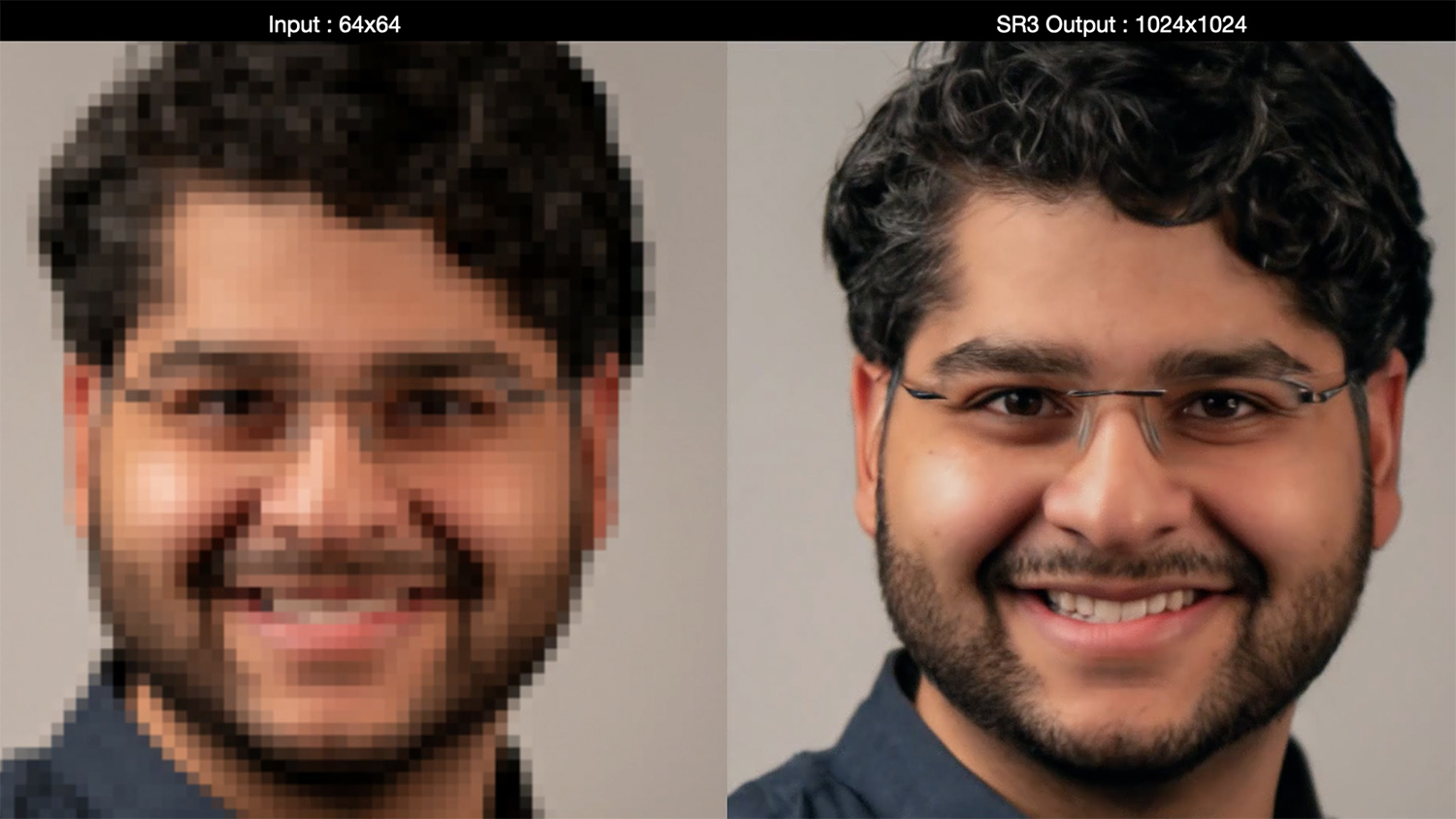


Blurry baby photos. Pixelated vacation shots. Washed-out product images. Just a few years ago, rescuing these would’ve meant hours hunched over Photoshop, fiddling with sliders, masks, and layers like a digital surgeon. Fast forward to 2025, and those headaches are evaporating — thanks to a new class of clever tools that don’t just edit photos, but intuit what they should look like.
AI image enhancers aren’t just another fleeting tech trend. They’re recalibrating how we approach visual storytelling — from solo creators polishing Instagram reels to e-commerce giants reinventing product imagery.
From Fixing Flaws to Creating Magic: The New Role of AI
Instead of simply correcting exposure or sharpening pixels, modern AI image enhancers can:
- Reconstruct missing or blurry details in old or low-res images
- Replace or blur backgrounds with studio-like precision
- Recolor black-and-white photos with emotion-sensitive palettes
- Apply cinematic styles based on mood or brand identity
What Are AI Image Enhancers?
At their core, AI image enhancers are systems trained on millions of visuals to recognize patterns, understand composition, and automatically apply enhancements that once required a human touch. These aren't your average "auto-fix" buttons—they learn, adapt, and even predict user intent.
Here's What Powers Them:
- Machine Learning Models. Improve over time by analyzing billions of image features (contrast, texture, faces, etc.)
- Computer Vision. Understands the content of an image — faces, skies, products — and adjusts accordingly
- Generative AI. Fills in missing details or reimagines elements based on training data (used in tools like DALL·E and Adobe Firefly)
Unlike traditional editing tools that rely on static algorithms, AI image enhancers evolve. They don’t just tweak colors — they rebuild lost details, recognize emotions in faces, and bring old or poor-quality photos back to life.
Key Features That Set AI Enhancers Apart in 2025
You’re not just clicking "sharpen" anymore. These next-gen tools offer features that make them smarter than any photo editing tool you’ve used before.
Standout Features
- One-Click Restoration - fix pixelated, faded, or damaged images instantly
- Live Preview Enhancements - see edits in real-time while capturing photos
- Smart Background Detection - swap or blur backgrounds with edge-aware precision
- Style Transfer - apply cinematic filters or brand-specific looks with just a reference image
- Noise Reduction Without Blurring - retain texture while cleaning up images
- Facial Landmark Precision - restore eyes, skin tones, and lighting tailored to each subject
Tensorpix.ai, for example, uses facial reconstruction models that outperform standard upscalers, especially in low-light or noisy images.
Top AI Image Enhancement Tools in 2025
You’ve got options — but not all tools are built the same. Here's a quick breakdown:

Tensorpix.ai: Your Photo's New Best Friend
Among the swarm of platforms jumping into the image enhancement race, Tensorpix.ai stands out for all the right reasons. Designed with creatives, marketers, and everyday users in mind, this tool doesn’t just slap a filter on your photo — it breathes life into it.
Why Tensorpix.ai Is Turning Heads in 2025:
- Intelligent Face Recovery - Tensorpix uses a proprietary facial reconstruction engine that can restore details from compressed or low-light portraits, often surpassing what traditional editors can salvage.
- Dynamic Image Upscaling (4K-ready) - Perfect for printing or high-res campaigns, Tensorpix enhances resolution without adding that plasticky, over-sharpened look many tools are guilty of.
- Batch Enhancement Workflow - Need to clean up 500 product shots? Tensorpix automates bulk enhancement with consistent quality, freeing your team from hours of grunt work.
- Edge-aware Editing - Unlike many tools that smudge fine lines or blur edges, Tensorpix maintains image sharpness around subjects — ideal for e-commerce, portraits, and social media visuals.
- Advanced Video Upscaling - Beyond static images, Tensorpix also features a powerful video upscaler that brings the same intelligent enhancement capabilities to motion content, making it perfect for creators looking to upgrade old footage or improve video quality for modern platforms.
Real World, Real Impact
Let’s say you run a vintage film archive. You’ve got boxes of 1980s analog stills, many deteriorating from age. With Tensorpix.ai, you can:
- Digitally upscale those images to HD without quality loss
- Remove grain and artifacts intelligently
- Restore natural skin tones and lighting with just a few clicks
Or imagine being a solo Etsy seller. Instead of hiring a pro photographer, you can:
- Use your phone to shoot
- Run your images through Tensorpix
- Get crisp, white-background-ready visuals that look studio-shot
The way we edit photos is shifting — no longer a chore for the technically gifted, but a creative playground for anyone with an idea. And at the center of it all? A quiet revolution powered by tools like Tensorpix.ai that don’t just enhance images, but elevate what’s possible.
Use Cases Across Industries
AI-enhanced photos aren’t just prettier — they’re more effective. Businesses across the board are cashing in on improved visual quality and faster workflows.
E-Commerce
- Stat: 93% of shoppers consider visual appearance a key factor in purchasing decisions (Shopify, 2025)
- Example: ModioShop uses Tensorpix.ai to auto-enhance 1,000+ product photos weekly, reducing editing costs by 40%.
Photography & Design
- Benefit: Save hours per project while maintaining creative control
- Example: Freelance photographers use Topaz Photo AI to restore detail in low-light wedding shots instantly
Social Media & Influencer Marketing
- Need: Polished, fast-turnaround content
- Example: TikTok creators rely on Remini to smooth and sharpen selfies for viral reels
Archival & Media Restoration
- Use Case: Recoloring and upscaling historical photos
- Example: PixelArchive digitized 500,000+ vintage prints using Tensorpix.ai’s upscaling and face detail tools
Benefits for Everyday Users and Professionals
Whether you’re a solo creator or running a digital agency, these tools remove friction and let you focus on what matters — your vision.
For Professionals:
- Scale editing operations without hiring additional editors
- Ensure brand consistency across thousands of visuals
- Reduce turnaround times for campaigns
For Everyday Users:
- Improve old family photos with a few clicks
- Get social media–ready content without design skills
- Save money on expensive editing software and services
AI image enhancers don’t replace your creativity — they remove the roadblocks that slow it down.
A New Visual Language
AI image enhancers are doing more than just speeding up your workflow — they're shifting how we think about images entirely. The right photo editing tool can now do in seconds what once required hours of human touch, opening doors for small businesses, creators, and memory-keepers around the world.
As tools like Tensorpix.ai make high-end editing accessible to anyone, you’re no longer limited by your technical skills. You’re free to tell stories, sell products, or preserve moments — sharper, faster, and more beautifully than ever before.
So the question isn’t if you’ll start using AI to enhance your images. It’s how far you’ll take it.