


For growing businesses, switching to a more powerful content management system (CMS) can make the difference between a sluggish digital presence and a high-performing one. Whether you are moving to WordPress, Drupal, or Strapi, migration requires careful planning to avoid data loss, downtime, or security issues. Many enterprises rely on the top CMS development companies to streamline this process, but having a step-by-step checklist ensures that agencies and in-house teams can manage the transition effectively.
Below is a detailed migration checklist that agencies can follow when helping clients move from an outdated CMS to WordPress, Drupal, or Strapi.
Step 1: Define Migration Goals and Requirements
Before touching any code or exporting content, agencies should start with a discovery session. Migration is not just a technical shift but also a business decision.
- Identify pain points in the current CMS. Is it poor scalability, limited customization, or high licensing costs?
- Define the client’s goals. For example, a publishing house might want WordPress for editorial flexibility, while a government portal might prefer Drupal for security, and a startup might adopt Strapi for its headless architecture.
- List must-have features. This could include multilingual support, user roles, API integrations, or e-commerce functionality.
Clear requirements will guide whether WordPress, Drupal, or Strapi is the most suitable destination CMS.
Step 2: Audit the Existing Website
A detailed audit ensures that nothing critical gets overlooked during migration.
- Content Inventory: Review pages, posts, categories, tags, and media files.
- Design and Layouts: Note which templates or components must be replicated or improved.
- Plugins and Modules: Document all third-party extensions and decide which ones to replace, upgrade, or drop.
- SEO Assets: Record existing URLs, meta descriptions, schema markup, and backlinks to avoid ranking drops.
- Performance Data: Measure current load times, bounce rates, and traffic analytics for benchmarking.
Many top CMS development companies emphasize this audit step because it sets the foundation for a seamless transition.
Step 3: Choose the Right CMS Platform
Not all CMS platforms are created equal. Agencies must help clients align business goals with the platform’s strengths:
- WordPress: Ideal for content-heavy websites, blogs, small-to-medium businesses, and e-commerce stores via WooCommerce. Its vast plugin ecosystem makes customization cost-effective.
- Drupal: A robust choice for enterprises, government portals, and large organizations that need advanced user permissions, security, and scalability.
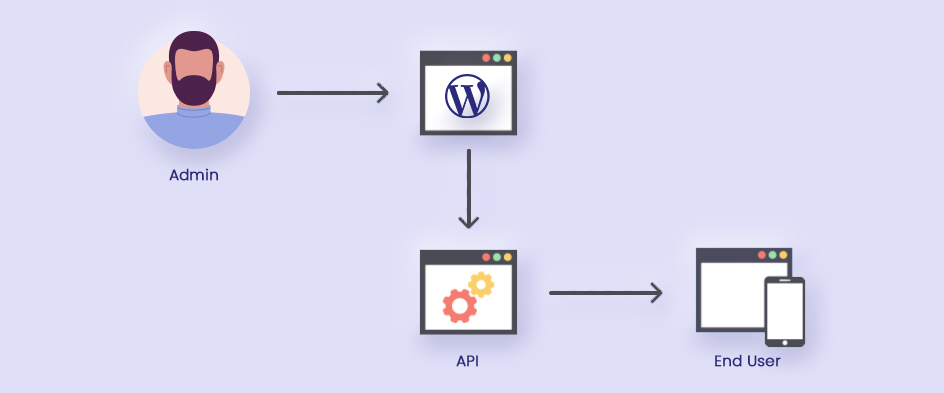
- Strapi: A headless CMS perfect for startups and businesses that want to deliver content across multiple platforms (web, mobile, IoT) using APIs.
The selection process should weigh technical needs, long-term scalability, and total cost of ownership.
Step 4: Plan Data Migration
Data is the most valuable asset during migration. Agencies should create a structured migration roadmap.
- Map Content Types: Align old CMS content types with new CMS equivalents.
- Preserve URLs: Use redirects to maintain SEO rankings and avoid broken links.
- Clean Data: Remove outdated posts, duplicate images, or unused tags.
- Export & Import Tools: Use plugins, migration modules, or custom scripts depending on the CMS. For example, WP All Import for WordPress, Migrate API for Drupal, or Strapi’s content export utilities.
- Test Sample Migrations: Run partial migrations to validate data accuracy before a full transfer.
Step 5: Rebuild the Design and User Experience
Migration is the perfect opportunity to modernize the site’s design.
- Theme or Template Selection: Choose a responsive, mobile-first theme or develop a custom one.
- Component Mapping: Replicate essential layouts while enhancing usability.
- Accessibility Compliance: Follow WCAG guidelines for inclusive design.
- Performance Optimization: Reduce heavy scripts, compress images, and leverage caching.
For businesses working with top CMS development companies, this phase often involves collaboration between designers, UX specialists, and developers to ensure the new site not only looks good but also drives conversions.
Step 6: Migrate Media and Digital Assets
Images, videos, and documents need special attention.
- File Organization: Restructure media folders for easier management.
- Compression: Use modern formats like WebP for faster load times.
- Metadata Preservation: Keep alt text, captions, and file names intact for SEO.
- CDN Integration: Set up content delivery networks for global performance.
Step 7: Rebuild Functionality with Plugins, Modules, or Custom Code
Every CMS has its own ecosystem:
- WordPress: Plugins for SEO (Yoast, Rank Math), security (Wordfence), and e-commerce (WooCommerce).
- Drupal: Modules for multilingual support, advanced permissions, and workflow management.
- Strapi: APIs and integrations with frontend frameworks like React, Vue, or Next.js.
Agencies should prioritize essential features first, then add enhancements gradually to avoid performance issues.
Step 8: SEO and Redirect Strategy
SEO must be preserved to avoid losing years of search visibility.
- 301 Redirects: Map old URLs to new ones to preserve link equity.
- Sitemap and Robots.txt: Update and resubmit to search engines.
- Metadata Migration: Ensure titles, descriptions, and schema remain intact.
- On-Page SEO Enhancements: Improve internal linking, heading structure, and content readability.
- Analytics Setup: Reconnect Google Analytics, Search Console, or other tracking tools.
Step 9: Test Thoroughly Before Launch
No migration is complete without rigorous testing.
- Functional Testing: Verify forms, search, navigation, and logins.
- Performance Testing: Measure page speed and server response times.
- Cross-Browser Testing: Check compatibility on Chrome, Safari, Edge, and Firefox.
- Device Testing: Ensure flawless performance across desktop, tablet, and mobile.
- Security Testing: Validate SSL, firewalls, and vulnerability patches.
The best CMS development companies often run multiple testing cycles with client stakeholders to ensure the new site meets expectations.
Step 10: Launch and Monitor
After all testing, it’s time to go live.
- DNS Switching: Point domains to the new hosting environment.
- Post-Launch Monitoring: Track uptime, performance, and error logs.
- Backup Setup: Ensure automated backups are in place.
- Bug Fixes: Address issues immediately after launch.
Monitoring should continue for at least a month post-launch to ensure stability.
Step 11: Training and Documentation
Clients should be empowered to manage their new CMS effectively.
- Admin Training: Walk through content creation, media management, and user permissions.
- Documentation: Provide written or video guides tailored to the new CMS.
- Ongoing Support: Offer maintenance packages or helpdesk services.
This step ensures long-term success and reduces dependency on developers for minor updates.
Step 12: Continuous Optimization
Migration is not the finish line—it’s the beginning of ongoing improvements.
- Performance Monitoring: Regularly check speed and uptime.
- Plugin/Module Updates: Keep extensions up to date to avoid vulnerabilities.
- Content Strategy: Leverage the new CMS to scale content marketing.
- Security Hardening: Implement firewalls, monitoring tools, and periodic audits.
Final Thoughts
Migrating to WordPress, Drupal, or Strapi can seem overwhelming, but with a clear agency checklist, the process becomes manageable and predictable. The key lies in careful planning, data integrity, design improvements, SEO preservation, and ongoing optimization.
Partnering with one of the top CMS development companies can make the journey smoother, but even internal teams can achieve a successful migration by following the steps outlined above. Done right, migration doesn’t just move a website—it transforms how businesses manage, deliver, and scale their digital presence.


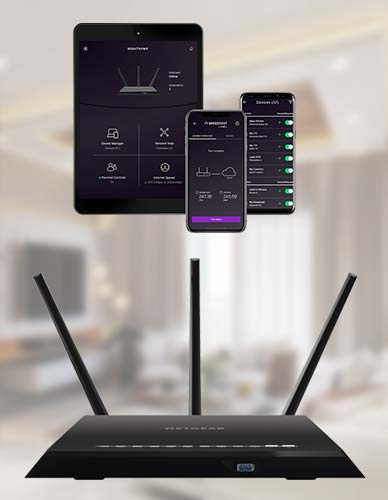
Get a step-by-step guide to Nighthawk app download from the Nighthawk App Download website.
Which provides you the setup instructions to log in to your router to connect to the Internet.
For more information visit our website.

Want a step-by-step guide to Canon TS3122 troubleshooting online, Then no look further.
Visit the Printer customer service website in order to resolve the Canon TS3122 troubleshooting issues over the phone or chat.
Our experts assist you 24/7 across the globe without pay extra charges.
For more help call us at US (855) 968-1096 UK (800) 368-8615