





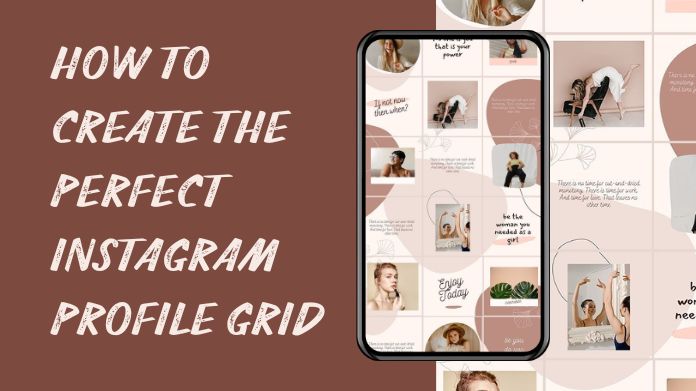
Want to make your Instagram feed look clean and appealing? You are in the right place.
The key to creating the ideal Instagram profile grid is to schedule your posts so that they look balanced and creative together. A nice grid helps your profile stand out and attracts more followers.
Sometimes, people visit private Instagram accounts to gather ideas and see what others are doing in a unique way. This can provide you with new ideas for your own layout and style.
In this post, we'll explore what an Instagram profile grid is and how to make one that looks great.
What is an Instagram Profile Grid?
An Instagram Profile Grid is the layout of all of your posts that people view when they visit your profile. It shows your photos and videos in rows of three.
The way your grid looks gives visitors their first impression of your account. Many people plan their grid to match colors, follow a theme, or keep it neat so their profile looks creative and attractive.
Ideas for Instagram Profile Grid
Making your Instagram profile grid look good can help your page stand out.
- Color Theme Grid: Use the same colors or filters in your posts to keep your profile looking neat and stylish.
- Row by Row Grid: Plan each row with one topic, like travel, food, or fashion. Each row tells its own little story.
- Checkerboard Style: Post in a pattern, like photo–quote–photo or light–dark–light, to make your grid stand out.
- Puzzle Grid: Break one big photo into smaller posts that fit together on your profile. It looks fun and creative.
- Border style: Add borders around your images to give your grid a neat appearance.
- Quote and Photo Mix: Share a mix of photographs and short quotes. This provides variation and makes your profile more engaging.
- Diagonal flow: Post such that related colors or styles cross the grid diagonally. It makes a lovely pattern.
- Seasonal Grid: Match your posts with the seasons or events, such as bright summer photos or festive holiday vibes.
Trying different styles can make your Instagram feed more creative and fun to look at.
How to Design an Instagram Profile Grid?

Designing a nice Instagram grid is essential for making your profile stand out.
1] Choose a theme:
Determine how you want your profile to look. It might be simple and clean, bright and colorful, or themed on your interests, such as travel, food, or fashion. A theme gives your profile a unique look.
2] Choose your colors:
Use the same 2-3 colors or filters throughout your postings. This keeps your grid organized and connected. Colors reflect your style. Soft tones appear tranquil, whilst bright ones appear active.
3] Plan Your Layout:
Consider how your postings will appear next to each other. You can experiment with checkerboard (picture and text), puzzle grids, and row-by-row designs. A great layout helps your profile stand out.
4] Use Helpful Apps:
Apps such as Canva, Lightroom, and Preview allow you to edit photographs and design your grid before posting. This allows you to see how everything will look together.
5] Mix your content:
Avoid posting the same style of photo over and over. To keep your grid interesting and enjoyable, use a variety of photographs, quotations, reels, and graphics.
6] Be Consistent:
Post regularly and stick to your style. Using the same filters and theme makes your profile more organized and specific to recognize.
7] Check before posting:
Always preview your grid before adding a new post. This allows you to avoid posts that do not match your colors or style.
With some easy thought and effort, you can develop a grid that appears clean, innovative, and appealing to everybody who visits your profile.
Conclusive Statement
Making a good Instagram profile grid is an easy way to make your page look more attractive, creative, and tidy.
A clean grid shows your style, makes your posts stand out, and gives your profile a polished look.
To achieve the best results, plan your posts, use complementary colors, and try layouts that complement your content well.
Even a simple but thoughtful grid can leave a strong first impression on anyone who visits your profile.
About the Author:
I'm June Greathouse, a tech enthusiast working on IMGLooker, a cutting-edge platform designed to help users view content from private Instagram accounts securely and discreetly.
I'm passionate about building tools that combine innovative technology with user privacy, making private Instagram content accessible securely and responsibly.
Reference: Creating a seamless 4:5 Instagram mosaic: New method for the portrait grid. Reddit. https://www.reddit.com/r/Instagram/comments/1icsc30/creating_a_seamless_45_instagram_mosaic_new/



Personal Finance and Budgets don't have to feel like a straightjacket.
Well teach you a simple budgeting process to help you live well while achieving your financial goals.https://www.axosbank.com/blog/2020/09/09/18/16/How-to-Create-the-Perfect-Budget-That-Youll-Actually-Stick-To