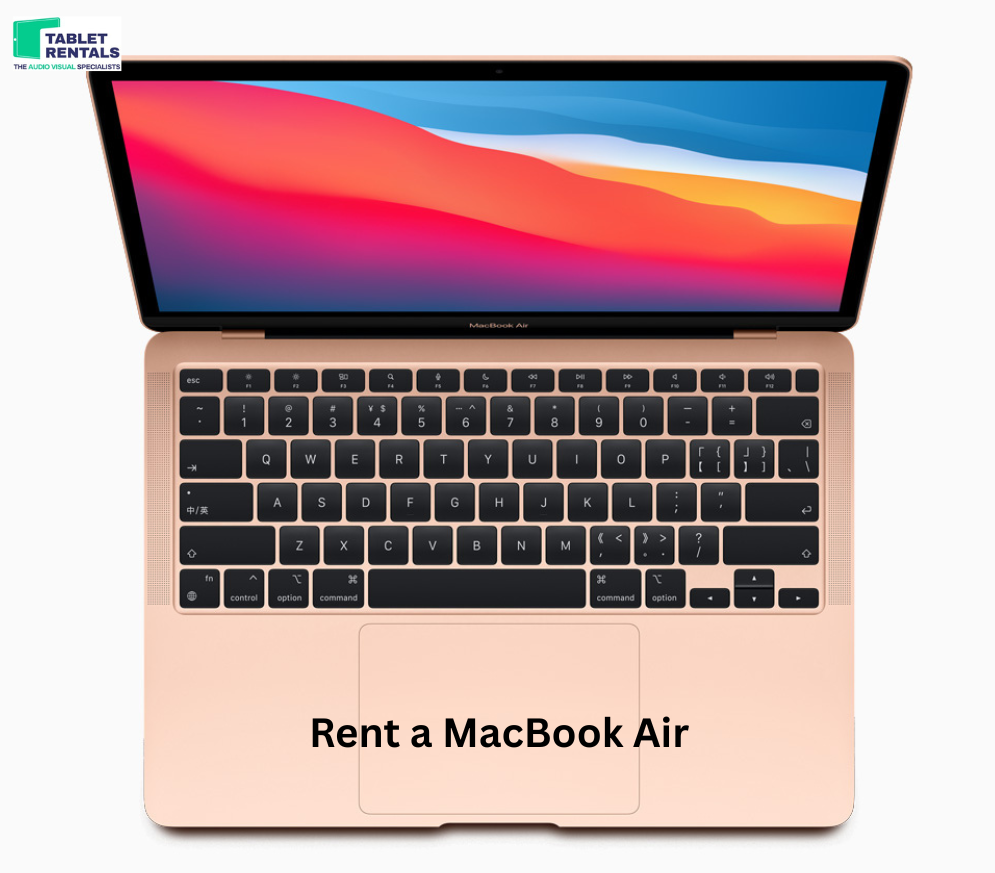
Apple has once again raised the bar in personal computing with the launch of its M2 Chip, bringing significant upgrades in speed, efficiency, and overall performance. Building on the success of the M1, the M2 chip offers improved CPU and GPU capabilities, faster memory bandwidth, and enhanced power efficiency, making it a powerhouse for both professional and casual users. Whether you’re editing videos, running multiple applications, or simply browsing the web, the M2 chip ensures a smooth and responsive experience, redefining what users can expect from a lightweight laptop like the MacBook Air.
For MacBook Air users, this means a combination of portability and raw performance without compromise. The M2 chip not only boosts processing speed but also extends battery life, making it ideal for students, creatives, and professionals on the go. Its integration into the MacBook Air positions Apple ahead in the competitive laptop market, offering users a device that can handle demanding tasks while remaining sleek and quiet. Choosing between devices has never been more nuanced, especially when considering MacBook Air or iPad Pro.
M2 Chip Performance: Speed and Efficiency
The M2 chip is a major leap forward in performance compared to its predecessor, bringing a perfect balance of speed and energy efficiency to the MacBook Air. Apple’s new architecture enhances both CPU and GPU capabilities, making everyday tasks faster and more demanding workflows smoother. From app launches to multitasking, the M2 ensures a fluid computing experience without lag, setting a new standard for thin and light laptops.
1. CPU and GPU Improvements Over Previous Generation
The M2 chip features an 8-core CPU and up to a 10-core GPU, improving performance across both single-threaded and multi-threaded tasks. Compared to the M1, the CPU is up to 18% faster, while the GPU performance sees an impressive 35% boost. This means faster processing for tasks like video rendering, graphic design, and gaming, all within the compact MacBook Air chassis.
2. Power Efficiency and Battery Life Impact
Despite its higher performance, the M2 chip maintains remarkable energy efficiency. Users can expect longer battery life, even during heavy workloads, thanks to optimized power consumption. The chip’s efficiency allows the MacBook Air to remain cool and quiet without requiring a fan, making it ideal for on-the-go productivity.
3. Comparing Performance: MacBook Air or iPad Pro
When deciding between the MacBook Air and the iPad Pro, the M2 chip provides a clear edge in processing power for laptop users. While the iPad Pro also features the M2, the MacBook Air benefits from macOS’s multitasking capabilities and full software ecosystem, making it better suited for users who require sustained performance across multiple professional applications.
Graphics and Multimedia Capabilities
The M2 chip brings a substantial boost in graphics performance, making the MacBook Air a capable machine for creative professionals. With enhanced GPU cores and advanced media engines, users can handle graphics-intensive tasks with ease, from photo editing to 3D design. This improvement transforms the MacBook Air into a versatile tool for anyone who relies on high-quality visuals in their workflow.
1. Enhanced Graphics for Creative Professionals
The M2 chip’s GPU can feature up to 10 cores, delivering up to 35% faster graphics performance than the previous generation. Designers, illustrators, and video editors can enjoy smoother rendering, faster previews, and more responsive applications. This makes tasks like image manipulation, animation, and digital art much more efficient and enjoyable.
2. Video Editing, Rendering, and Gaming Performance
Thanks to the upgraded GPU and dedicated media engine, the M2 chip accelerates video encoding and decoding, allowing users to edit 4K and even 8K video without lag. Gaming performance also sees an improvement, with higher frame rates and better graphics fidelity compared to M1 devices. The combination of speed and power efficiency ensures the MacBook Air handles demanding multimedia workloads seamlessly.
3. How It Stacks Against the MacBook Air or iPad Pro
While both the MacBook Air and iPad Pro are equipped with the M2 chip, the MacBook Air has the advantage of macOS’s software ecosystem, larger display options, and better multitasking capabilities. Creative professionals who rely on full desktop applications and extensive workflows may find the MacBook Air a more productive choice over the iPad Pro, especially for sustained, high-performance tasks.
Design and Portability
The MacBook Air with the M2 chip combines sleek design with powerful performance, making it one of the most portable laptops on the market. Apple has managed to integrate the M2 chip into a lightweight and thin chassis without compromising on performance or battery life. This balance of design and power ensures users get a premium laptop experience that is easy to carry anywhere.
1. Lightweight Design with M2 Chip Integration
The MacBook Air weighs just around 2.7 pounds and measures only 11.3 mm in thickness, making it extremely portable. Despite housing the M2 chip, it retains its slim profile and elegant design, ensuring users can easily slide it into a backpack or carry it for long periods without strain.
2. Thermal Management and Silent Operation
Unlike many high-performance laptops, the MacBook Air with M2 uses a fanless design. The efficient M2 chip produces less heat while maintaining top-tier performance, allowing the laptop to operate silently. This makes it perfect for quiet work environments, meetings, or long travel sessions where noise can be disruptive.
3. Choosing Between MacBook Air or iPad Pro for Portability
While the iPad Pro is extremely portable and versatile, the MacBook Air offers a larger screen, full keyboard, and macOS productivity tools, which may be preferable for users needing both mobility and performance. For those prioritizing a laptop experience without sacrificing portability, the MacBook Air with M2 strikes an ideal balance compared to the iPad Pro.
Software Optimization and User Experience
The M2 chip is not just about raw performance—it’s designed to work seamlessly with macOS, providing an optimized and efficient user experience on the MacBook Air. Apple’s software enhancements take full advantage of the M2’s architecture, resulting in faster app launches, smoother animations, and better overall responsiveness. Users benefit from a laptop that feels fluid in every interaction, whether for work, study, or creative projects.
1. macOS Features Optimized for M2
macOS is tailored to leverage the M2 chip’s capabilities, including its improved CPU, GPU, and unified memory. Features such as Spotlight, Mission Control, and Universal Control run more efficiently, while apps designed for Apple Silicon perform faster and more reliably. This tight hardware-software integration ensures that the MacBook Air delivers a premium experience in both productivity and creativity.
2. Multitasking and App Performance
Thanks to the M2 chip, the MacBook Air handles multiple apps simultaneously without lag. Users can edit videos, run graphic-intensive software, and browse the web while keeping other applications open, all without compromising speed. This seamless multitasking makes it ideal for professionals, students, and content creators who need reliable performance across workflows.
3. Comparing Software Experience: MacBook Air
The MacBook Air’s macOS ecosystem provides full desktop-class functionality that surpasses tablet-based alternatives. Users can access professional-grade applications, enjoy advanced file management, and customize their workflow with ease. For anyone who prioritizes productivity, creative freedom, and a complete software environment, the MacBook Air remains a top choice.
Price vs. Value: Is It Worth Upgrading?
Upgrading to the MacBook Air with the M2 chip comes with a higher price tag compared to previous models, but the improvements in performance, efficiency, and overall user experience often justify the investment. Evaluating cost versus value is essential to determine if the upgrade aligns with your computing needs and lifestyle.
1. Cost Considerations of M2 MacBook Air
The MacBook Air with M2 starts at a premium price compared to the M1 version, reflecting the enhanced CPU/GPU performance, increased memory bandwidth, and improved battery life. While the initial cost is higher, users benefit from long-term value through future-proof hardware that can handle demanding software and workflows for years.
2. Comparison with MacBook Air Pricing and Features
Compared to earlier MacBook Air models, the M2 variant offers superior speed, graphics, and energy efficiency. It also includes design enhancements such as a thinner body, better display, and improved speakers. Users weighing the M2 against older models will find the upgraded features significantly improve everyday computing and creative tasks.
3. Who Should Consider Upgrading
Professionals, students, and creatives who need faster performance for multitasking, video editing, and graphic design will find the M2 MacBook Air worth the investment. Users with older MacBook models or those requiring the latest Apple Silicon for long-term support and efficiency may also consider upgrading to maximize productivity and experience.
The MacBook Air with the M2 chip represents a significant leap forward in performance, efficiency, and design. With a faster CPU, enhanced GPU, improved battery life, and optimized macOS features, it delivers a seamless and highly productive user experience. For professionals, students, and creatives, the M2 MacBook Air balances power and portability, making it a versatile device for both work and entertainment.
When deciding between devices, the choice ultimately depends on your priorities. If you value a full desktop-class operating system, advanced multitasking, and professional software support, the MacBook Air stands out as the superior option. On the other hand, if portability, touch interaction, and tablet-style versatility are your main focus, the iPad Pro could be appealing. For users seeking the ideal combination of performance, usability, and productivity, PMSLTech.net helps guide the decision between MacBook Air or iPad Pro to find the device that best fits your needs.