


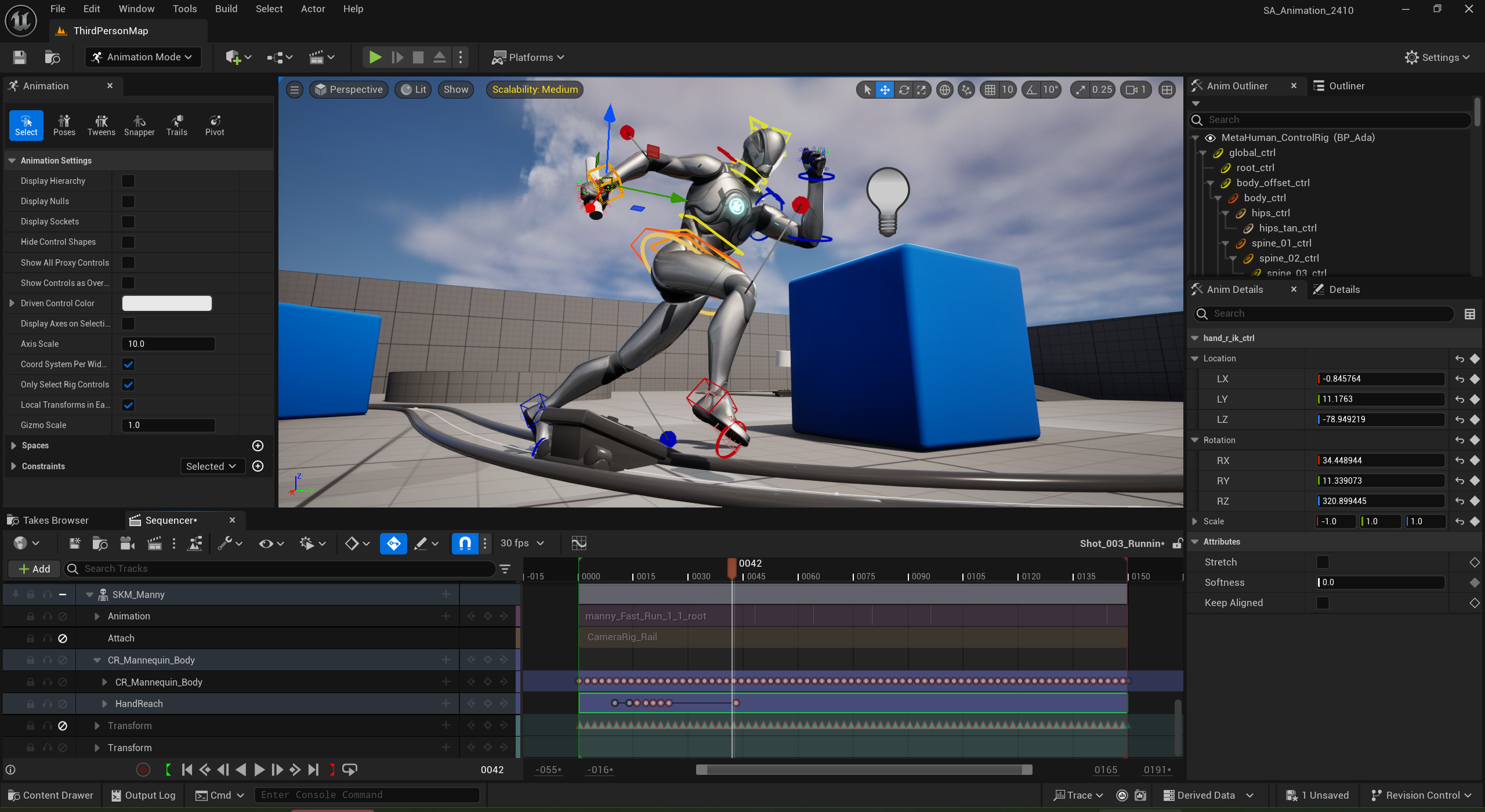
Stepping into the world of 3D design can feel both exciting and overwhelming. You open your first software, see dozens of buttons and menus, and suddenly realize there is much more to it than just moving shapes around. Many beginners give up too early because they think 3D modeling is too complicated, when in reality, a few smart techniques can completely change the way you work. The good news is that learning the right tools and tricks early can save you hours of frustration and make the process far more enjoyable. Keep reading.
Why Beginners Struggle with 3D Modeling?
When someone starts creating 3D models for the first time, they often focus only on basic shapes and standard tools. This leads to slow progress and messy models that are hard to fix later. The challenge is not just technical; it is also creative. Beginners want to bring their ideas to life quickly but get stuck figuring out what buttons to press. This is where knowing how to use the right 3D modeling and animation programs makes all the difference. These programs are packed with hidden features designed to speed up your work and help you create clean, professional-looking designs without endless trial and error.
Mastering the Essentials with the Right Software
Before diving into complex projects, it is important to get comfortable with a reliable software platform. 3D modeling and animation programs have free tutorials, user communities, and beginner-friendly resources. Choosing one program and sticking with it in the early stages helps you build confidence without constantly switching tools.
A solid foundation in software also prepares you for Computer Animation training later. If you plan to turn 3D modeling into a career, knowing your way around a professional-grade tool gives you a head start and makes it easier to follow along with more advanced lessons.
Hidden Tricks Every Beginner Should Try
Once you are familiar with the basics, it is time to explore the “hidden gems” inside your program. These are small tricks that professionals use daily to save time and get better results. For example, many programs have modifier tools that let you mirror, repeat, or smooth objects with a single click. This is perfect when you are creating something symmetrical like a car, character, or piece of furniture.
Another powerful feature is snapping, which allows you to align objects precisely without guessing. Layering and grouping tools keep your project organized so you do not waste time searching for tiny parts of your model. Even shortcuts on your keyboard can save you hours. Learning just five to ten of the most common hotkeys can double your speed and make modeling feel more natural, almost like sketching on paper.
Building Confidence Through Practice
Software knowledge is only half the battle; practice is where beginners truly grow. The best way to learn is by working on small, fun projects that challenge you just enough to keep you interested. Start with simple objects like a coffee mug, a chair, or a cartoon character before moving on to complex scenes.
Many students who take Computer Animation training are surprised to find that their early practice projects become part of their professional portfolio. Employers and clients like to see that you have mastered the fundamentals, even with simple models.
The Big Picture: Turning Learning into Creativity
The real magic of 3D modeling is turning ideas into something others can see and enjoy. Once you get past the initial learning curve, the process becomes fun and rewarding. You can design characters, products, environments, and animations that inspire others.
When you combine the right 3D modeling and animation programs with consistent practice and possibly structured Computer Animation training, you unlock opportunities in gaming, film, architecture, and product design. What once felt intimidating becomes a powerful skill that can even turn into a career.
Final Thoughts
Learning 3D modeling is like learning to play an instrument. At first, it might sound rough, but with the right tools and practice, you will soon be creating something beautiful. Every professional started as a beginner, and what sets them apart is their willingness to explore, experiment, and keep learning. So, open your software, try those hidden features, and see where your creativity takes you.




The Imagine Studio is India's premier 3D animation Company which specializes in 3D Architectural animation, 3D Animation/Modeling.
Our company provides 3d animation services from the last 13 years to our national and international clients.
For discussing any kind of animation project please write to us at info@theimaginestudio.comCall or whatsapp - +91 9811 488 381; +91-8178 825 326Visit us - https://www.theimaginestudio.com/animation-showcase