


Creating a YouTube intro can be a fun part of setting up your channel. It gives people a quick look at who you are and what your content is about. A good intro usually includes a short video clip with music in the background, something that feels catchy and matches your style. But picking the right music, especially when you're working with copyright rules, can feel a bit tricky. That's where tools using AI, like soundraw.io, can really help save time and effort.
AI-powered music tools help you make songs without needing to play instruments or know how to write music. You just choose the mood, the length, and the style you’re going for. For example, if your channel is all about tech reviews, you might want something modern and upbeat. Or if you’re doing travel vlogs, maybe a relaxed and happy tune works better. These tools create original music so you don’t have to worry about copyright strikes on your videos.
Once you’ve made the music, the next step is putting it together with visuals. Start by deciding what you want your intro to show. It could be your channel name, your logo, or a few clips showing what kind of content you make. Keep it short—between 5 and 10 seconds is enough. You want people to remember it, not skip it.
You can use free tools like Canva or CapCut to put your video together. Just load up your chosen video clips or images, add your text, and then upload the music you created earlier. Make sure the sound lines up with what’s happening on screen—this helps your intro feel smooth and professional.
Once it’s done, preview it a couple of times. Ask a friend what they think too. Does the music fit your channel’s energy? Is anything too slow or too fast? A few small adjustments can make a big difference.
Having a cool intro sets the tone for your videos and helps your channel look more put-together. With AI music tools, making it unique and copyright-safe is easier than ever. Just play around, try different ideas, and soon you’ll have an intro that really fits your style.
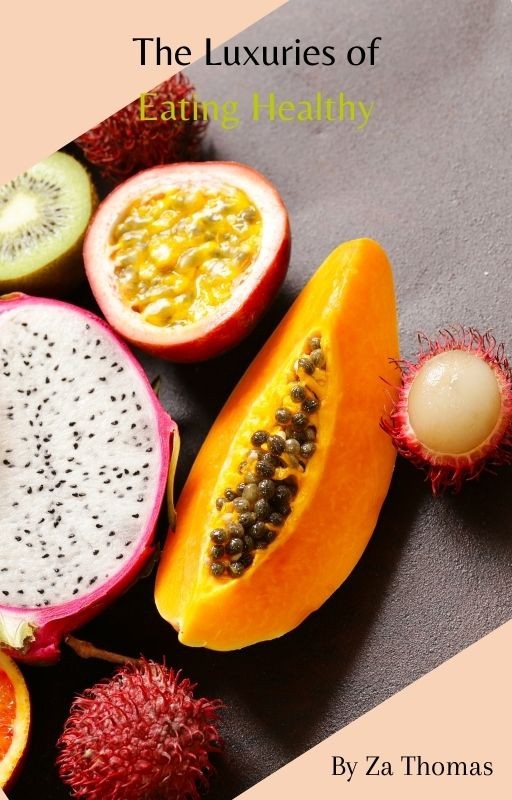
How to build a healthy diet - How to build a healthy diet around healthy fruits and vegetables?
Essential nutrients foods are compounds that provide us energy to control our diet & make health better.Visit Here: - https://dicodsuccess.sellfy.store/p/the-luxuries-of-eating-healthy/HEALTH IS THE WAY TO WEALTHThe easiest way to get what YOU want out of life, is simply by giving the universe what you desire to receive.When you work very hard, you are most gifted with a reward.Putting healthy energy into your body will allow you to produce healthy energy.The MissionEnhance the mind & body connection,Establish control of daily tasks with intention,Self-devotion, Self-dedication, Self-love, &Prioritizing the needs of YOUR World.Contact UsEmail or DM For Any Questions or Concerns, And Call or Text Us @ 848-274-5827