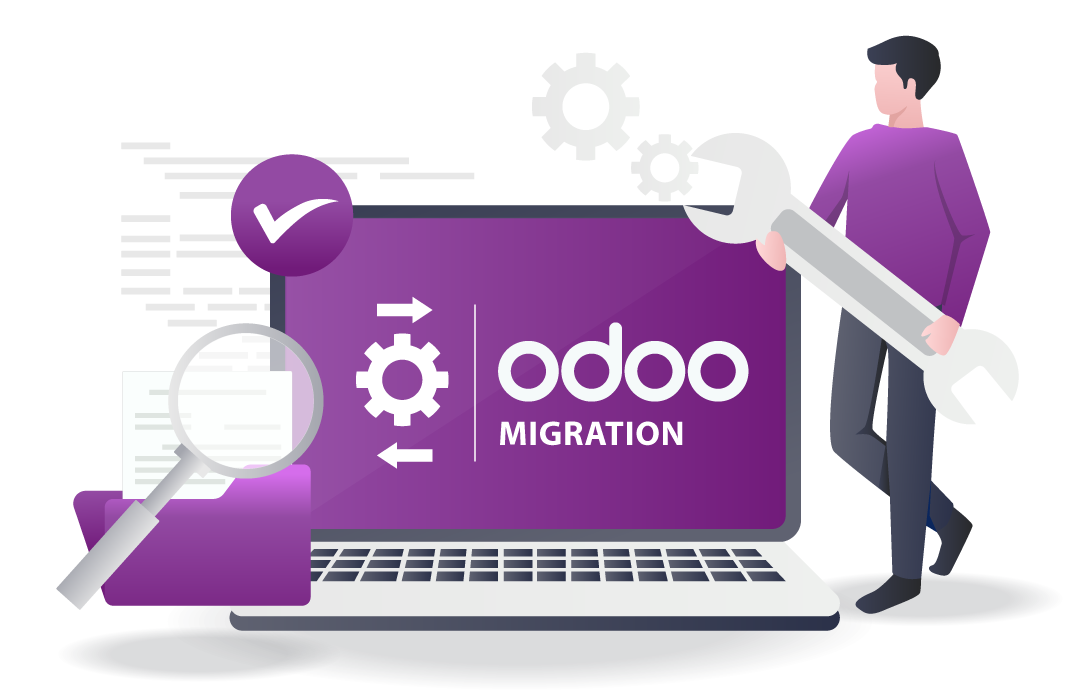
In today’s fast-paced business environment, enterprise resource planning (ERP) systems play a pivotal role in managing operations efficiently. Among the many ERP solutions available, Odoo stands out due to its flexibility, scalability, and wide range of integrated applications. However, for businesses currently using legacy systems or older versions of Odoo, migration to the latest Odoo platform can be a complex but necessary undertaking. A successful Odoo migration ensures seamless operations, enhanced productivity, and long-term growth. This step-by-step guide will walk you through the process, helping you avoid common pitfalls and maximize the benefits of your new system.
Understanding the Importance of Odoo Migration
Before diving into the migration process, it is essential to understand why migrating to Odoo is critical:
Access to New Features: Each new version of Odoo brings advanced features, improved usability, and enhanced reporting capabilities. Migrating ensures your business can leverage these improvements.
Enhanced Security: Newer versions of Odoo offer stronger security protocols to protect sensitive business data.
Operational Efficiency: Upgrading reduces downtime and inefficiencies associated with outdated systems.
Scalability: A current Odoo version allows your business to expand smoothly without worrying about system limitations.
Understanding these benefits highlights the importance of proper planning and execution during an Odoo migration.
Step 1: Pre-Migration Assessment
The first and arguably most critical step in any migration project is assessing your current environment. A thorough pre-migration assessment helps identify potential risks and prepare for a smoother transition. Here’s what to focus on:
Audit Existing Data: Review all current data to determine what is still relevant. Identify redundant, outdated, or duplicate entries that may complicate the migration.
Evaluate Current Customizations: If your current ERP system includes custom modules, workflows, or integrations, note how these will be affected. Some customizations may need updating to remain compatible with the latest Odoo version.
Check System Dependencies: Determine whether other applications or services rely on your current system. Ensuring compatibility with Odoo will prevent disruptions.
Define Business Objectives: Clarify the goals of the migration—whether it is improving efficiency, gaining new features, or consolidating operations.
This evaluation sets the stage for an organized and risk-mitigated Odoo migration.
Step 2: Selecting the Right Migration Partner
Migrating an ERP system is not a trivial task. Partnering with experienced professionals can make a significant difference in the success of your project. Consider the following factors when choosing a migration partner:
Proven Track Record: Look for providers with demonstrated experience in Odoo migrations.
Expertise in Your Industry: An understanding of your business domain ensures smoother handling of specific requirements.
Support Services: Migration is not just a one-time activity; it requires ongoing support during and after implementation.
Methodology: Ask potential partners about their migration process, testing protocols, and risk management strategies.
Investing in the right partner can drastically reduce migration risks and help your business achieve a seamless transition.
Step 3: Data Cleansing and Preparation
Data is the backbone of any ERP system. Incomplete or inaccurate data can lead to operational inefficiencies and poor decision-making. Therefore, data cleansing and preparation are crucial:
Remove Redundancies: Eliminate duplicate records and outdated information.
Standardize Formats: Ensure data consistency by standardizing fields like dates, currencies, and product codes.
Validate Accuracy: Verify the correctness of financial, inventory, and customer data.
Backup Existing Data: Create secure backups of all data before initiating migration to prevent loss in case of unexpected issues.
Properly prepared data ensures that your Odoo migration proceeds smoothly without errors or inconsistencies.
Step 4: Mapping and Customization Analysis
After cleaning your data, the next step is to map it to the new Odoo system. During this stage:
Map Existing Data: Determine where each type of data (customers, vendors, inventory, sales orders) will reside in the new system.
Analyze Custom Modules: Review custom features from the legacy system and assess their compatibility with Odoo’s latest modules.
Identify Required Customizations: Decide whether to retain, modify, or replace old customizations based on current business needs.
Plan Integrations: Any third-party integrations (e.g., payment gateways, shipping providers, or analytics tools) should be evaluated for compatibility.
A detailed mapping and customization analysis prevents future data loss or functionality issues during migration.
Step 5: Migration Environment Setup
Before transferring live data, it is essential to set up a dedicated migration environment:
Create a Test Instance: Use a sandbox version of Odoo to simulate the migration process.
Install Necessary Modules: Ensure all required modules and dependencies are installed in the test environment.
Configure Access Controls: Set appropriate user roles and permissions to replicate your production environment.
Test Data Migration: Import a subset of data to verify mapping accuracy and identify potential issues.
This environment allows you to detect and address problems without affecting your live operations, making it a crucial step in any Odoo migration.
Step 6: Data Migration Execution
Once the test environment has been validated, the actual data migration can proceed:
Use Automated Tools: Leverage Odoo’s migration scripts or specialized tools provided by your migration partner to transfer data efficiently.
Follow a Phased Approach: Migrate critical data first and gradually move secondary datasets to minimize disruption.
Monitor Progress: Keep track of migration status and note any errors or warnings for immediate resolution.
Validate Data Post-Migration: Verify that all data has been transferred accurately, ensuring no discrepancies in accounts, inventory, or customer records.
Careful execution ensures that your Odoo migration is precise and that your business can continue operations without hiccups.
Step 7: System Testing and Validation
After migrating data, thorough testing is essential to ensure that the system functions as intended:
Functional Testing: Test each module for expected behavior, such as sales order processing, accounting, or inventory management.
User Acceptance Testing (UAT): Allow key stakeholders to use the system and provide feedback. Their input ensures the system meets real-world requirements.
Performance Testing: Assess system speed and responsiveness to prevent bottlenecks in high-transaction environments.
Security Testing: Verify user permissions and data access controls to protect sensitive information.
Comprehensive testing helps identify potential issues before the system goes live, ensuring a smoother transition.
Step 8: Training and Change Management
A successful migration is not just technical; it also involves people. Employees need to understand the new system to use it effectively:
Develop Training Programs: Create role-specific training sessions for finance, sales, inventory, and management teams.
Provide User Documentation: Supply manuals, FAQs, and how-to guides for reference.
Implement Change Management Strategies: Communicate benefits, address concerns, and encourage adoption.
Gather Feedback: Monitor users’ experiences and address any challenges promptly.
Proper training and change management maximize the productivity gains from your Odoo migration.
Step 9: Go-Live and Post-Migration Support
Once the system has been tested and users are trained, it’s time to go live:
Schedule Go-Live Carefully: Choose a time that minimizes operational disruptions, such as weekends or low-activity periods.
Monitor System Performance: Track real-time transactions to ensure smooth operations.
Address Issues Promptly: Set up a support team to resolve any post-migration issues quickly.
Continuous Optimization: Collect feedback and make iterative improvements to workflows and processes.
Ongoing support and monitoring are essential to ensure long-term success following an Odoo migration.
Step 10: Continuous Improvement
Migration is just the beginning. To fully realize the benefits of Odoo, continuous improvement is crucial:
Analyze System Performance: Regularly review reports and analytics to identify bottlenecks or inefficiencies.
Update Modules: Keep your system up-to-date with new Odoo releases and features.
Optimize Workflows: Refine processes as your business grows and requirements change.
Leverage New Technologies: Explore integrations with AI, automation, and other tools to enhance functionality.
By continually refining your system, you ensure that your Odoo migration remains a catalyst for efficiency and growth.
Conclusion
Migrating to Odoo is a significant investment of time, resources, and effort, but the rewards are substantial. By following this step-by-step guide—from pre-migration assessment and data cleansing to testing, training, and continuous improvement—businesses can achieve a smooth transition with minimal disruption. A carefully executed Odoo migration enhances operational efficiency, ensures data integrity, and positions your organization for long-term success.
Remember, the key to a successful migration lies in meticulous planning, selecting the right partners, and empowering your team to embrace the new system. With the right approach, your business can harness the full potential of Odoo’s powerful ERP capabilities.