If you’ve ever wondered whether your home security alarm system would actually respond during an emergency, you’re definitely not alone. Many homeowners install alarms, feel a sense of security, and then… never check it again. I know this firsthand—I once visited a friend who proudly said, “My alarm system is top-notch!” But when I asked when he last tested it, he paused and said, “Wait… you’re supposed to test it?”
Yes. Yes, you are.
Testing your home security alarm system isn’t complex, and it doesn’t require tech expertise. You don’t need tools, advanced settings, or hours of free time. What you do need is a simple checklist and a few minutes of focused attention. This guide walks you through everything, step-by-step, with practical advice, real-life experience, and a friendly tone to make the whole process stress-free.
Why Testing Your Alarm System Is Non-Negotiable
Let’s start with the most important question:
Why bother testing in the first place?
The answer is simple—because your alarm system is only effective if it works when you need it most.
Think of your alarm like a houseplant. If you don’t give it a little attention from time to time, it quietly weakens. Sensors fall out of alignment, batteries drain, sirens get dusty, communication signals weaken. And you won’t know anything is wrong… until you need it.
By testing regularly, you:
Confirm every sensor is working
Ensure your monitoring service receives alerts
Catch small issues before they become big problems
Strengthen the reliability of your home security alarm system
In other words, testing transforms “I think my home is protected” into “I know my home is protected.”
Step 1: Notify Your Monitoring Company
The first rule of alarm testing is simple: call your monitoring company before you begin.
If you don’t, your simple test might turn into a surprising phone call—or in some cases, a visit from local responders.
When you call, say something like:
“I’m running a routine test on my home security alarm system. Please place the account in test mode.”
They’ll note your account and keep an eye on incoming signals. This also gives you an opportunity to confirm your account details, phone numbers, and response protocols.
If you have a DIY system without professional monitoring, you can skip the call—but don’t skip the rest of the testing process.
Step 2: Walk Through Your Home and Inspect Each Sensor
Before triggering anything, do a simple walkthrough. It takes two minutes.
Check:
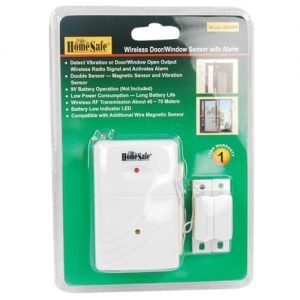
- Door and window sensors
- Motion detectors
- Glass-break sensors
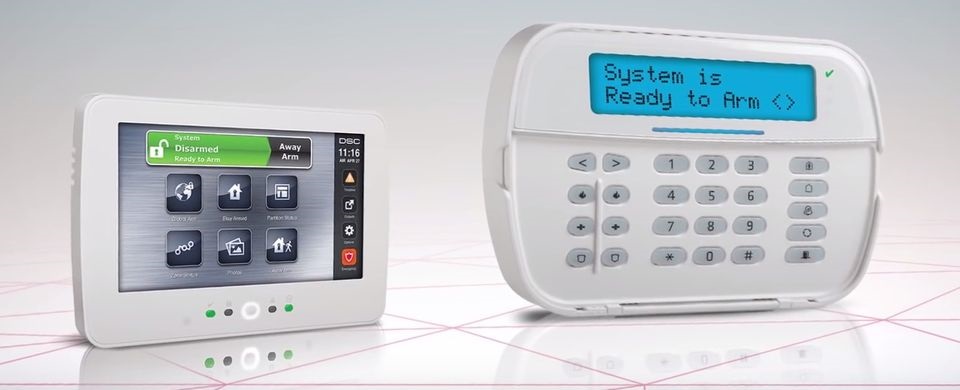
- Keypads and control panels
- Alarm siren
- Smoke or CO detectors (if connected to the security system)
A few years ago, during my own test, I found that my back-door sensor was hanging by a weak strip of tape. That’s the kind of thing testing reveals—little issues that quietly undermine your protection.
Ask yourself:
“Does every sensor look properly aligned and securely attached?”
Even a slight misalignment can stop a sensor from sending signals.
Step 3: Arm the System and Trigger Each Zone One at a Time
This is the part most homeowners find intimidating—but it’s actually the easiest.
Arm your home security alarm system in “Away” mode.
Wait for the exit countdown to finish.
Open one door or window connected to the alarm.
The siren should blare instantly. If you find yourself jumping, congratulations—that means the alarm is doing its job.
Trigger each zone separately. For example:
Open the front door
Then test the back door
Walk in front of a motion detector
Test window sensors
Follow manufacturer instructions for glass-break sensors
Write down any zone that doesn’t respond correctly so you can troubleshoot or contact customer support.
Step 4: Check Communication With the Monitoring Service
Testing the internal siren is only half the job. The real magic happens when the system successfully sends a signal to the monitoring centre.
After triggering each zone, call the monitoring team and ask:
“Can you confirm which test alarms came through on your end?”
They’ll tell you exactly what they received—and what they didn’t.
If one or more signals don’t reach them, that’s a sign of:
Weak Wi-Fi or cellular signal
Expired backup battery
Faulty wiring (for wired systems)
Outdated firmware in your control panel
The monitoring team may even guide you through fixes or recommend a technician.
Step 5: Reset Your Home Security Alarm System Properly
Once your test is complete:
Disarm the system
Reset your sensors
Have the monitoring team remove test mode
Update any notifications or emergency contacts in your app
Your home security alarm system is now back to normal.
Step 6: Make Testing a Regular Routine
One of the most important parts of maintaining your system is consistency. Most alarm companies recommend testing once a month. It takes less time than brewing coffee, and yet it dramatically reduces the chance of system failure.
Set a recurring reminder on your phone that says:
“Test home alarm today.”
Trust me—your future self will thank you.
Bonus: Don’t Forget About Backup Power
A home security alarm system is only useful if it works during a blackout. Most systems come with a backup battery that lasts anywhere from 8 to 24 hours.
Test your backup battery every few months:
Check the control panel for battery status
Replace low batteries immediately
Clean dust around the panel to prevent overheating
If you’ve ever lived through a stormy night, you know how comforting it is when your alarm stays active even during an outage.
Final Thoughts: Testing Brings Real Peace of Mind
A home security alarm system isn’t something you “set and forget.” It’s a living system that protects your home day and night. Testing it regularly isn’t just recommended—it’s essential.
By taking a few minutes each month to check sensors, trigger zones, and confirm monitoring signals, you’re investing in the safety of your home, your family, and your peace of mind.
And the best part? Once you understand the process, it becomes quick, easy, and even reassuring.