A secure network is the foundation of any modern business. As the digital landscape continues to evolve, threats become more sophisticated. Protecting your data requires a multi-layered defense strategy. This is where dedicated network security appliances become critical. They are specialized hardware or software solutions. Each appliance is designed to protect, monitor, and control network traffic.
From a strategic standpoint, understanding these tools is essential for IT leaders. This guide provides a complete list of key network security appliances. We will detail their core functions and how they integrate into a cohesive security posture. This brings us to the next point: building a defense-in-depth architecture. Book your free consultation today!
Why a Layered Approach is Non-Negotiable
Relying on a single security product is no longer viable. Modern cyber threats attack from multiple angles. A layered approach uses different network security appliances at various points. They create a series of defensive barriers. If one layer is compromised, others remain to block the attack.
As data continues to drive business decisions, its protection is paramount. Each appliance serves a unique purpose. Together, they form a comprehensive shield for your digital assets. With that in mind, let's explore the essential appliances that power this strategy.
1. Firewall: The Foundational Gatekeeper
A firewall is your network's primary border control. It acts as a barrier between your trusted internal network and untrusted external networks. Firewalls examine all incoming and outgoing traffic. They allow or block data packets based on a defined set of security rules.
Key Functions:
Enforces access control policies (allow/deny rules).
- Can perform stateful inspection, tracking the state of active connections.
- Often includes basic Network Address Translation (NAT) capabilities.
- Modern Next-Generation Firewalls (NGFWs) offer deeper inspection.
As companies scale operations globally, firewalls segment internal networks too. They prevent lateral movement by threats that breach the perimeter.
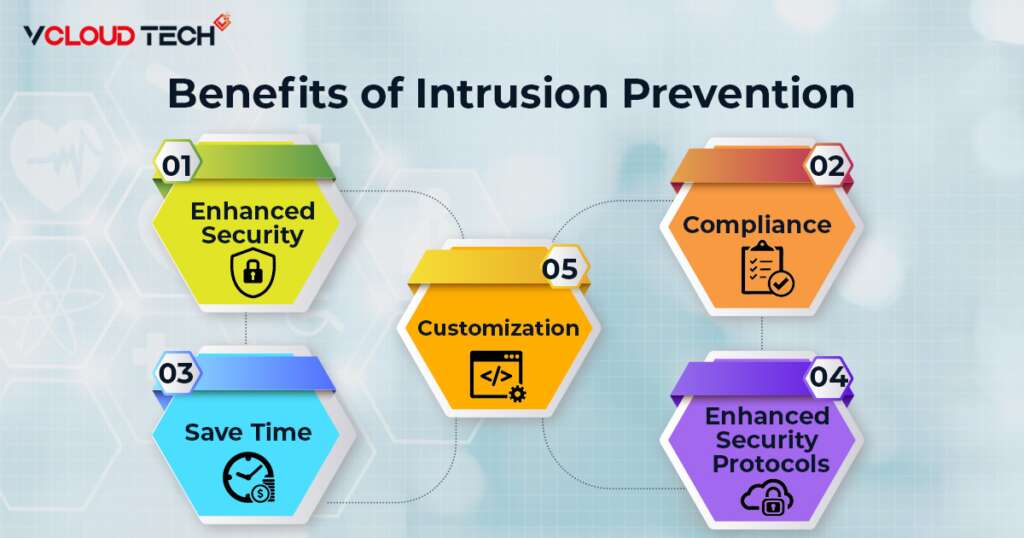
2. Intrusion Prevention System (IPS): The Active Defender
An Intrusion Prevention System (IPS) sits in-line within your network traffic flow. It actively analyzes all network packets. The IPS compares traffic against a database of known threat signatures. It also detects anomalies in behavior. When a threat is identified, the IPS can take immediate action.
Key Functions:
- Actively blocks malicious traffic in real-time.
- Prevents attacks like exploits, malware, and denial-of-service (DoS) attempts.
- Updates signatures regularly to protect against new threats.
- Complements the firewall by providing deeper content inspection.
3. Secure Web Gateway (SWG): Enforcing Web Policy
A Secure Web Gateway protects users from web-based threats. It filters unwanted software from user-initiated web/internet traffic. All employee internet access is routed through the SWG. This enforces corporate and regulatory policy compliance.
Key Functions:
- URL Filtering: Blocks access to malicious or inappropriate websites.
- Malware Protection: Scans downloads for viruses and other threats.
- Application Control: Manages use of web applications (e.g., social media).
- Data Loss Prevention (DLP): Prevents sensitive data from being uploaded.
4. Email Security Gateway: The Phishing Shield
Email remains a top attack vector. An email security gateway filters all inbound and outbound email traffic. It targets spam, phishing attacks, and malware-laden attachments. This appliance stops threats before they reach the user's inbox.
Key Functions:
- Blocks spam and phishing emails using advanced heuristics and reputation checks.
- Sandboxes email attachments to detect unknown malware.
- Scans links within emails for malicious destinations.
- Encrypts outbound emails to protect sensitive information.
5. Virtual Private Network (VPN) Appliance: Secure Remote Access
A VPN appliance enables secure remote access to the corporate network. It creates an encrypted "tunnel" over the public internet. Remote users or branch offices connect through this tunnel. Their data is protected from interception, ensuring privacy and security.
Key Functions:
- Provides encrypted connectivity for remote employees.
- Securely connects multiple branch office networks (site-to-site VPN).
- Often integrates with multi-factor authentication (MFA) for stronger access control.
- It is a critical component for supporting modern hybrid workforces.
6. Network Access Control (NAC): The Identity Enforcer
Network Access Control (NAC) solutions enforce security policies on devices. They do this before granting them access to the network. NAC checks a device's health and identity. It ensures the device complies with security standards (e.g., updated antivirus).
Key Functions:
- Discovers and profiles all devices connecting to the network.
- Enforces authentication and authorization policies.
- Restricts non-compliant devices to a quarantined network segment.
- It is vital for securing IoT devices that lack built-in security.
7. Unified Threat Management (UTM): The All-in-One Solution
A Unified Threat Management appliance consolidates multiple security functions. It combines a firewall, IPS, VPN, and often antivirus and web filtering. UTMs provide a simplified, integrated security solution. They are ideal for small to mid-sized businesses needing comprehensive protection.
Key Functions:
- Integrates several key security features into a single platform.
- Simplifies management through a single interface.
- Offers a cost-effective entry point for robust security.
- Reduces the complexity of managing multiple standalone appliances.
8. Next-Generation Firewall (NGFW): The Intelligent Perimeter
The Next-Generation Firewall (NGFW) is the evolution of the traditional firewall. It includes all standard firewall capabilities. It then adds deeper inspection features like application awareness and control. NGFWs can identify and block risky applications, not just ports and IP addresses.
Key Functions:
- Identifies and controls applications (e.g., Facebook, Skype, SaaS apps).
- Integrates intrusion prevention and malware protection.
- Often includes threat intelligence feeds for real-time updates.
- Provides user-based policy enforcement, not just IP-based rules.
As leaders focus on operational agility, NGFWs provide the granular control needed. They secure modern, application-rich networks without hindering productivity.
How to Choose the Right Network Security Appliances
Selecting the right tools depends on your specific business needs. Based on current market trends, convergence and cloud-delivered security are key. Consider these factors:
- Business Size and Network Complexity: A UTM may suit an SMB, while an enterprise needs a best-of-breed suite.
- Existing Infrastructure: New appliances must integrate with your current systems.
- Cloud Adoption: According to recent developments in cloud innovation, look for appliances offering hybrid or cloud-native management.
- In-House Expertise: Choose solutions your team can effectively manage and monitor.
As emerging technologies reshape IT priorities, consider cloud-based security services (SECaaS). They can complement or replace some physical network security appliances.
The Future of Network Security Appliances
Looking ahead, the physical form factor of appliances will continue to evolve. In the years to come, we will see a shift towards virtual appliances and cloud-native security. These will offer greater scalability and flexibility for distributed workforces.
As we step into the future, integration and automation will be paramount. Network security appliances will increasingly share threat intelligence. They will orchestrate responses automatically across the entire security stack.
From an industry perspective, the core functions listed here will remain essential. However, their delivery and management will become more agile and intelligent.
As enterprises prepare for the next phase of transformation, their security architecture must adapt. A strategic blend of physical network security appliances, virtual tools, and cloud services will define the resilient network. As we move forward, continuous evaluation and investment in these layers is not an IT cost. It is a fundamental business imperative for survival and growth. Improve your IT. Contact vCloud Tech for custom solutions.