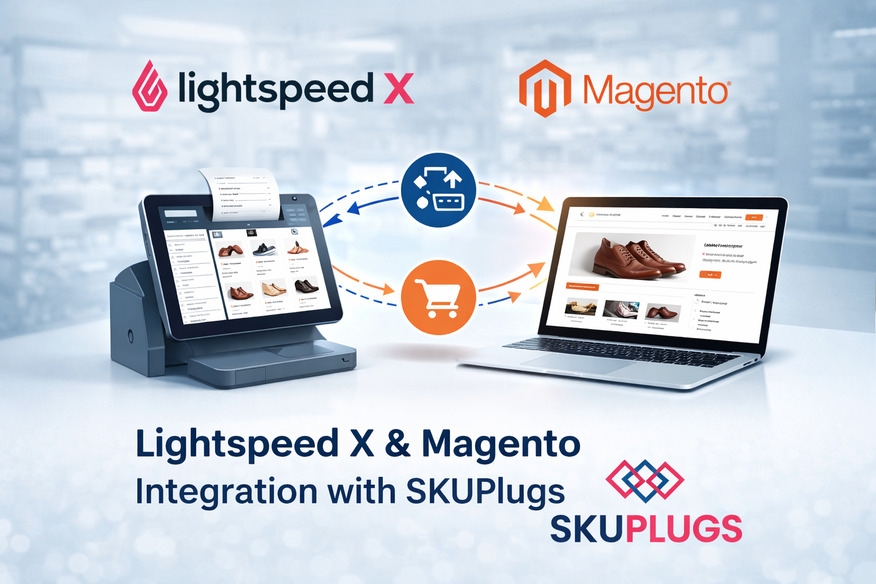


In today's omnichannel world, retailers want their point-of-sale, inventory, and ecommerce systems to behave like one well-oiled machine. The Lightspeed X Magento integration by SKUPlugs connects the powerful POS and inventory features of Lightspeed with the flexible ecommerce platform Magento, so merchants can manage sales, stock, and customer data from a central place. This article explains what the integration does and why it matters, who benefits, how it works, setup highlights, common use-cases, and practical tips on how to get the most out of the connection.
Why Integrate Lightspeed and Magento?
Separately, Lightspeed (retail & hospitality POS) and Magento (enterprise-grade ecommerce) are strong products. Together, integrated correctly, they let you:
• Keep inventory accurate across channels: Sell in-store or online and immediately reflect changes in both systems to prevent oversells and stock discrepancies.
•CENTRALIZE PRODUCT DATA: Manage your SKUs, descriptions, pricing, images, and categories from a single source of truth and push updates to the other platform.
• Consolidate customer and order information for online orders, in-store purchases, and customer records to ensure better service, loyalty rewards, and marketing.
• Speed up fulfillment: Route orders to nearest store or warehouse, show real-time stock for click & collect, reduce shipping mistakes.
• Improve analytics: Aggregate sales and inventory metrics across channels to make smarter buying, merchandising, and marketing decisions.
The Lightspeed × Magento connector by SKUPlugs is designed to lower the operational friction that grows as retailers scale: fewer manual uploads, fewer reconciliation headaches, and faster time-to-fulfill.
Main features of the SKUPlugs connector
• Two-way inventory sync: Real-time stock updates or configurable interval between Lightspeed and Magento to maintain consistent product availability everywhere.
• Product and SKU mapping: In sync go the SKUs, barcodes, descriptions, attributes, categories, and images. SKUPlugs does support variant products (sizes, colors) and parent-child relationship used in Magento.
• Price & tax synchronization: Reflect changes in prices and tax rules from the master system to the other platform, including price tiers and discounts.
• Order flow & fulfillment: Online orders from Magento appear in Lightspeed for fulfillment or can be routed to a warehouse. Statuses (paid, shipped, cancelled) are returned to Magento.
• Customer Sync: New customers created on either system are merged to create a single customer database for loyalty and marketing.
• Multi-location support: Manages inventory and order routing between multiple stores and warehouses, useful for retailers with B&M footprints plus ecommerce.
• Configurable mappings & rules: Field-level mapping and business rules define which data types are the source of truth in Lightspeed or Magento.
• Error handling and logs: Detailed logs, along with retry mechanisms, help in catching and resolving failed syncs without losing any orders or inventory updates.
For whom?
• Brick-and-mortar retailers expanding online who want to preserve in-store operations.
• Magento merchants opening physical stores or pop-ups that want POS integration.
• Multilocation businesses that require central stock management and routing of ecommerce orders to stores.
• The objective of the retail operations is to centralize analytics and automate repetitive tasks, such as SKU updates and order reconciliation.
How the integration usually works at a high level
1. Install & authenticate: Connect your Lightspeed account and Magento store to the SKUPlugs dashboard via API Key or OAuth credentials. SKUPlugs walks you through secure authentication.
2. Map SKUs/Products: Match Lightspeed items to Magento products, including auto-matching and manual override. Configure how variants and bundles map across platforms.
3. Choose the sync rules: Identify which system is authoritative for prices, inventory, and product descriptions. Determine the frequency of syncs, depending on the type of data: real-time, every 5–15 minutes, or hourly.
4. Testing & Validating: Run sync tests for a sample set of SKUs and orders. Validate stock levels, order creation, and status updates.
5. Go live & monitor: Once validated, enable the live sync. Use SKUPlugs’ dashboard to monitor sync status, view logs, and handle exceptions.
Typical setup tips
• Select a source of truth before you start syncing. It will avoid continuous loops of overwriting. Standard choices: Lightspeed is the truth in inventory/stock; Magento, for product-rich content.
• Clean the product data first. Eliminate duplicate SKUs and normalize attribute names to reduce mapping problems.
• Carefully Sync Variants. Magento's Configurable Products and how Lightspeed handles variants differ; test a few products thoroughly.
• Plan for tax and price rules: With different tax treatments or price lists in the various locations, confirm how SKUPlugs will map these.
• Enable staged rollout: First, take a subset of products and stores, validate it, and then ramp up to the full catalog.
Common pitfalls - and how to avoid them
• Duplicate SKUs/mismatched identifiers: Adhere to consistent barcode/SKU conventions, and utilize the mapping tools of SKUPlugs to clean up items prior to full sync.
• Price rounding and currency differences: Check rounding rules and currency settings within both systems. Use configurable rounding on the connector if available.
• Inventory latency: If you need hard real-time accuracy for fast-moving SKUs, enable near real-time sync or use Low Latency settings for critical SKUs.
• Order routing confusion: Clearly define the logic of order fulfillment - for example, in-store pickup, nearest store ship, and finally central warehouse - so that the orders do not get bounced around the locations.
• Complex Promotions & Discounts: Not all Magento promotions and/or discounts translate to Lightspeed. Consider keeping in Magento for online promotions only, as well as maintaining POS promotions in Lightspeed.
Use-cases & benefits in action
• Click & Collect: A customer orders on Magento and picks it up in the store. Inventory in both Lightspeed and Magento will decrease immediately, averting over-sell.
• Loyalty Unified: A customer earns his points both online and in-store since the synchronization of customer records would enable rewards and personalized marketing.
• Pop-up store support: Use Lightspeed at a temporary location and sync inventory back to Magento for accurate online availability while the pop-up runs.
• Omnichannel Analytics: Unified selling data for efficient reordering and promotions planning. Identify top-selling products across channels and avoid deadstock.
Troubleshooting & support
• Monitor SKUPlugs' dashboard daily for sync error/warnings.
• Identify failed records from the logs and correct source data - for example, missing SKUs or invalid attributes.
• Persistent or complex issues: Please raise a case with SKUPlugs support with sync logs and example records to expedite diagnosis for tax mapping, multi-currency, or heavy customizations.
Security & Compliance
SKUPlugs connects via authenticated APIs and follows best practices for data handling: encrypted credentials, limited access tokens, and role-based access in the dashboard. Since customer payment data should be processed by PCI-compliant systems, the connector does not store cardholder data in general; it exchanges orders and statuses while the payments stay within the PCI-compliant services themselves: Lightspeed Payments or Magento payment gateways.
Final thoughts
Integrate Lightspeed with Magento to close the loop between your physical stores and online shop. That means fewer manual tasks, more accurate inventory, better customer experiences, and smarter decisions for retailers. The Lightspeed × Magento connector by SKUPlugs is built to make that integration predictable and maintainable, allowing merchants to run omnichannel operations confidently at scale.
Whether you're ready to reduce stockouts, speed fulfillment, or create a consistent customer experience online and offline, try the SKUPlugs Lightspeed × Magento integration. Reach out to discuss a demo, personalized rollout plan, and assistance with mapping your first set of SKUs.