





USB 2.0 and USB 3.0 are both widely used today, yet many users are unsure what actually separates them in practice. While the speed difference on paper is obvious, the real question is whether that difference matters for everyday devices and real usage scenarios.
This article compares USB 2.0 and USB 3.0 from a technical and practical perspective, focusing on design goals, capabilities, and typical use cases—helping you decide which standard actually fits your needs.
What Is USB 2.0?
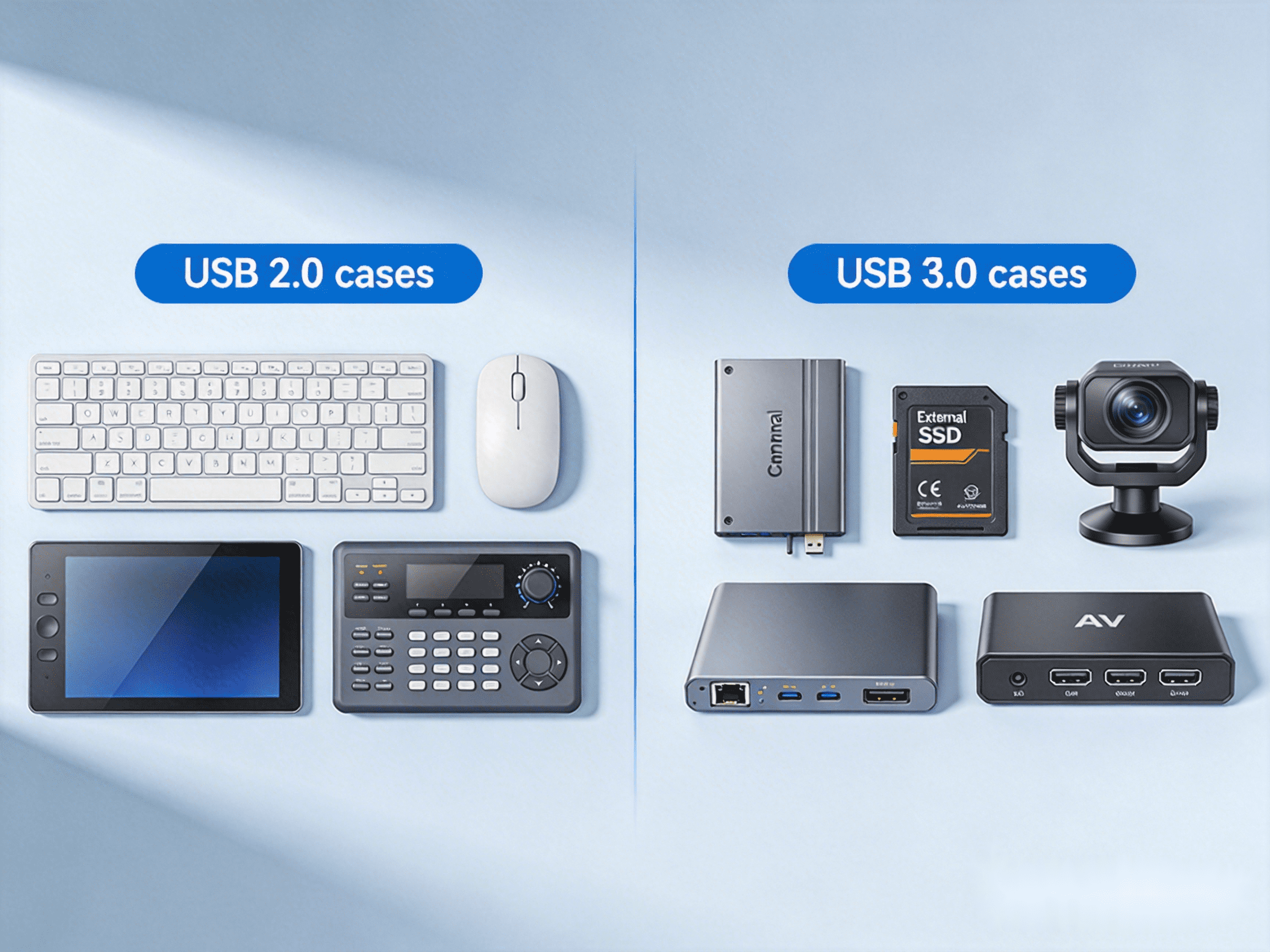
USB 2.0 was designed at a time when most peripherals focused on human interaction rather than bulk data transfer. With a maximum throughput of 480 Mbps, it was optimized for reliability, broad compatibility, and low complexity.
Typical applications include:
- Keyboards and mice
- Touchscreens
- Printers and scanners
- USB cameras (standard resolution)
- Control devices in AV systems
Even today, these device types dominate everyday USB usage. For them, responsiveness and compatibility matter far more than raw transfer speed, which explains why this standard remains deeply embedded across computers, displays, and professional equipment.
What Is USB 3.0?
USB 3.0—now formally known as USB 3.2 Gen 1—was introduced to address a different problem: the growing need to move large amounts of data quickly. By increasing available bandwidth to 5 Gbps, it enabled entirely new classes of USB devices.
This higher throughput is commonly used for:
- External SSDs and HDDs
- High-resolution USB cameras
- Video capture devices
- Fast data synchronization
This evolution did not replace earlier standards, but expanded USB’s role from peripheral connectivity into high-performance data transport.
What’s the Difference Between USB 2.0 and USB 3.0?

The key difference is not simply “faster versus slower,” but what kind of devices each standard was designed to support.
Real-World Performance: Does USB 3.0 Always Feel Faster?
Many users expect immediate improvements when using a higher-speed USB port, but often notice no difference at all. This is because most common peripherals do not come close to saturating even lower-bandwidth connections.
Keyboards, mice, printers, and touch interfaces transmit minimal data. Even many webcams operate comfortably within lower throughput limits. For these devices, user experience is defined by latency and responsiveness, not maximum transfer speed.
Higher bandwidth only translates into noticeable gains when the device itself continuously moves large volumes of data, such as copying files from external drives or streaming high-resolution video.
Do You Really Need USB 3.0?
1. When USB 2.0 Is Enough
If your setup mainly involves user interaction, control, or basic peripheral connectivity, higher throughput offers little practical benefit. Devices such as keyboards, mice, touch panels, and standard USB peripherals simply do not demand more bandwidth.
In these scenarios, the lower-speed standard delivers the same user experience while maintaining broad compatibility and predictable behavior.
2. When USB 3.0 Is Worth It
Higher-speed connections become important when device performance depends directly on data throughput. External SSDs, high-resolution cameras, machine vision systems, and capture devices fall into this category.
For these use cases, additional bandwidth directly affects performance, workflow efficiency, and overall system capability.
USB Extenders: Implementing USB in More Complex Setups
In more complex environments—such as multi-device systems or situations where USB connectivity must extend beyond typical desktop use—specialized hardware solutions are often used to implement the capabilities of different USB standards.
For interaction-focused devices, solutions like EX-60-USB2 illustrate how lower-bandwidth USB can support keyboards, mice, and touch interfaces. It provides:
- Transmission of USB signals up to 60m (196ft) over a single Cat6/6a/7 cable
- Throughput up to 480 Mbps
- 4 USB device ports with abuilt-in USB hub for multiple peripherals
- Simple plug-and-play operation

For bandwidth-intensive devices, EX-100-USB3 demonstrates how higher-speed USB can be applied in advanced scenarios. It supports:
- USB signal extension up to 100 meters
- 4 USB 3.2 Gen 1 with data rates up to 5 Gbps
- Stable operation for data-heavy USB devices
- PoH+ support for higher-power endpoints
These examples are not required for most everyday setups, but they show how different USB standards are implemented when system requirements become more complex.


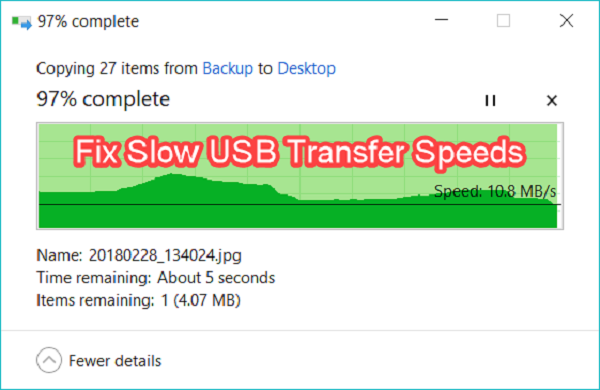
USB 3.0 is the third upgrade of USB standard for interfacing with computers and electronic devices.
It is popular for its super speed of 625 MBPS or 5GBPS that is 10 minutes faster than USB 2.0.
Several users reported that their Windows 10 USB 3.0 transfer speed is getting slower for USB 3.0 drivers.
In this article we will show you how to fix USB 3.0 Transfer Speed Slow issue on your Windows 10 system.Reinstall USB 3.0 Control DriverReinstalling USB 3.0 drivers is one of the best resolutions.
To do so, follow the steps given below:Right-tap on the start button on your Windows 10 operating system and click “Device Manager.”Next, you need to select the “USB (Universal Serial Bus)” control to launch the window on your screen.Right-tap on the USB 3.0 controller and then click “Universal” device.Now you need to restart your Windows 10 operating system which automatically reinstalls USB 3.0 controller drivers.Alternatively, you can also select the “scan for hardware changes” button into Device Manager” to reinstall the driver.Now you need to restart your operating system and then check for the improvements.Update USB Drive DriverYou need to try updating USB 3.0 drivers along with Driver Booster 7.
To do this follows the steps given below:First, you have to insert the USB 3.0 driver into your computer or laptop.Now select the “Free Download” button on DVB 7,s page, and then you need to install software along with “Driver Booster 7 settings wizard.When you launch the “Driver Booster7” it will scan automatically.Now select the entire device listed on your screen, then select the “Update Now” button to update your chosen drivers.Now restart your computer.Disable Windows SecuritySeveral users reported they had fixed slow USB 3.0 file transfer issues by turning off Windows Defender.Here are the steps to follow:Tap the Windows + S button on your system.In the search field type “Windows security” and then click on it to launch the application windows.Tap on the shield option that appears on the left windows security.Select “Manage Settings” to launch the option on your screen.Disable the “real-time” and then click the “Cloud-delivered protection” button.After the above process, you need to restart your computer.Select Better Performance for USB DriverHere are the steps to follow:First, you need to insert USB on your computer or laptop’s USB slot.Launch the “Device Manager” menu.Double-tap on your listed USB 3.0 and then click “Properties.”Click the “Policy” tab that appears on your screen.Here you need to click the “Better Performance” button.Tap the “OK” button.After the above process, restart your device and then check the issue resolved.Clean Boot WindowsHere are the steps to follow:Tap the Windows + r button on your keyboard to launch the Run command prompt.In the Run Command-line type “msconfig” and then click the “OK” button.Select “selective Startup” under the General Button.Now Deselect “Load startup” option.Click “Load system service” and then select “Use original boot configuration” settings.Under the service tab, click the “Hide entire Microsoft service: button.Select “Disable all” to deselect the entire third-party service.Select the “Apply” button and then click “OK.”Now select the “Restart” button when the dialogue windows appear on your screen.John Smith is a creative person who has been writing blogs and articles about cybersecurity.
Many users reported that they faced USB 3.0 transfer speed slow issues on their Windows 10 operating system.
It isn’t pleasant when your USB transfer gets slow, and you have to transfer huge files.
To get the solution to this issue, you need to go through this article.
Here we will show you how to fix the slow speed of USB 3.0 transfer.Read Full Article Here - How To Fix Speed Slow Of USB 3.0 Transfer