


IPTV has become one of the most popular ways to stream live TV and on-demand content in 2026. Instead of relying on traditional cable connections, users can access channels through an internet-based system. However, setting it up correctly on different devices can feel confusing, especially for beginners. This guide explains the process in a clear and practical way, helping you get started on Smart TVs, Firestick, and Android devices without unnecessary complications.
What Do You Need Before Setting Up IPTV?
Before starting the setup process, it is important to understand the basic requirements. IPTV does not work on its own; it requires a stable internet connection, a compatible device, and an IPTV player application. Most services provide login details or an M3U playlist link, which connects the player to the content library.
A reliable internet connection is essential for smooth streaming. Slow or unstable networks often cause buffering or playback errors. Devices should also be updated to the latest software version to avoid compatibility issues. Choosing the right IPTV player plays a key role, as different apps offer different features and performance levels.
How to Set Up IPTV on a Smart TV
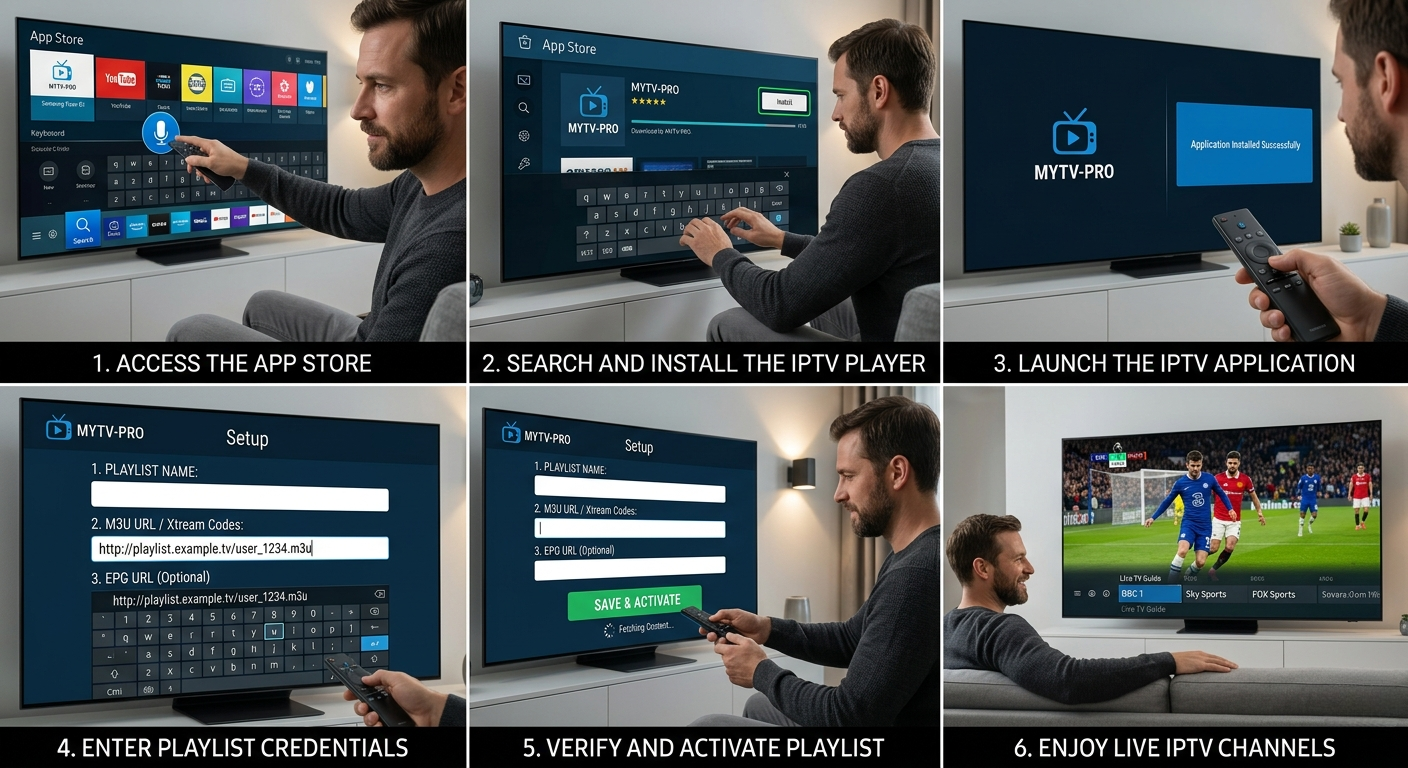
Smart TVs are one of the most convenient ways to watch IPTV because they eliminate the need for additional hardware. Most modern televisions support IPTV apps that can be installed directly from the app store.
To begin, open your TV’s app store and search for a compatible IPTV player. After installing the app, launch it and look for the option to add a playlist or login credentials. Enter the details provided by your IPTV provider, such as the M3U URL or Xtream Codes API.
Once the information is added, the app will load the available channels and content. This process may take a few seconds depending on the size of the playlist. After loading, you can browse channels, organize favorites, and adjust settings for better streaming quality.
If the app fails to load content, checking your internet connection or restarting the TV often resolves the issue. Some Smart TVs may have limited app support, so using a compatible player is important for a smooth experience.
How to Set Up IPTV on Firestick
The Amazon Firestick is a popular choice for IPTV streaming due to its portability and performance. Setting up IPTV on Firestick involves installing an app, which may not always be available in the official app store.
First, enable installations from unknown sources in the Firestick settings. This step allows you to install third-party IPTV apps. After enabling this option, download a trusted IPTV player using a downloader tool.
Once installed, open the app and enter your IPTV login details or playlist URL. The interface will then sync with the server and display available channels. Firestick devices are known for their smooth playback, but performance still depends on internet speed and app optimization.
If you encounter buffering issues, clearing the app cache or restarting the device can help. Keeping the Firestick updated ensures better compatibility with IPTV apps and streaming formats.
How to Set Up IPTV on Android Devices
Android devices, including smartphones, tablets, and TV boxes, offer the most flexibility for IPTV setup. The process is straightforward because Android supports a wide range of IPTV applications.
Start by visiting the Google Play Store and downloading a reliable IPTV player. After installation, open the app and select the option to add a playlist. Enter your M3U link or login credentials as provided by your service.
Once the playlist is loaded, channels and on-demand content will appear within the app. Android devices often allow additional customization, such as adjusting video players, enabling subtitles, or changing streaming formats.
If playback issues occur, switching to a different video decoder or updating the app can improve performance. Android TV boxes with higher processing power generally provide a smoother viewing experience compared to basic smartphones.
Why Choosing the Right IPTV Player Matters
The IPTV player acts as the bridge between your device and the content server. A well-optimized player ensures faster loading times, better navigation, and fewer playback issues. Some apps are designed for simplicity, while others offer advanced features like electronic program guides and recording options.
Using a poorly optimized app can lead to crashes, buffering, or incomplete channel loading. Testing a few players before settling on one can help you find the best fit for your device and streaming needs.
How to Troubleshoot Common IPTV Setup Issues
Even after proper setup, users may face occasional issues. If channels do not load, the first step is to verify the playlist URL or login details. Incorrect credentials are a common cause of setup failure.
Network-related problems can also affect performance. Restarting the router or switching to a wired connection often improves stability. Clearing app cache and ensuring the device has enough storage space can prevent lag and crashes.
If the problem persists, it may be related to the IPTV service itself. Server downtime or maintenance can temporarily disrupt access. In such cases, waiting for the service to stabilize is often the only solution.
How to Get the Best IPTV Experience
A smooth IPTV experience depends on a combination of factors, including device quality, internet speed, and service reliability. Using a high-performance device and a stable connection reduces most common issues.
Selecting the best iptv subsription also plays a major role in overall performance. A reliable service ensures consistent streaming, better channel availability, and minimal downtime. While setup is important, long-term satisfaction depends on the quality of the service you choose.
Conclusion
Setting up IPTV on Smart TVs, Firestick, and Android devices is a straightforward process when you understand the basics. Each device follows a similar approach, involving app installation and playlist integration. While minor issues may arise, most can be resolved with simple troubleshooting steps.
By using the right device, a stable internet connection, and a reliable IPTV player, you can enjoy seamless streaming without interruptions. As IPTV continues to evolve in 2026, proper setup and optimization remain the key to unlocking its full potential.


iptv, iptv provider, smart iptv, iptv hd, best iptv provider Smart IPTV HD is Smart IPTV Service Provider with Best IPTV Subscription Packs, provides 24*7 Cheap & Best IPTV Services & Support.iptviptv providersmart iptviptv hdBest iptv providerAddress :- 164 A Spadina Avenue Winnipeg, MB R3C 3L6, CanadaContact No.
:- +1 431 800 2214
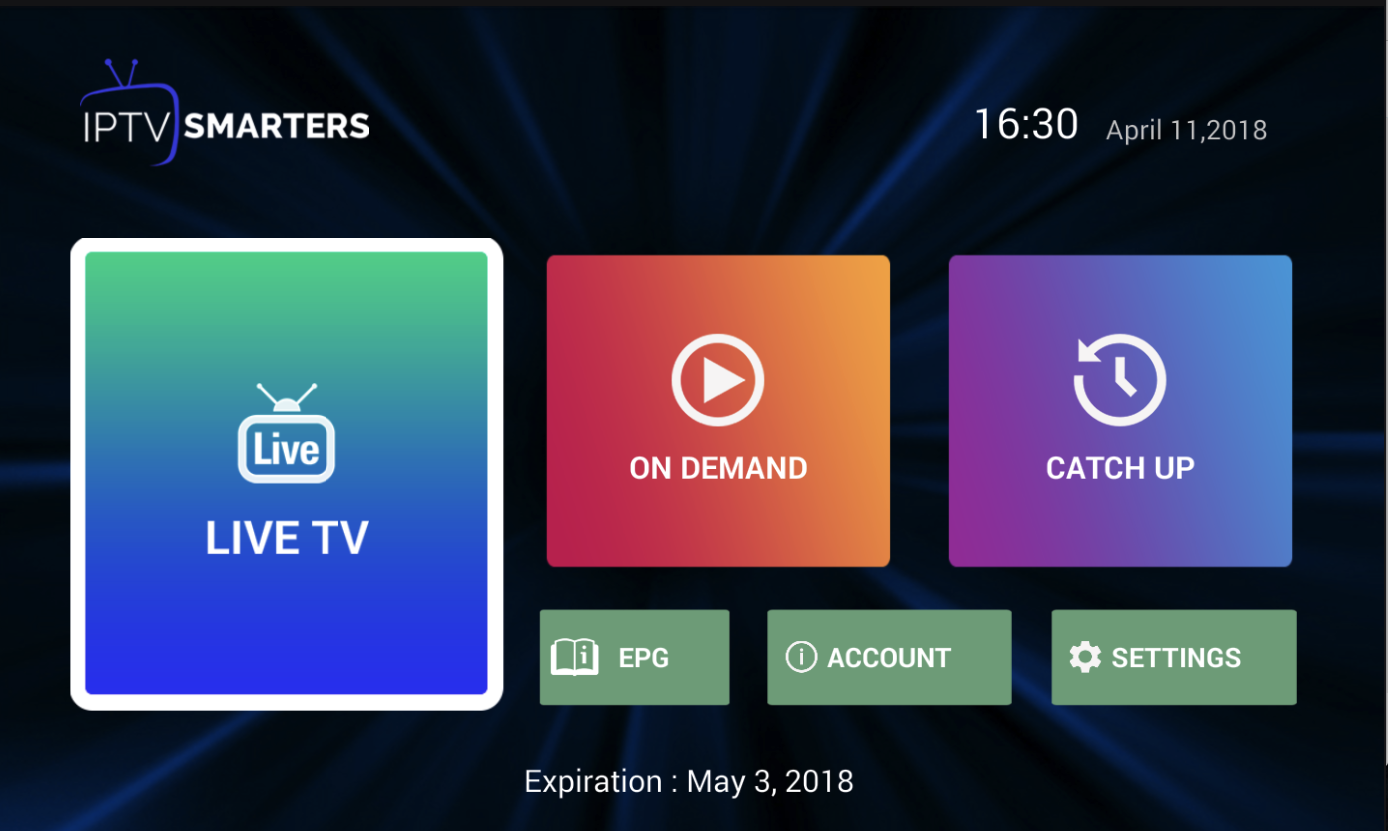
Get custom IPTV Apps with your branding to boost your IPTV Business.
We are the most reputable company providing Customised versions of our IPTV Smarters Pro App with your branding for Android, ios, Windows, Mac, Linux.
Get your Own IPTV App for your IPTV Business at the best price.
Contact us.For further details, please visit here: https://www.whmcssmarters.com/custom-iptv-apps/