



Managing a remote team without any visibility into how work flows is like running a restaurant where nobody tracks the orders. Food might go out. Customers will complain. And by the time you find the problem, you've already lost many customers.
Remote employees are, on average, 13% more productive than people sitting in an office, which sounds great.
The teams that are helping increase that 13% average tend to have one thing in common: someone knows where the work is moving, where it's stalled, and what's causing the holdup.
Nobody knows what's going on with the teams on the other end of that average until a deadline is missed and the teams underperform.
This article examines what productivity monitoring does to remote team performance and how you can implement it without making your team feel watched.
What Is Productivity Monitoring?
Productivity monitoring is about understanding where work gets done, where it stalls, and what patterns repeat across your team week after week.
Office teams get a lot of this without trying. A manager notices someone staring at the same screen for two hours. A colleague asks if you need help before it becomes an emergency. These small feedback loops happen constantly in person. But they stop the moment your team goes remote.
Employee productivity monitoring software brings those signals back. The data shows which hours produce real output, which tasks consistently run over time, and where handoffs break down before they become missed deadlines.
The key distinction is this: monitoring is feedback, not policing. A manager who uses data to understand their team helps them work better. One who uses it to catch people slacking loses their best people first.
Example: A remote software agency noticed delivery times drifting over a span of three months. After six weeks of reviewing and monitoring data, they found two patterns: review cycles ran long, and task ownership was unclear on handoffs.
Process changes fixed both. Nobody got fired. Delivery times recovered.
Action tip: Before implementing any monitoring tool, tell your team what gets tracked, why you are doing it, and what you will not use it for. Teams that get the why adopt these tools without friction.
The Real Impact of Productivity Monitoring on Remote Teams
(Image Source)
It Restores the Visibility That Offices Provide Naturally
When you walk into an office, you pick up information without trying. Who is heads-down focused. Who has been on back-to-back calls all morning? Who looks like they are struggling but have not said anything. That ambient awareness disappears completely in remote setups.
A manager running a distributed team could have someone silently drowning for weeks with no one noticing it until something falls apart. Monitoring tools surface such issues before they get there. The data shows where work is being done properly and where it has been stuck.
Example: A 20-person remote marketing team found that they are less productive post-lunch. They realized that most meetings were scheduled right in that window, so they moved recurring syncs to evenings.
Action tip: Set up a weekly five-minute dashboard review with your team. Do not just read numbers aloud. Ask what people think is behind the patterns. The data tells you where to look. Your team usually knows the reason.
It Surfaces Workload Imbalances Before They Cause Burnout
Burnout in remote teams does not announce itself. The overloaded employee keeps delivering, starts making small errors, misses something big, and then quits. By the time a manager notices, it is usually too late.
Productivity data shows who is pushing past normal hours and who has capacity sitting idle. If managers use that information properly, they can redistribute work before someone hits burnout.
Example: A remote engineering team spotted a senior developer logging 70-hour weeks while two junior developers averaged under 35 hours. As a solution, they can redistribute code review responsibilities.
Action tip: Flag any team member whose active hours exceed the team average by more than 20% for three consecutive weeks. Do not wait for them to raise it. They probably will not.
It Identifies Training Gaps Without Anyone Having to Ask
People who are struggling rarely say so, especially in remote setups where there is no casual moment to admit confusion. They keep trying, fall behind, and get labeled as underperformers when the real issue is a skill gap that nobody caught early enough.
Monitoring data flags these situations before they escalate. A task type that consistently runs over for the same person. A tool that is central to the workflow but never shows up in their usage data. These patterns point to training needs. Many distributed teams also create training resources using an AI voice generator, allowing employees to access consistent onboarding materials and role-specific guidance whenever they need support.How a manager responds to that matters more than the monitoring tool itself.
If you’re wondering how to make the most of your remote teams, this complete guide to building high-performing remote tech teams is worth a read. It covers how the best distributed teams combine data with structured development programs to close gaps fast rather than manage around them indefinitely.
Example: A remote customer success team noticed one rep's resolution times on technical tickets running 40% above the team average. The obvious explanation was effort. The actual explanation, found through a quick audit, was a product knowledge gap nobody had identified during onboarding. Two weeks of targeted training fixed it entirely.
Action tip: When data shows a team member struggling with specific task types, do not open a performance conversation. Open a working session. Ask them to walk you through how they approach that type of work. You will find the gap in the first ten minutes.
It Creates Accountability Without Micromanagement
The fear most remote employees have about monitoring is that it becomes surveillance. That fear is reasonable. Some implementations work that way, and they are destructive.
Done correctly, though, monitoring eliminates the need for micromanagement. When data shows work is on track, there is no reason to send a check-in message. When it shows something is off, there is something concrete to discuss instead of a vague concern.
This guide to evaluating remote engineering talent makes an important point: the best remote hires come with built-in self-accountability. Monitoring works best as support for people who already own their work.
Example: A remote product team dropped from four weekly status meetings to one after three months of monitoring. Managers had enough visibility through data that one touchpoint per week handled everything. Team satisfaction scores went up along with output.
Action tip: Every time monitoring data shows a team member is on track, cancel the check-in you would have scheduled. Return that time to them visibly. Make it clear that data reduces their meeting load.
It Gives Remote Employees Data to Advocate for Themselves
Most remote workers have done genuinely good work that nobody noticed. The project shipped. Nobody connected it back to the individual effort that made it happen.
Monitoring data, shared with employees, changes that. They have a record. They can walk into a performance review and point to months of output data without relying on anyone's memory or subjective impression.
Example: A distributed design team started sharing monthly individual reports in one-on-ones. Within two months, three team members identified their own patterns and adjusted their workflows independently. One restructured her mornings around her own peak hours. Her output rate increased 18% the following month.
Action tip: Share individual productivity reports with employees before any manager reviews them. Self-corrections from that process are faster and stick better than those from a manager pointing something out.
How to Implement Productivity Monitoring Without Hurting Trust
(Image Source)
Start with transparency: Tell your team what gets tracked, why, and what it will not be utilized for.
Define what productivity means to you before you measure it: If you cannot describe what a productive day looks like for each role, you cannot measure performance accurately.
Read trends rather than moments: One bad week is noise. Six weeks of the same pattern is a signal. Train managers to tell the difference.
Pair data with conversation: Numbers point you toward an issue. Conversations reveal the cause. You need both.
The teams that handle monitoring best are the ones where everyone sees the same information. Pairing monitoring platforms with knowledge management tools ensures that patterns and an AI note taker for teams ensures that meeting discussions, decisions, and process changes are documented and accessible to the whole team, not just managers. Take the example of a remote finance team introducing quarterly data reviews after six months of monitoring. In their first session, the team collectively noticed near-zero productive output every Friday afternoon. Nobody had flagged it individually. They moved to async Fridays and saw a 15% lift in weekly task completion the following month.
Take the example of a remote finance team introducing quarterly data reviews after six months of monitoring. In their first session, the team collectively noticed near-zero productive output every Friday afternoon. Nobody had flagged it individually. They moved to async Fridays and saw a 15% lift in weekly task completion the following month.
Action tip: Run a quarterly all-team review of aggregate productivity trends. No individual call-outs, just patterns. Ask the team what they notice and what they want to change. You will surface more useful insights in that one session than in six months of solo analysis.
Better Data, Better Teams, Better Hires
Productivity monitoring does not rescue a broken team. What it does is give a functioning team the information it needs to get better, find where work is stuck, and catch problems before they turn into crises.
The organizations that do this well are not using it to catch people doing something wrong. They are using it to understand how their team works and then do more of what works.
One thing monitoring surfaces reliably is capacity. When the data consistently shows overload, a process change fixes some of it. The rest is a hiring problem. Remote teams stretched past their limit need people who can contribute quickly and work independently from day one.
Second Talent connects startups and enterprises with pre-vetted engineering talent from Asia. It handles sourcing, vetting, payroll, and compliance. If your monitoring data shows you a team running too thin to keep up, address it now rather than hoping the workload will level out on its own.
Reports:
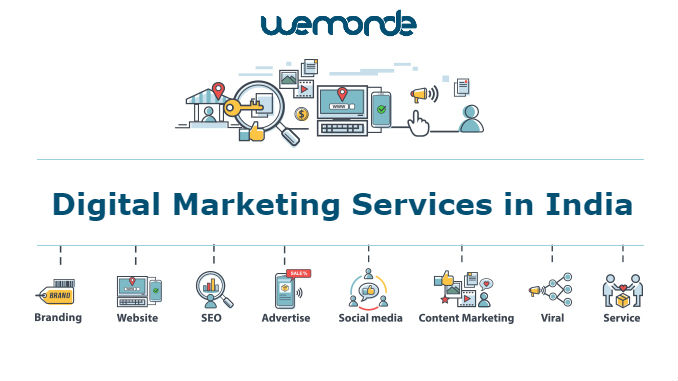
Wemonde is one of the top digital Marketing Company in India for all your digital marketing needs.
You can take your Business to the next level with our marketing strategy.
We offer Digital Marketing Services such as SEO, SMO, SEM, PPC, Email Marketing, Video Marketing, Affiliate marketing and Content Marketing Services.
For more details visit our website.

With BookmyMantra get complete assistance into Digital Marketing Services including Search Engine Optimization (SEO), Paid Marketing, Business Listings, Influencer Marketing, App Marketing, Social Media Marketing (SMM), Digital Video Marketing, SMS Marketing, Email Marketing and Local e-Commerce

Joopio is expert in Product marketing, IndieGoGo marketing, Crowdfunding marketing, Technology Marketing and Product Launch Company in London.
Click here to know more about us!