


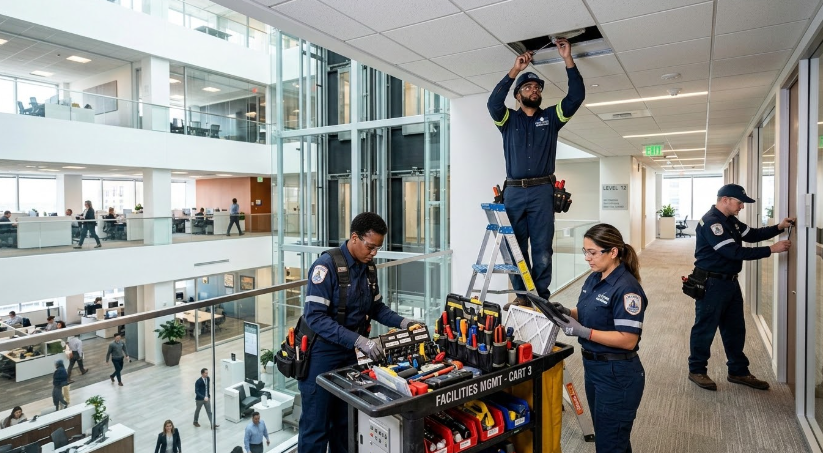
When maintenance records sit across paper forms, spreadsheets, and separate files, technicians can’t see an asset’s full history in one place. They may need to search for the last repair, confirm which parts were used, and check whether scheduled work is overdue. This delays the job and makes recurring faults harder to identify.
CMMS software brings work orders, service records, maintenance schedules, manuals, and spare-parts data into one system.
In this article, we list what to look for in the best CMMS software and explain how these capabilities can improve maintenance planning, productivity, and equipment uptime.
7 Ways CMMS Software Improves Facility Maintenance
Create a reliable record for every asset
Every asset needs one dependable source of information. Its record should bring together equipment details, service history, inspection results, repair notes, manuals, and maintenance costs.
For example, a technician working on a faulty chiller can check its recent service history. They may find that the same pressure issue has appeared several times. They can also see which parts were replaced and who completed the earlier work.
The asset record may include:
- Asset name, ID, model, and serial number
- Building, floor, room, or production area
- Installation date and warranty details
- Manuals, diagrams, photos, and safety documents
- Repair, service, and inspection history
- Labour, parts, downtime, and maintenance costs
Each completed task adds new information to the record. Over time, the best CMMS software you use, should build a history of the asset’s condition, performance, and maintenance needs.
Plan preventive maintenance before equipment fails
CMMS software allows teams to create recurring maintenance schedules for individual assets. These schedules can follow calendar dates, operating hours, meter readings, or equipment usage.
For example, a facilities team might schedule filter changes for air-handling units every three months. Generator servicing may be triggered after a set number of operating hours. Boiler inspections may be scheduled before the heating season begins.
A preventive maintenance schedule may include:
- Calendar, meter, and usage-based triggers
- Recurring work order creation
- Assigned technicians or maintenance teams
- Required parts, tools, and instructions
- Notifications for upcoming and overdue tasks
- Maintenance calendars and workload views
- Records of completed, delayed, or missed work
Standardize inspections with digital checklists
Digital checklists give technicians a clear process to follow during every inspection. They also create a consistent record of readings, photos, faults, and completed checks.
Digital inspection checklists may support:
- Reusable templates for different asset types
- Pass, fail, and not-applicable responses
- Required notes, readings, and photographs
- Electronic signatures and timestamps
- Automatic alerts for failed items
- Corrective work order creation
- Inspection histories by asset, site, or date
If a technician records a failed inspection item, the CMMS can create follow-up work. It can also notify a supervisor or increase the task priority.
Manage work orders from request to completion
Each maintenance task should move through a clear workflow. A CMMS manages each maintenance task through a defined work order process. The task can be created, approved, prioritized, assigned, updated, and closed within one system.
The work order gives the technician the details needed to complete the job. It identifies the asset, location, issue, priority, and due date. Managers can also attach manuals, photographs, procedures, and safety instructions.
A work order may contain:
- Asset, location, and fault details
- Priority, deadline, and assigned technician
- Job instructions and safety requirements
- Manuals, photographs, and supporting documents
- Required tools and spare parts
- Labour time and parts used
- Completion notes and approval records
Clear statuses show where each task stands. These may include requested, assigned, in progress, waiting for parts, and completed. Managers can use this information to track workloads and identify delayed work.
Give technicians the information they need on site
Technicians need access to job details while standing in front of the equipment. Mobile access lets them review records, instructions, manuals, and checklists without leaving the work area.
For example, a technician servicing a rooftop HVAC unit can scan its QR code. The asset profile may show the active work order, previous repairs, wiring diagram, and required replacement belt. The technician can also record readings and upload photographs from the roof.
Mobile access may include:
- Assigned work orders and task updates
- Asset history and service records
- Manuals, diagrams, and procedures
- QR code and barcode scanning
- Digital checklists and inspection forms
- Labour, parts, notes, and photo entry
- Offline access and later synchronization
Offline functionality may be important in plant rooms, basements, or remote sites. Technicians can record the work without a connection and sync the information later.
Keep critical spare parts available
Parts availability can determine how quickly a repair is completed. Inventory records should show what is in stock, where it is stored, which assets use it, and when it needs to be reordered.
When a technician uses a part, they can record it against the work order. The stock quantity is updated, and the cost is added to the asset’s maintenance record. Spare-parts records may include:
- Part names, numbers, and descriptions
- Storeroom and bin locations
- Compatible assets and equipment
- Current and reserved quantities
- Minimum stock levels and reorder points
- Supplier information and lead times
- Usage history and unit costs
Use maintenance data to guide asset investment decisions
Repair and replacement decisions need evidence. CMMS software collects data whenever teams complete work orders, inspections, and maintenance tasks. The system may track repair frequency, labor hours, parts costs, contractor expenses, and downtime. These figures can be reviewed for one asset or compared across similar equipment.
Useful maintenance data may include:
- Number and frequency of asset failures
- Average repair and response times
- Labour, parts, and contractor costs
- Planned maintenance completion rates
- Equipment downtime
- Recurring fault types
- Total maintenance cost by asset
Choose a CMMS That Connects Every Part of Facility Maintenance
Start by defining the maintenance problems the system must solve. Then test shortlisted platforms with real assets, work orders, and technician workflows. Choose the option your team can use consistently to plan work, track costs, reduce delays, and make better asset decisions.