


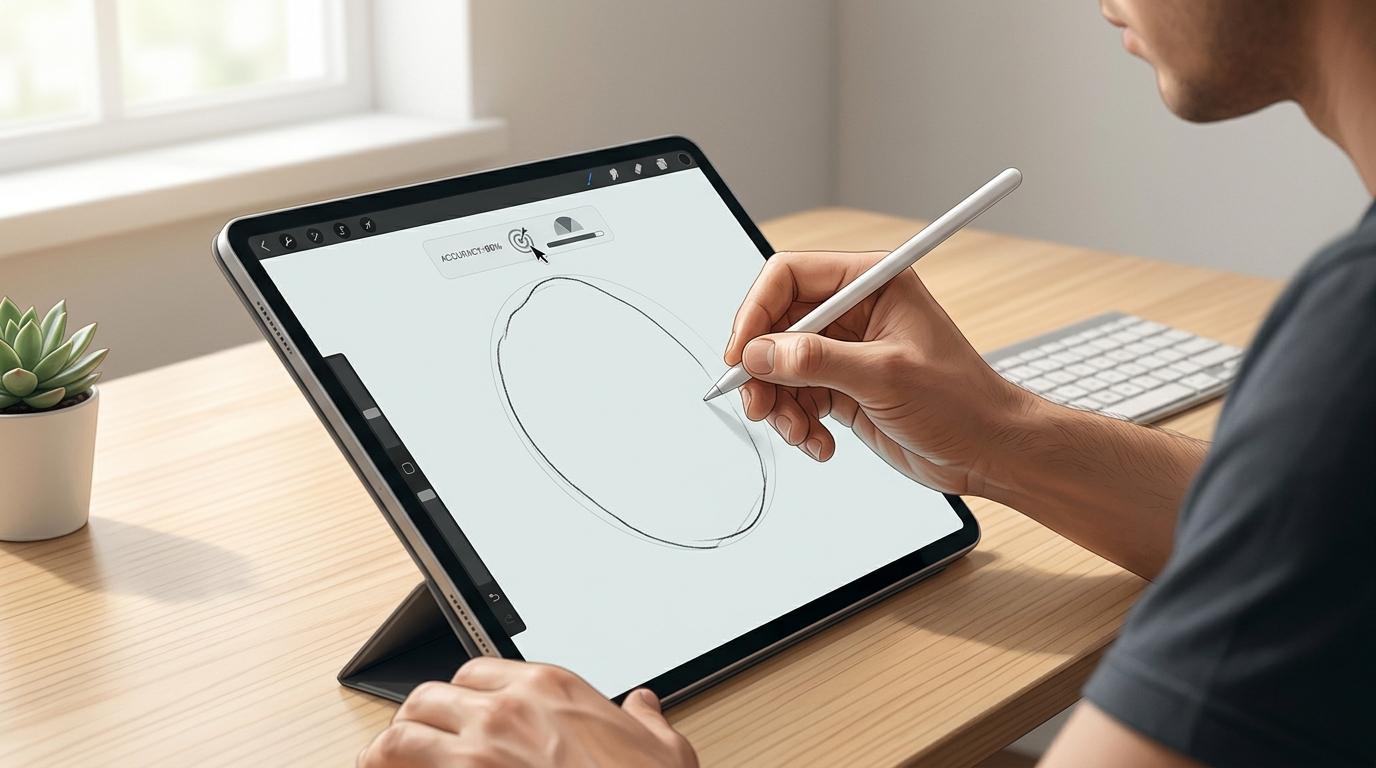
Digital drawing challenges turn a simple creative task into a test of control, coordination, and accuracy. A person may be able to sketch a circle on paper without much thought, but creating a smooth and balanced shape on a screen can feel very different.
The challenge becomes more interesting when a digital tool measures how closely your drawing matches a target. Instead of relying only on your own judgment, you receive a result that gives you a clearer idea of your performance.
These challenges are simple to understand, yet they can reveal how well your eyes, brain, and hand work together.
What Is a Digital Drawing Challenge?
A digital drawing challenge is an online activity that asks users to create a specific shape or follow a particular path.
Circle challenges are a common example. The basic goal is to create a circular shape with as much accuracy as possible.
Unlike traditional drawing, digital challenges can analyze the result. Depending on the tool, the system may compare the user's drawing with a target shape and provide a score or other form of feedback.
This makes the activity more than a casual drawing exercise. It becomes a measurable test of precision.
Why Digital Drawing Feels Different
Drawing on a screen is not exactly the same as drawing on paper.
On paper, your pencil or pen moves directly across the surface. You can feel the friction between the tool and the page. This physical feedback can help you control the movement.
Digital devices work differently. You may use a mouse, trackpad, stylus, or finger. Each method changes how your movement is translated into a line.
A mouse requires you to move a cursor across a surface while watching the screen. A stylus provides more direct control. A touchscreen lets you draw directly where you see the line.
These differences can affect your accuracy.
How Mouse Control Affects Drawing
A computer mouse can be surprisingly challenging for precise drawing.
When using a mouse, your hand moves on one surface while your eyes watch the cursor on another. This creates an indirect relationship between your hand and the drawing.
Small movements can produce noticeable changes on the screen.
If you want to draw a circle with a mouse, you need to maintain a consistent movement while also watching the cursor. Changes in speed or direction can affect the shape.
This makes mouse-based drawing a useful test of visual-motor control.
The Role of Hand-Eye Coordination
Hand-eye coordination is central to digital drawing.
Your eyes provide information about where the cursor or drawing tool is located. Your brain processes that information and guides your hand.
This process happens continuously as you create the shape.
When your coordination is strong, you can make small adjustments without disrupting the overall movement. When control is less consistent, the line may become uneven.
Digital drawing challenges make this relationship easy to observe because the final result appears immediately on the screen.
Why Circles Are a Good Accuracy Test
A circle is a simple shape, but it requires continuous control.
There are no corners to provide natural stopping points. The curve must remain smooth from the starting point around to the end.
Even small changes in direction can affect the final shape.
When you try to draw a circle, you must think about its size, position, and overall balance while maintaining a steady movement.
That makes circle drawing a useful way to test precision without complicated rules.
Digital Feedback Makes Improvement Easier
One major advantage of digital challenges is immediate feedback.
After completing a drawing, you can often see the result right away. Some online tools may provide a score or comparison that shows how accurate the attempt was.
This feedback creates an opportunity to learn from each attempt.
You can change your hand position, adjust your speed, or use a different movement technique. Then you can try again and compare the result.
This process is much more useful than simply drawing without knowing whether your technique is improving.
Accuracy Depends on More Than Speed
It is tempting to think that faster drawing means better control.
In reality, speed is only one part of the challenge.
Moving too quickly can cause the line to drift away from the intended path. Moving too slowly can lead to hesitation and unnecessary corrections.
A steady pace is often easier to control.
The ideal speed depends on the person, the size of the drawing, and the input device. What works with a stylus may not work equally well with a mouse.
Screen Size Can Influence Control
The size of your screen can also affect the experience.
A larger drawing area gives you more space for movement. A smaller screen can make larger shapes harder to control.
Touchscreen devices introduce another factor. Your finger may partially cover the area where the line is being created.
A stylus can provide greater precision because its tip is smaller and easier to position.
Understanding these differences can help you choose a setup that feels comfortable.
Practice Helps Develop Digital Motor Skills
Like traditional drawing, digital drawing improves with practice.
Repeated movements help your brain become familiar with the relationship between your hand and the digital interface.
If you regularly draw circles, you may begin to recognize how much movement is needed for a particular size.
You may also become more comfortable with the sensitivity of your mouse, stylus, or touchscreen.
Over time, this familiarity can make the process feel more natural.
Try Different Drawing Techniques
There is no single technique that works for everyone.
Some people prefer to use their wrist for smaller movements. Others may use more of their arm when creating larger shapes.
You can experiment with your grip, posture, speed, and starting point.
Try to change one factor at a time. This makes it easier to understand what improves your result.
For example, you might first try slowing down slightly. In another attempt, you could change your starting position.
This turns practice into a simple experiment.
Avoid Overcorrecting Your Line
Digital drawing can make it tempting to constantly adjust your movement.
You may see the cursor move slightly away from your intended path and immediately try to correct it.
Small corrections are useful, but too many can create a shaky or uneven line.
Try to maintain a smooth movement and trust your initial path. Review the result after finishing rather than trying to make every part perfect while drawing.
This can help you develop better movement confidence.
Digital Drawing Can Be a Fun Skill Challenge
The measurable nature of online drawing tools makes them easy to turn into games.
Instead of practicing alone, you can compare your results with friends or try to improve your own score.
A simple challenge can create motivation because there is always another attempt.
The activity does not require complicated rules. The objective is clear: create a shape as accurately as possible.
This simplicity is part of what makes digital drawing challenges appealing.
How to Practice More Effectively
Start with simple shapes and focus on control.
If you want to draw a circle, first think about its size and position. Make a few practice movements before starting the actual line.
Keep your hand relaxed and use a steady pace. Try not to make sudden changes in direction.
After each attempt, look at the result. Identify one area that could improve and adjust your technique during the next attempt.
You can repeat this process several times without needing a long practice session.
What You Can Learn From Your Results
A digital score can provide more than a number.
It can help you recognize patterns in your drawing.
Perhaps your circles are consistently wider at the bottom. Maybe your final connection point is uneven. You might also notice that your accuracy decreases when you draw larger shapes.
These patterns can help you understand your strengths and weaknesses.
Once you know where the problem occurs, you can focus your practice on that specific part of the movement.
The Value of Simple Precision Exercises
Digital drawing challenges demonstrate that skill development does not always require complicated activities.
A basic circle can test several abilities at once. It involves visual tracking, motor control, concentration, timing, and spatial awareness.
Because the task is easy to understand, you can focus directly on the quality of your movement.
That makes it useful for casual practice as well as entertainment.
Conclusion
Digital drawing challenges provide a simple way to test accuracy and hand-eye coordination. The type of input device, screen size, movement speed, and drawing technique can all affect the final result.
Circle drawing is especially useful because it requires continuous control. There are no corners to guide your movement, so every part of the curve must remain consistent.
If you want to draw a circle more accurately, focus on a relaxed grip, steady movement, and regular practice. Use the feedback from each attempt to make small adjustments rather than trying to change everything at once.
Online drawing challenges can make this process more engaging. They turn a familiar task into a measurable test and give you a reason to keep trying.
Whether you use a mouse, stylus, or touchscreen, the same basic principle applies: better accuracy comes from understanding your movement, practicing consistently, and learning from each result.

Orange county's premier choice for music lessons.https://westminsterartsacademy.com/