





Probably, every PHP programmer had to create his own framework or library, and it was necessary to work quickly and do everything practically from scratch.
Often we need to test some of our ideas or algorithms and we write code for interacting with databases directly, without using ORM frameworks.
We bring to your attention an article in which the SQL-manager built-in in CodeLobster PHP IDE will be considered.
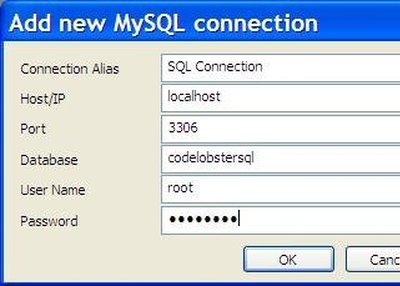
Creating and configuring a connection to MySQL
Go to the main menu "Tools" -> "MySQL" -> "SQL Manager".
Also, do not forget that the real data insertion will occur only after clicking the "Post Edit" button.
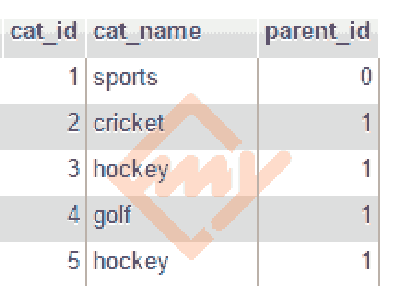
Hello, today we are going to discuss on multi level category system in CodeIgniter which is a very common and essential module or feature of any e-commerce websites or any website.
Creating nested category system is not as easy as you think, but it is not impossible too.
Here I am going to deliver full step by step tutorial on how you can create such kind of module using Codeigniter & MySql.
How to create Multi Level Category System in Codeigniter
This module is based on the recursive function concept.
So let’s get started to develop multi level nested category system, carefully read below steps mentioned.

Looking for an effective tool for MySQL database?
We have the perfect solution.
Tosska SQL Tuning Expert offers a one-click solution and incredible SQL tuning for MySQL without any sort of intervention.
To learn more about the tool or request a free trial, reach out to us today!
If you have any questions or specifications in mind, let us know - we’d be happy to answer.