


Salesforce introduced Salesforce Lightning to help enterprises that are looking forward to engaging potential leads using multiple channels. Lightning makes it easier to build responsive applications for any device within less amount of time and effort. Initially, Salesforce Lightning was designed for mobile devices, after the establishment of the design framework and completion of a mobile application, the desktop version was also brought under its range. Lightning components give you a client-server framework that speeds up the development improves the app performance, and is ideal for use with the Salesforce1 Simulator mobile app.
Our training and certification program gives you a solid understanding of the key topics covered on the Salesforce Lightning. In addition to boosting your income potential, getting certified in Salesforce Lightning demonstrates your knowledge of the skills necessary to be an effective Professional. The certification validates your ability to produce reliable, high-quality results with increased efficiency and consistency.
Then, What is this Lightning Component Framework?
The Lightning Component framework is a UI framework for developing dynamic web apps for mobile and desktop devices. It’s a modern framework for building single-page applications engineered for growth.
The framework supports partitioned multi-tier component development that bridges the client and server. It uses JavaScript on the client side and Apex on the server side.
When there are famous JS UI Frameworks such as AngularJS, KnockOut, BackBone, Mercury etc, Why should I choose “Lighnting Component Framework” ?
Because..
The benefits include an out-of-the-box set of components, event-driven architecture, and a framework optimized for performance.
Out-of-the-Box Component Set
Comes with an out-of-the-box set of components to kick-start building apps. You don't have to spend your time optimizing your apps for different devices as the components take care of that for you.
Rich component ecosystem
Create business-ready components and make them available in Salesforce1, Lightning Experience, and Communities. Salesforce1 users access your components via the navigation menu. Customize Lightning Experience or Communities using drag-and-drop components on a Lightning Page in the Lightning App Builder or using Community Builder. Additional components are available for your org in the AppExchange. Similarly, you can publish your components and share them with other users.
Performance
Uses a stateful client and stateless server architecture that relies on JavaScript on the client side to manage UI component metadata and application data. The client calls the server only when absolutely necessary; for example to get more metadata or data. The server only sends data that is needed by the user to maximize efficiency. The framework uses JSON to exchange data between the server and the client. It intelligently utilizes your server, browser, devices, and network so you can focus on the logic and interactions of your apps.
Event-driven architecture
Uses an event-driven architecture for better decoupling between components. Any component can subscribe to an application event, or to a component event they can see.
Faster development
Empowers teams to work faster with out-of-the-box components that function seamlessly with desktop and mobile devices. Building an app with components facilitates parallel design, improving overall development efficiency.
Components are encapsulated and their internals stays private, while their public shape is visible to consumers of the component. This strong separation gives component authors freedom to change the internal implementation details and insulates component consumers from those changes.
Device-aware and cross-browser compatibility
Apps use responsive design and provide an enjoyable user experience. The Lightning Component framework supports the latest in browser technology such as HTML5, CSS3, and touch events.

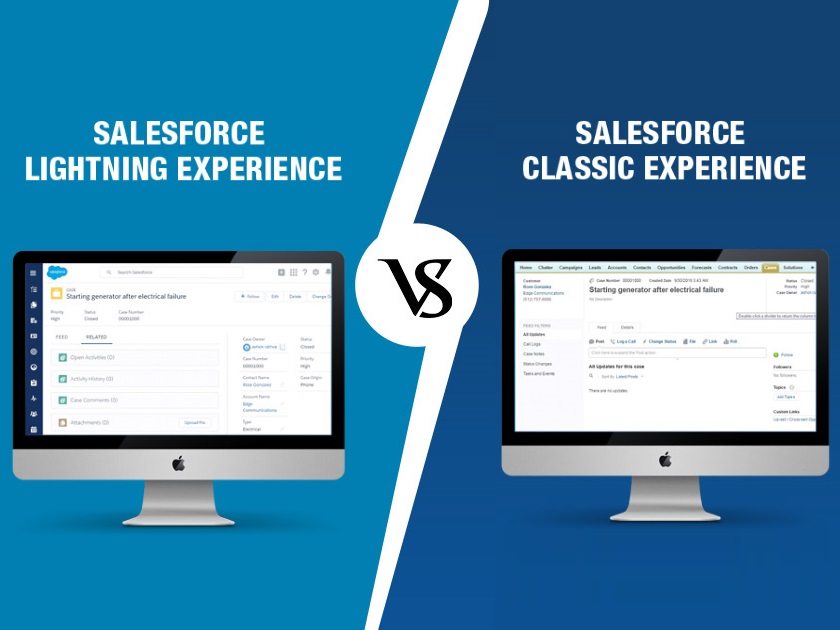
Lightning Experience is now on the market, know about Salesforce’s re-imagined platform Lightning Experience advantages, features and what’s new in the Lightning Experience.

This includes renowned brands such as Sony, Financial Times, Toyota and more.
As the scale of use of Salesforce CRM is growing, Salesforce developer training expects to generate around 3.3 million job opportunities, including developer positions by 2022.What is Salesforce software?It is a cloud framework for sales, customer support, and marketing strategy.
Such software is Einstein AI helping businesses develop their CRM through predictive analytics for purposes such as finding the most promising leads (potential customers) for further cooperation.SFDC’s more ambitious product in IoT Cloud.
This platform allows data from the devices integrated into an IoT network to be obtained, analyzed and handled in real time.
This helps one to construct tables, objects, fields, establish relationships between them, set rules to automate linear processes of work.
This helps in handling software applications, making this a good starting point.You may need to specialize in the following areas to become a Salesforce Developer:Data Modeling,Management, andSecurity Platform DevelopmentSalesforce App CustomizationVisualforceBasic Search SolutionsDeveloper ConsoleSalesforce object query languageApex object-programmingLightning FrameworkSkills required:There are certain skills that any good developer in Salesforce should have.