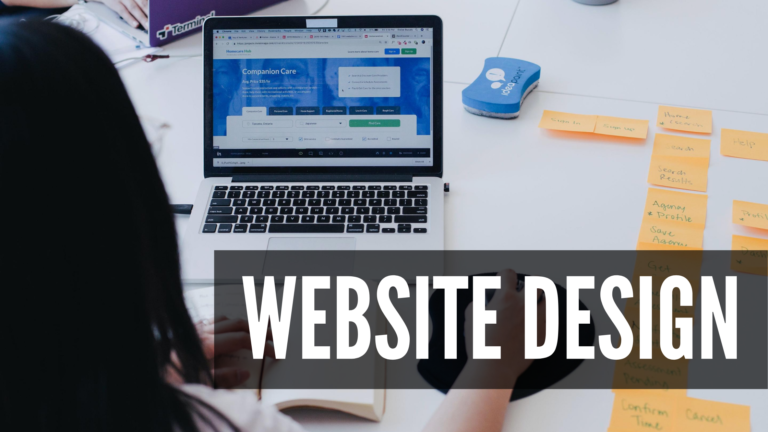
Your website is now a more potent weapon than ever in today's marketing marketplace. As a 24/7 salesperson, your website can be your most powerful asset and the focal point of your marketing activities. That is why the user interface design process, or the UI of your website, is critical to your success.
You may have come across some fantastic, awe-inspiring websites that would have left you flabbergasted. We’ve compiled a nifty list of tips that will help you imitate and even surpass interfaces without spending too much time worrying about complex design principles.
What is User Interface Design?
User interface (UI) design is the process through which designers create interfaces in software or electronic devices with an emphasis on aesthetics or style. Designers strive to design interfaces that are both easy to use and enjoyable for users.
How to Improve Websites’ UI
When creating a flawless website, the first thing that comes to mind is how to improve website UI design. There are some dos and don'ts for improving a website's UI, just like there are for any other part of designing and managing a website. It's not enough to do whatever you want and hope for the best. To assist you, here are a few recommended practices for improving the user interface of your website designing packages.
Stay Consistent
Understandably, you want to update the design of your website, but not so drastically that people don't recognize it when they return or can't figure out how to navigate to where they want to go. It is critical to maintaining consistency in feature placement throughout your UI. However, you should also be mindful that your UI functions and appears consistent throughout the product.
Your typefaces and design should be consistent from one page to the next. Don't change the typefaces in the header and body from page to page. The concept of least surprise suggests that if you make your user startled by how something works, change it to make it more intuitive. Consistency implies not frustrating your users by having them find out what to do on your site.
Hierarchy
Visual hierarchy is one of the most crucial things to consider when designing an interface since it may make or break the overall user experience. You may draw and focus the user's attention on the most essential aspects of the website by employing a visual hierarchy. It may substantially minimize the amount of work necessary to utilize your interface when implemented appropriately.
You may create a solid visual hierarchy by simply emphasizing the piece you want the user to focus on by adjusting the size and scale, which is simple. Size is a fundamental property of an element that can help elevate one element over others. The size of the less important parts can also be lowered. Contrast is defined as the distance between two colors on the color wheel. To use this successfully for most typical interfaces, the contrast between the backdrop and the element you want the user to focus on should be greater than the contrast between all other items.
Clear Call to Action (CTA)
When considering how to improve website UI, the CTA is the ideal solution. Use an action verb at the beginning of the statement to motivate people to take action. Users are more likely to click on your CTA if you utilize short, action-packed terms than a language like "Information" or "Prices." You should pay special attention to the colors you select. You can influence how your users feel when they visit your website and CTA by using color psychology.
Make sure your CTA loads quickly and gets the user where you want them to go as well as where they anticipate going. A visitor does not want to be kept waiting while a new page loads. Through extensive testing, you can increase the performance of your CTAs, ensuring that all website pages load as expected and that every button delivers visitors to the right place through extensive testing.
Ensure Accessibility
Despite the fact that it is becoming more common, many outsourcing agency owners fail to guarantee that their website is accessible to all visitors. A reputable web design firm will assure accessibility at no extra cost and without you having to ask, but if you're attempting to update your website on your own, this is sometimes missed.
Making your site accessible to persons with disabilities will not only provide a better experience for those visitors but will also help your SEO and search engine rankings. It is also not difficult to improve your UI for individuals with visual impairments. Therefore there is no need to exclude it or create a website that does not ensure accessibility for everybody.
Ease Of Use
A one-column layout instead of a multi-column layout is a smart approach to do this. A one-column layout is another great example of how to improve a website’s UI. A one-column arrangement provides better clarity and consistency to the story. A single-column method directs users' focus to other features, whereas a multi-column approach directs consumers' attention to other features. Lead people with simple information, a pleasant experience, and a clear call to action at the conclusion.
Color, depth, and contrast from your design style may be used as a solid method to develop a connection with a user. To be implemented consistently across an interface, each style should be easily distinguishable from the others. If followed correctly, this rule keeps users satisfied and willing to participate more.
Conclusion
Follow these 5 steps to improve the usability of your website. These are the most fundamental strategies for how to improve the website’s UI. When done correctly, updating your website will make your users happier and may result in more business. However, if you don't know what you're doing, you might wind up harming your website and penalizing yourself in SEO and search engine rankings.
Working with a reputable web design agency can assist ensure that your website satisfies all SEO guidelines while maintaining the personal touch of your brand with affordable web designing packages. Professional web designers will provide you with a high-quality website, years of experience, and a less stressful overall improvement process.