If you’re resizing photos for social media, an e-newsletter or product images for your store, the right photo resizer can save you time and stress. But it’s important to make sure that the tool you use doesn’t compromise image quality.
Some free tools make it a priority to keep high quality. But if you’re not careful, you may end up with photos that are blurry or pixelated. Thankfully, the following photo resizer can convert your image to right size without losing quality.
Adobe Express
If you’re looking for an easy way to resize photos without losing quality, Adobe Express is the answer. It offers a wide range of presets and aspect ratios that are perfect for social media posts, but you can also choose to resize your image manually if you prefer.
It’s a quick and easy way to resize images for any website or social media account. All you need to do is upload your image in JPG or PNG format and select the size you want it to be. It’s available on both desktop and mobile and you can even use it to create flyers, posters, or banners.
To make resizing easier, Adobe Express has preset dimensions for popular social media platforms like Instagram and Facebook. It also has a range of options for removing backgrounds and adding effects.
One of the best parts of Adobe Express is its integration with Adobe Stock, which includes an extensive
royalty-free library of stock images. This gives you access to millions of photos to use in your designs.
Another great feature of Adobe Express is that it’s easy to use and can be used by anyone. It’s ideal for anyone who wants to create simple and beautiful graphics that stand out from the crowd.
You can use it to resize and crop images online, or you can download them as JPG or PNG files. It also has a range of templates to help you create social posts, banners, and other content that stands out from the crowd.
Pixlr
Pixlr is an online picture editor that is free to use. It has a range of features that appeal to both technical and non-technical users. It also allows users to save their work and share it through any means.
It’s also a great tool for creating invitation cards, posters, website images and banners. In addition, it has a number of different tools that allow you to change the color and shape of your text. It also has a number of filters, styles and real-time noise adding features that can help you create stunning graphics.
One of the best things about Pixlr is that it is a web-based application that can be accessed through any browser on most devices, including Mac and Windows computers. It’s also mobile-friendly, making it easy to use on iOS and Android phones.
You can resize your image in Pixlr by entering a desired size, using the built-in sliders or by clicking the Arrange button. Be sure to use the constrain proportions option, which will ensure that your image remains proportionate at the new size. If you don’t use this feature, your image will look like it has been stretched.
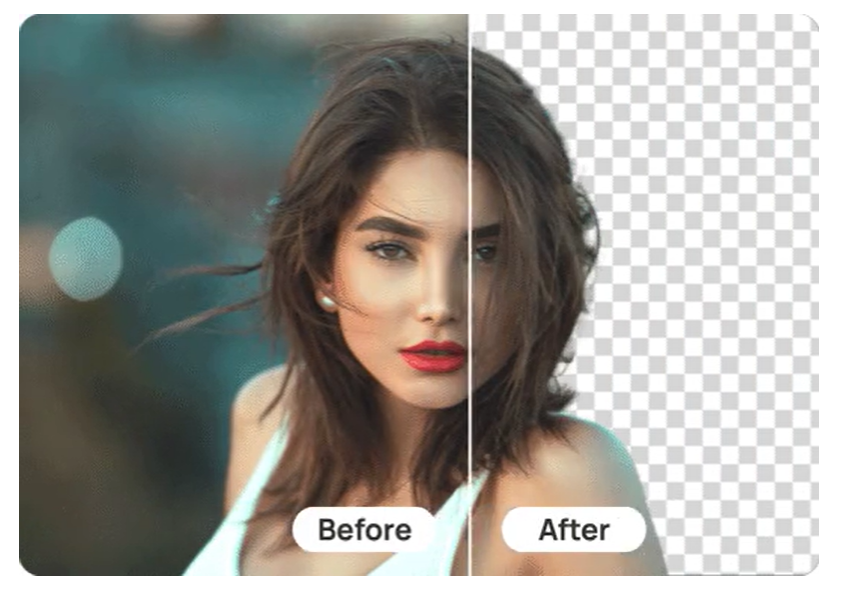
In addition to resizing your image, Pixlr also has a number of other editing features that you can use to enhance your photos. These include the ability to remove backgrounds, create transparent backgrounds and add movement with photo animation effects. You can also edit the color of your photo and add a variety of textures.
The Pixlr interface is well organized and easy to navigate. It has a history tool that makes it easy to scroll through actions and undo and redo them. It’s also equipped with automatic instruments that make it easy to zoom in on your images as quickly as possible.
There’s also a smart image cutout tool, which can help you remove objects from your pictures. It can be a real lifesaver if you want to edit your photos on the go.
Lastly, there’s the ability to add text to your pictures. This is a great way to make your images more unique and interesting. In addition, you can change the font and size of your text as needed.
Resize Me!
Resize Me is an easy-to-use, intuitive photo resizer that can help you adjust your photos for email attachments or social media platforms with size restrictions. It also offers a batch resizing option, which saves you time and effort.
The application has a very elaborate user interface that makes it simple to use. In addition, the app offers an extremely fast and easy way to save your images in a variety of formats, including JPEG and PNG.
I Love IMG
I Love IMG is one of the most comprehensive photo editing apps around. It offers an impressive suite of features including a top notch file uploading system, a plethora of color enhancing filters and the ability to sync up with Dropbox and Google Drive.
Among other things, it enables you to edit and optimize your photos at the same time, a feat which a lot of other competing programs fail to achieve. Its slick interface makes it easy to get started with a minimum of fuss. This is a no-brainer for any image editor, be it a professional or a hobbyist.
The software is free to download and use for life, although premium plans are available on request. The company is also an advocate for the responsible use of data and has a robust spam prevention strategy in place to keep its customers happy.
Biteable
Resizing images for websites is a crucial part of any digital marketing strategy, but you don’t need to be an expert to do it properly. Generally speaking, you should aim to strike a balance between file size and quality. You don’t need to resize your image for exact pixels, but you should keep a close eye on the width and height dimensions.
If you’re not comfortable with using the built-in editor, you can also try Biteable or Squoosh, which allow you to resize and compress images at the same time. They also offer a free version, so you can try them out to see if they’re right for you.
Cropping a picture is basically necessary when its size is just too large and once you have captured some weird background or Sometimes you would like to get rid of a number of the precise parts of the image then this cropped image comes into play.With the assistance of this crop image tool, you'll be ready to do numerous things without losing any image party and quality.
you want to have an interest in a picture cropper tool which will assist you crop your image but without losing perfect size and you will be ready to design your photo during a new style and show some specific a part of the image that you simply want to point out to someone.Even once you continue a visit you capture numerous photos and you would like them to transfer to the laptop then you would like to share them on social media.But you will not be ready to share a number of your images on to society because numerous times you do not capture all perfect images.
Sometimes your image needs a touch Retouch.
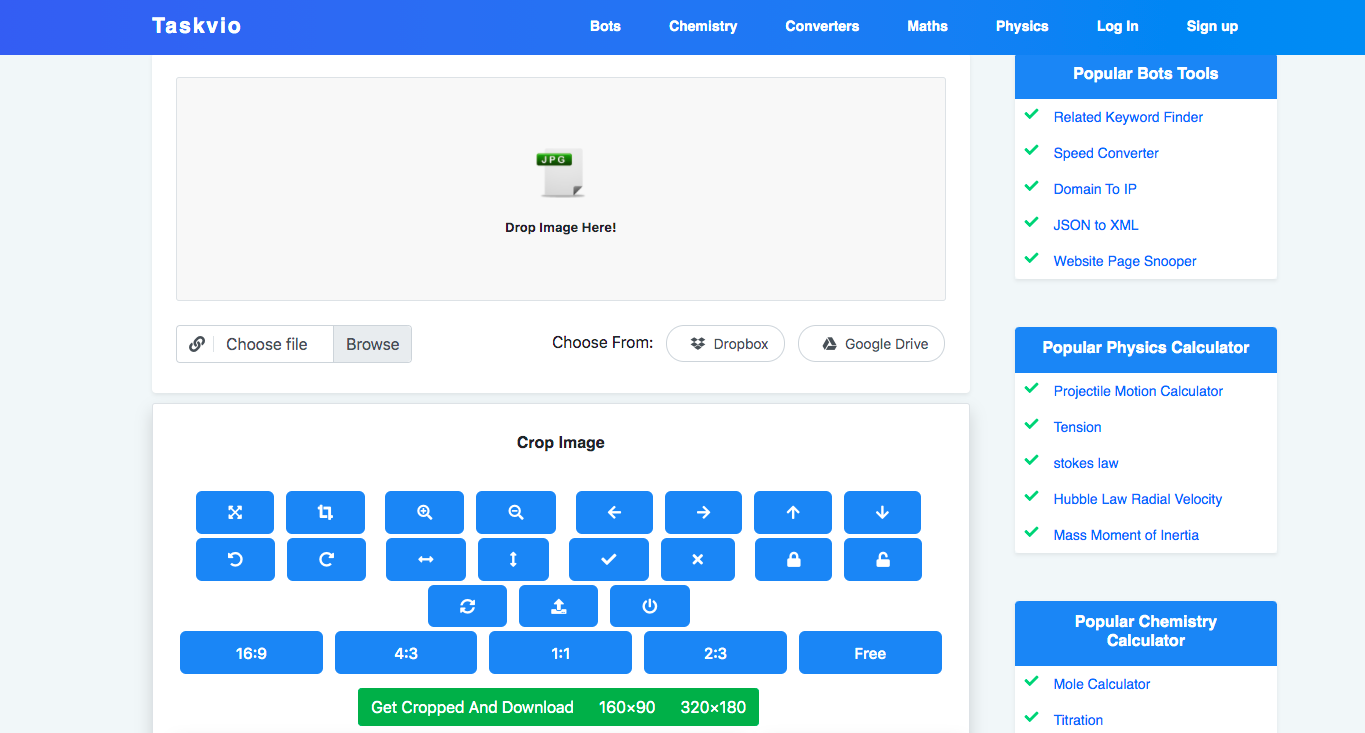
So what you'll do.Still, you would like not worry about it you only got to come to our image crop tool which is completely free and there are more options available to completely edit and customize your image as you would like to form it.Tools that you simply can use whilst cropping!Move, Crop, zoom in, zoom out, left-right, up, down, rotate -45 degree angle, rotate 45-degree angle, scale on x-axis, scale on the y-axis, crop, clear, crop capable and crop disable, reset, Import image from an URL, Destroy, ratio 16/9, ratio , ratio 4.3, Aspect ratio1.1, ratio 2.3, FreeEven though you'll also set your X-axis and Y-axis width and height rotate scale X and scale Y.These all tools are given for you to assist you design a far better picture for you and do y9our very nice job with it without losing the standard of any image.For what Reason do you have to use the Image Crop tool?I had already told you numerous reasons why you ought to crop your image and when but let me tell you some important occasions once you actually need to crop your image.But there's Mainly 3 reason you'll be using this tool that follows:Removing your unwanted area and And that specialize in a selected Area of the imageWe mainly use cropping tools for these reasons.
There are numerous times when some weird things appear on your image that you simply don't need to incorporate on your image and sometimes you simply want a number of your own specific pics to point out people on social media.Image Cropping for Impact thereonOf Course, cropping your image can make an excellent impact on your photos because you'll crop your image in any angle or any way, like if you would like to crop a picture horizontally or sometimes you would like to crop your image vertical for a few reason then you’re ready to roll in the hay .Cropping for Specific contentCropping for specific context or content you would like to crop from any picture is basically Awesome but the way to do this you'll use our online cropping tool for it.
While you employ your social media platform you always search for entertainment and knowledge and a few motivations.
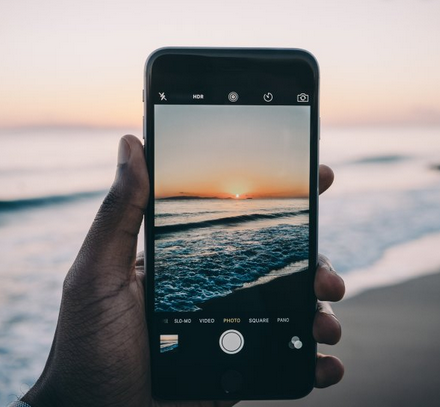
Take and edit photos with your iPhone and edit by Online Photo Editor Tool !You can take detailed photos with the powerful Camera on your iPhone or iPad.
Then it would help if you looked at your pictures with Picture Editor tool you’ll find on your device.
To obtain the best version of your photos, here are the simple steps:Open the CameraTake the pictureEdit the photo Find the best moment to take A photo and edit by Online Image EditorWhen you want to take a photo, you already know that the perfect time can happen at any moment.
When you want to take more than a regular photo, swipe the screen right or left, or tap on the Camera labels to choose slo-mo, photo, square, pano, or time-lapse.FeaturesFlash: The LED flash on the iPhone gives your extra photo light.
You can turn it off, tapping the Live photos button.Timer: maybe you’re upset to always taking the photos and never being in them.
Burst mode takes multiple images at once to give you a range of photos.How to use iPhone editing tools in secondsThe first step is to make a copy of the image to preserve the original.You can create a work of art right on an iPhone or iPad.