



Optimizing WooCommerce for Live Streaming
For ecommerce businesses looking to enhance customer engagement and drive sales, integrating WooCommerce with live streaming platforms presents a unique and effective opportunity. Optimizing WooCommerce for live streaming involves several critical steps to ensure a seamless experience for both you and your audience. Below, we outline the key strategies for optimizing WooCommerce in preparation for live streaming.
1. Ensure Your Website is Performance-ready: Before diving into live streaming integration, it is essential to ensure that your WooCommerce website is performance-ready. This means your website should be capable of handling increased traffic and data flow during live streaming events. Upgrade your hosting plan if necessary, optimize your images, and use caching mechanisms to speed up page load times.
2. Responsive Design and Mobile Optimization: Live streaming attracts a diverse audience, many of whom may be accessing your site via mobile devices. Ensure that your WooCommerce store is mobile-friendly with a responsive design that adapts to various screen sizes without compromising user experience.
3. Implement Real-time Inventory Management: One of the primary advantages of using WooCommerce for ecommerce is the ability to manage your inventory. Live streaming events can lead to a sudden surge in sales, and real-time inventory management ensures that customers are informed of product availability in real-time, reducing the risk of overselling.
4. Customize Product Pages for Live Streaming: Tailor your product pages to complement the live streaming experience. Include high-quality images, detailed descriptions, and engaging content that aligns with the live stream. Additionally, consider incorporating video clips or GIFs showcasing the products in use to capture the audience's attention.
5. Live Chat and Customer Support: During live streaming events, customers may have questions or require assistance. Enable live chat functionality on your WooCommerce store to provide real-time support and address customer inquiries promptly. This added level of interaction fosters trust and encourages purchases.
Tips for Integrating WooCommerce with Live Streaming Platforms
Integrating WooCommerce with live streaming platforms can significantly enhance your online store's engagement and sales potential. To achieve a seamless and efficient integration, follow these expert tips:
1. Choose the Right Live Streaming Platform: The first step in integrating WooCommerce with live streaming is selecting the right platform. Popular live streaming platforms like YouTube Live, Facebook Live, and Twitch offer diverse features and reach. Evaluate the features, audience base, and compatibility of each platform with WooCommerce to make an informed decision.
2. Utilize Reliable Plugins and Extensions: Several plugins and extensions are available to facilitate the integration between WooCommerce and live streaming platforms. Research and select reliable plugins that offer seamless compatibility, ease of use, and robust support. These plugins can help automate the process of syncing your product inventory, orders, and customer data between WooCommerce and live streaming platforms.
3. Leverage Multi-channel Selling: Expand your reach by leveraging multi-channel selling. Ensure your WooCommerce products are seamlessly listed on various channels, including your website, social media platforms, and live streaming platforms. This approach broadens your customer base and amplifies the impact of your live streaming events.
4. Plan and Promote Your Live Streaming Events: To maximize engagement, plan and promote your live streaming events well in advance. Create a detailed schedule, highlight key products, and generate buzz through social media promotion, email marketing, and other outreach methods. The more you promote your events, the higher the chances of attracting a larger audience.
5. Utilize Analytical Tools: Post-event analysis is critical to understanding the success of your live streaming integration with WooCommerce. Leverage analytical tools to track metrics such as viewership, engagement rates, sales conversions, and more. This data can provide insights into what worked well and areas that need improvement for future events.
WooCommerce and Live Streaming Platforms: Building a Strong Connection
The compatibility between WooCommerce and live streaming platforms is a game-changer for ecommerce businesses. By building a strong connection between the two, you can create a more dynamic and engaging shopping experience for your customers. Here are key considerations to ensure success:
1. Real-time Integration: Real-time integration between WooCommerce and live streaming platforms is essential for providing a seamless shopping experience. During live streams, customers should be able to browse products, add items to their cart, and complete purchases without any disruptions. Ensure that your integration methods support real-time updates and data synchronization.
2. Enhancing Customer Experience: Enhance the customer experience by offering interactive elements during live streams. Incorporate features such as live polls, Q&A sessions, and product demonstrations to engage viewers and provide valuable information about your products. The goal is to create an immersive and interactive shopping experience.
3. Streamlining Checkout Process: A streamlined checkout process can significantly impact your sales during live streaming events. Simplify the checkout process by minimizing the number of steps required to complete a purchase. Offer multiple payment options and ensure that the process is secure, user-friendly, and quick.
4. Building Trust and Credibility: Building trust with your audience is crucial for the success of your WooCommerce and live streaming integration. Be transparent about your products, provide honest reviews and testimonials, and address any concerns or queries promptly. Trust and credibility can drive repeat business and foster customer loyalty.
5. Post-Event Engagement: The engagement shouldn't end when the live stream does. Follow up with your audience through post-event emails, surveys, and feedback forms. Offer exclusive discounts or incentives to attendees to encourage them to return and make future purchases. Building a strong post-event relationship can elevate your brand's reputation and customer satisfaction.
Conclusion
Integrating WooCommerce with live streaming platforms opens up new avenues for ecommerce businesses to enhance customer engagement and drive sales. By optimizing WooCommerce, following expert tips for integration, and building a strong connection between WooCommerce and live streaming platforms, businesses can create a seamless and interactive shopping experience that resonates with their audience. Embrace the potential of live streaming and leverage it to take your online store to new heights.
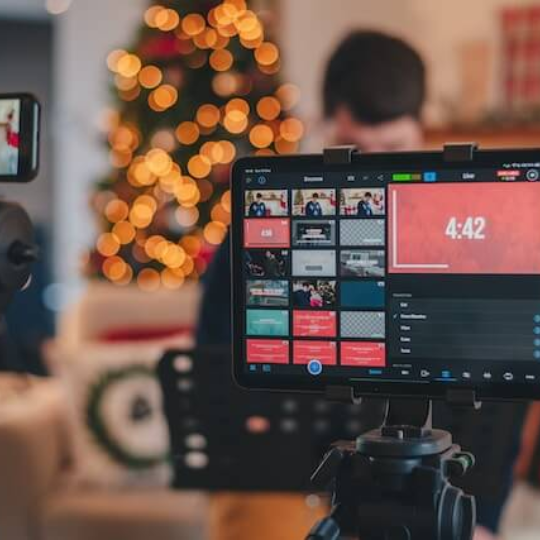


We bring you a collection of the best tools and platforms to produce and broadcast live streaming content.
It is capable of sharing your live stream directly to a range of social networks.
This app is owned by Twitter and lets the live stream creators using it stream externally sourced broadcasts.
Instagram The new live stories feature on Instagram sports live streams within Instagram stories.
After your hour-long session has ended, you can also share a recorded version of your live stream on your story for the next 24 hours.
It also offers post stream analytics to help you improve your performance.