





WhatsApp is a versatile conversation platform subjected to its ease of use and regular updates in terms of its features, security, and privacy. WhatsApp broadcast is a very important and dynamic feature of this most engaging social channel.
With this WhatsApp feature, businesses can communicate with their customers in a very innovative manner. More importantly, as other broadcast receivers can’t see your contact details, you don’t have to compromise on privacy as in WhatsApp groups.
Stay tuned with us, if you are planning to leverage WhatsApp broadcast feature into your WhatsApp marketing and growth strategy.
In this blog, we will explore major points related to WhatsApp broadcast and how it’s useful to businesses.
Shortcuts:✂️
- How WhatsApp broadcast is different from WhatsApp group?
- Why should businesses use WhatsApp broadcast messaging?
- How to send WhatsApp broadcast?
- WhatsApp broadcast limits for WhatsApp Business App
- Using WhatsApp business API for WhatsApp broadcast
- How to Send WhatsApp Business Broadcast Without Getting Blocked [With WhatsApp Business API]
- Scale your business with WebMaxy’s WhatsApp broadcasting
- FAQs
How WhatsApp broadcast is different from WhatsApp group?
It enables sending messages, images, or videos to bulk contacts at once. It has many unique attributes that distinguish it from WhatsApp groups.
In WhatsApp selling groups, discussions by users are interactive while in broadcast, messages are sent only to the predefined members. The members in the broadcast list can see your message as a private message in their chat. Any discussion that happens is visible only in the individual chat and other members of WhatsApp broadcast list can’t see it.
Looking for the right WhatsApp business solution provider?
WebMaxy can be your perfect partner
As broadcast messages are sent as individualized messages, it allows personalization in mass communication. WhatsApp group feature allows you to see all the participants involved in that group. But in the case of WhatsApp broadcast, you can’t see who else received the same message.
Being a one-way communication platform, WhatsApp broadcast is an efficient tool for circulating information as an individual message. WhatsApp broadcast is undoubtedly an important feature for businesses and individuals because it connects with a large audience effectively.
WhatsApp broadcast can be a turning point in your growth strategy. Take your WhatsApp marketing game to the next level with WebMaxy Advanced sale and marketing tool.
Why should businesses use WhatsApp broadcast messaging?
WhatsApp broadcast offers an excellent delivery rate and opening rate as compared to other channels like email or SMS. Also, this platform is more comfortable for customers as they go for a personal 1-1 conversation than communicating in a group.
WhatsApp broadcast allows businesses to connect with customers across multiple channels and boost engagement. You can send product launches, special offers, delivery statuses, product updates and more by using this efficient feature.
It not only provides better customer service but also strengthens customer relationships that contribute to higher customer satisfaction. Below are the key reasons to use WhatsApp broadcast for your business:
- Saves time and efforts
- With broadcast messages you don’t have to type and send the same message again and again to individual chats. WhatsApp broadcast allows you to easily send the same message to several people without wearing out your wrists. Also, with a few clicks, recipients receive your message which saves valuable time that you can utilize for other marketing operations.
- Reach a large audience.
- This is an efficient solution for businesses as they can broadcast information to a large audience. Moreover, your marketing message reaches multiple recipients simultaneously. With such a one-to-many communication approach, you can strengthen your digital presence.
- Maintains privacy
- WhatsApp broadcast messages work like sending an email with recipients in the BCC. None of the recipients can see other contacts who have received the same broadcast message. So, the contact information and replies of the recipients are kept private.
- Achieve higher engagement
- As you are broadcasting messages on the most popular and convenient communication platform, you get higher open rates. When you broadcast messages for conveying business update, interested people start communicating with you. So, if you send message to 256 people just with a single click, there are chances that at least some of them will start communicating further.
- Send messages with personalized approach
- Though WhatsApp broadcast messages are sent in bulk, it maintains personalization. With these messages, each recipient feels that he/she is personally addressed. For businesses, it leads to improved engagement and better connections.
- No risk of spam messages
- In WhatsApp group, there is a risk of spam messages because any group member can send messages that may lead to irrelevant content or spam. However, in WhatsApp broadcast, you avoid the risk of unwanted messages, spam, or chat that is not pertinent.
- Efficiently share updates or announcements
- WhatsApp broadcast proves to be crucial feature for businesses as they can share timely updates or announcements related to their products, services or business. Be it the new product launch, exclusive promotions, company news, or business event, broadcast messages go a long way in delivering information on the dot to wide audience.
- Enhance customer experience
- As messages are sent with personalized touch, they offer superior customer experience that enhances your brand trust. By using labels for creating broadcast lists, you can send customized messages as per the customers’ preferences, interests or past purchasing behavior.
How to send WhatsApp broadcast?
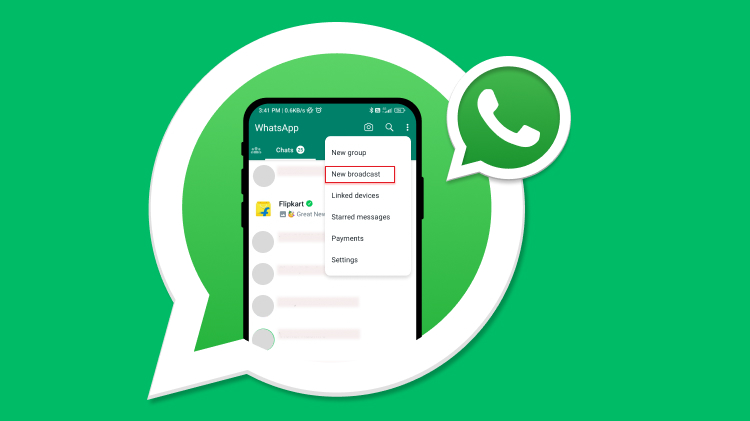
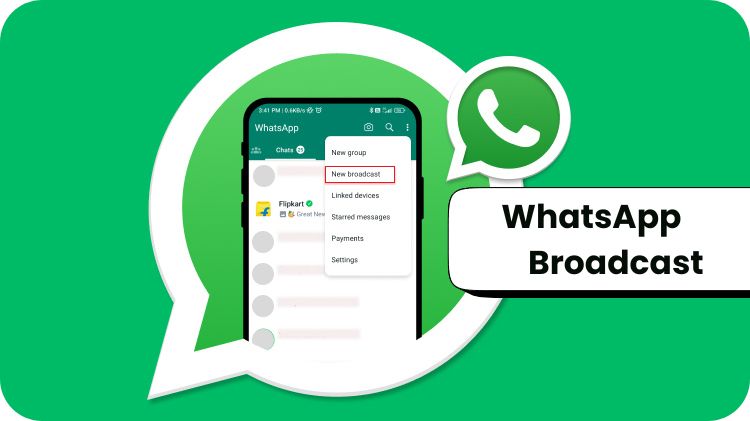
Sending WhatsApp broadcasts is very simple yet effective WhatsApp marketing practice. You can go through the following steps to know how you can initiate WhatsApp broadcast on WhatsApp Business app:
- 1. First, open the chat window.
- 2. After that click on the three dots in the top-right corner.
- 3. Then, select ‘New broadcast’.
WhatsApp broadcast limits for WhatsApp Business App
WhatsApp Business app allows easy sharing of broadcast messages for small requirements. But when it comes to medium or large organizations, it has certain limitations that make it necessary to seek other effective solutions. Let’s explore WhatsApp broadcast limits while using WhatsApp Business app:
Now you understand the ins and outs of using WhatsApp broadcast for your business. If you find that it is not sufficient for your business needs, it’s time to switch to better solution. WhatsApp has provided another feature for medium and large businesses in 2018 with the launch of WhatsApp business API.
Using WhatsApp business API for WhatsApp broadcast
For businesses aiming to reach a larger audience, WhatsApp business API works wonders. WhatsApp business API offers an effective WhatsApp marketing platform for medium and large size businesses. They can communicate with large customer base seamlessly to promote their products and services globally.
With the help of third-party integration, businesses can embrace the power of WhatsApp business API to connect with their potential customers at scale. WebMaxy is a reliable WhatsApp Business solution provider who can help you access all the WhatsApp features.
How WhatsApp business API helps elevate your business growth:
Below table shows the comparison of WhatsApp broadcast features for WhatsApp Business and WhatsApp business API:
Benefits of WhatsApp business API for sending WhatsApp broadcast
Undoubtedly, WhatsApp business API is an effective WhatsApp commerce tool for businesses to stay ahead of the curve. It helps overcome the limits of WhatsApp business broadcast. Check out the advantages of WhatsApp business API to broadcast WhatsApp messages:
Examples of templates for WhatsApp broadcast message
You can refer to following examples of templates to create customized WhatsApp broadcast message for your next WhatsApp marketing campaign.
How to Send WhatsApp Business Broadcast Without Getting Blocked [With WhatsApp Business API]
You can send WhatsApp broadcast messages to your customers on WhatsApp without saving a number by following below steps:
Note that you need a WhatsApp Business API solution provider like Webmaxy WhatsApp Commerce to do this.
Step 1: Import contact list
Import a contact list to the WhatsApp Business API solution platform, while making sure that contact numbers are in the right format (with country and area codes).
Step 2: Create a message template
You need to compose, submit, and get your message templates approved through the WhatsApp Business API solution provider. Incorporating interactive elements like CTAs and quick replies to buttons or multimedia helps make engaging message templates.
Step 3: Compose the WhatsApp broadcast message
With the approved message template, tailor -make placeholders and create a clear and crispy message. It smartly conveys the information and pushes the reader towards desirable action. The message must be relevant to the user.
Step 4: Send or schedule the broadcast messages
After you use the WhatsApp Business Solution provider’s platform to create a broadcast campaign, send your message or you can schedule a specific day or time that is appropriate to send the broadcast message.
Scale your business with WebMaxy’s WhatsApp broadcasting
WhatsApp broadcast is surely an excellent WhatsApp marketing strategy for both your business and customers. If you are a small business, you are good to go with WhatsApp business app for broadcasting messages. However, for medium and large size businesses, WhatsApp business API is the perfect deal.
WebMaxy is the reliable partner in your WhatsApp marketing journey to scale your business. We provide a range of WhatsApp commerce solutions that transform your business to the next level by reaching more customers. You can sign up or schedule a free demo to know more about our WhatsApp commerce services.


Email open rates average around 20%. SMS open rates are higher, but response rates tell a different story. WhatsApp broadcast messages, when sent correctly, see open rates above 90% and response ra