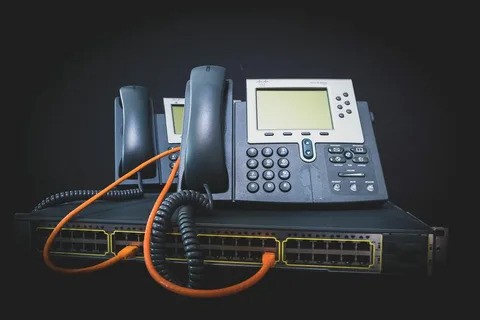



Effective communication is the backbone of every successful business. Ensuring consistent quality in customer interactions requires tools like call monitoring and recording. Modern VoIP telephone systems provide robust capabilities to help businesses meet these needs efficiently. Here's a step-by-step guide to setting up VoIP call monitoring and recording for quality assurance.
Step 1: Choose the Right VoIP System Before diving into the setup, selecting the right office phone system is crucial. Look for a provider that supports call monitoring, recording, and other advanced features. Many modern office business phone systems integrate seamlessly with software for tracking and analysing call quality, providing a comprehensive approach to communication management.
Additionally, consider a system compatible with wireless VoIP phones for enhanced mobility, ensuring staff can monitor or record calls from anywhere in the office or on the move. Step 2: Understand Legal Requirements Call monitoring and recording are subject to legal regulations. In the UK, organisations must comply with laws such as the General Data Protection Regulation (GDPR) and the Investigatory Powers Act 2016.
Notify parties: Inform all parties involved in a call that monitoring or recording is taking place. Define purposes: Use recordings only for legitimate purposes like training, quality assurance, or dispute resolution. Step 3: Enable Call Monitoring Features Once your office phone system is set up, configure its call monitoring features. This process may vary depending on the VoIP provider, but common steps include:
Access the Admin Portal: Log in to your VoIP service’s administrative dashboard. Enable Monitoring: Locate the call monitoring settings and activate the feature. Some systems allow supervisors to "listen in" on calls silently or "whisper" feedback to agents without the customer hearing. Assign Roles: Determine who will have monitoring privileges. Restrict access to authorised personnel to maintain privacy and compliance. Step 4: Set Up Call Recording Most wireless voip phone include built-in call recording capabilities. Follow these steps to activate and configure the feature:
Activate Recording: Turn on automatic or manual call recording within the admin settings. Storage Options: Decide where recordings will be stored, such as in the cloud or on a local server. Ensure storage solutions comply with data protection laws. Configure Permissions: Control access to recordings by setting role-based permissions. Step 5: Integrate with Quality Assurance Tools For a comprehensive approach to call quality, integrate your VoIP system with quality assurance tools. Many modern office business phone systems can connect with analytics software, allowing you to:
Evaluate Performance: Analyse recordings for agent performance and customer satisfaction. Generate Reports: Create detailed reports highlighting strengths and areas for improvement. Track KPIs: Monitor metrics like call duration, response time, and resolution rates. Step 6: Train Your Team Introduce your team to the call monitoring and recording tools. Provide training on:
Using the Features: Teach staff how to access, monitor, and review calls effectively. Compliance: Emphasise the importance of legal and ethical considerations in call monitoring. Feedback Utilisation: Encourage agents to view feedback as a tool for growth and improvement. Step 7: Regularly Review and Optimise Setting up VoIP call monitoring and recording is not a one-time task. Regularly review your system and processes to ensure they remain effective and compliant.
Audit Recordings: Periodically review stored recordings for quality and compliance. Update Policies: Adjust your call-handling policies based on insights gained from recordings. Seek Feedback: Encourage agents to provide feedback on how monitoring and recording impact their workflows. Benefits of VoIP Call Monitoring and Recording Implementing call monitoring and recording through VoIP telephone systems offers several advantages:
Improved Customer Experience: Identify pain points in customer interactions and address them proactively. Enhanced Training: Use recordings as training materials to improve agent skills. Increased Accountability: Ensure compliance with company standards and regulatory requirements. Cost-Efficiency: Leverage the built-in features of your VoIP system without investing in separate equipment.
Conclusion By leveraging the capabilities of office phone systems, including wireless VoIP phones, businesses can enhance their quality assurance processes significantly. Call monitoring and recording not only improve customer satisfaction but also empower teams to achieve their best. Follow this guide to set up and optimise these features, ensuring your communication system is a valuable asset for your organisation.
Birmingham: Beech House Greenfield Crescent,
Edgbaston, B15 3BE Tel: 0203 150 2227





Additionally, customers expect businesses to list a contact number as a way for them to speak to the ‘actual person’.
Below you will read and learn about several tips that you need to keep in mind when selecting a phone system for your office.
Take a close look at your business plan and trajectory, and analyze how many employees will need a phone line in three to five years.
For instance, you should confirm where you will need a receptionist or will your callers be directed to an auto-attendant to get to certain employees?
Consider Device OptionsDoes your business need a traditional phone system that has physical office phones or do your staff members have more location flexibility?
Match Technologies With Your RequirementsHow you plan on using telecommunication technology will influence your choice of a business telephone service provider or device.