

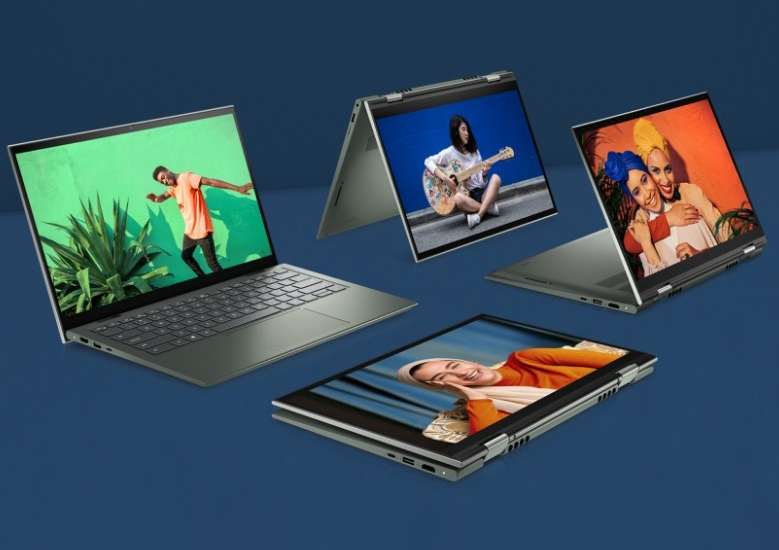
I’m pretty sure you’ve dealt with the same old laptop for years now. But did you ever look at it and thought to yourself, “Hmmm. What if this thing could just... fold in half and turn into something else?" Well, now they can!
2-in-1 laptops are making a big case for themselves these days. Why? Because they do everything that a laptop can, plus they can flip, twist, and detach! They’re a laptop, then they’re a tablet the next moment!
It’s almost as if you have two devices in one. Sounds pretty cool, right? Well, let’s take a deeper look at them and you see if they’re for you.
What Even Is a 2-in-1 Laptop?
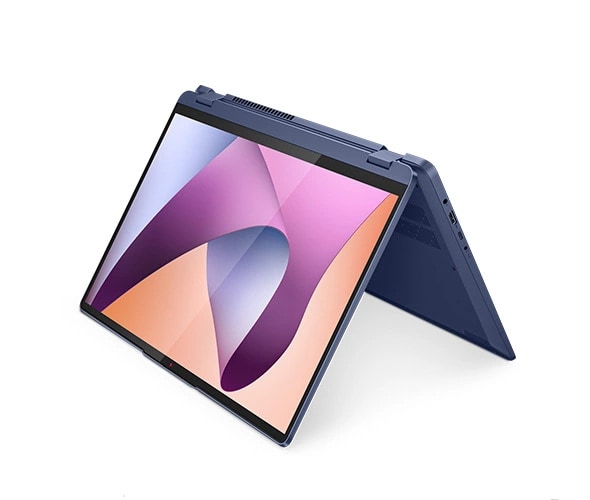
Simple—it’s a laptop that moonlights as a tablet. Some models have detachable screens (like Surface), while others have a bendy hinge that lets you fold the keyboard all the way back like 16 Inch Ideapad Flex 5 AMD Laptop. Either way, you get a touchscreen experience without losing the ability to type like a civilized human being.
The idea? Ditch the need for both a laptop and a tablet by smashing them into one convenient gadget. Perfect for people who want flexibility but don’t want to carry a tech store in their backpack.
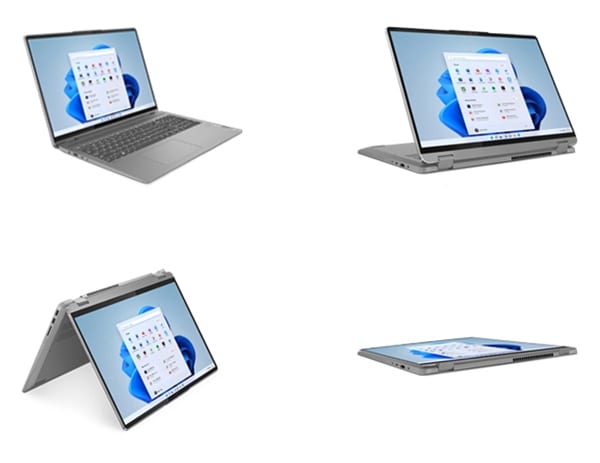
Of course, hybrid designs aren’t new. We’ve seen flip phones, transformer desks, and even shoes that somehow double as roller skates (why?). But 2-in-1 laptops like the IdeaPad Flex 5 Laptop? They’ve actually stuck around—because they make sense.
Who Actually Needs One?
Not everyone. If your work consists of serious number-crunching, video editing, or gaming marathons that make your laptop sound like a jet engine, a traditional laptop (or even a desktop) is the way to go. But for others? This hybrid machine is a dream.
- Students: Flip it into tablet mode, pull out a stylus, and take handwritten notes like you’re in an art class.
- Creatives & Designers: Sketch, edit, and annotate directly on the screen.
- Frequent Flyers & Commuters: Compact, lightweight, and easier to handle than a traditional laptop.
- Casual Users: Watch movies, browse the web, or swipe through social media effortlessly.
- Remote Workers & Presenters: Need to quickly jot something down or show slides in a coffee shop? Done and done.
Basically, if you live on the move and need a device that can keep up, this could be your new best friend.
That said, if your idea of “productivity” is juggling 20 Chrome tabs while running Photoshop and a 4K video render, a 2-in-1 might feel underpowered. Think of it as a Swiss Army knife—it does a lot, but it’s not replacing a power drill.
Flip or Detach? The Two Types of 2-in-1s
Not all hybrids are built the same. You’ve got two main flavors:
1. Convertibles (Flip & Fold)
The keyboard stays attached, but the screen rotates all the way back. Think 16 Inch Ideapad Flex 5 AMD Laptop, Spectre x360, or XPS 2-in-1. These are more durable since all parts stay together, and they generally pack better specs.
2. Detachable
The keyboard? Gone. The screen? Now a standalone tablet. Microsoft Surface Pro is the biggest name here. These are ideal if you want a real tablet experience, but they sometimes lack the power and comfort of traditional laptops.
Which one’s better? That depends. Need a proper laptop that can occasionally work as a tablet? Go convertible. Want a legit tablet that can double as a laptop? Detachables are your jam.
The Pros, The Cons, and The "Meh"
Let’s cut through the noise. 2-in-1 laptops sound great on paper, but what’s the real deal?
Pros:
- Versatility: Work, watch, sketch, scroll—one device does it all.
- Portability: Slim, lightweight, and easy to carry.
- Touchscreen & Stylus: Ideal for creatives and note-takers.
- Battery Life: Many last all day on a single charge.
- Tablet-Optimized Apps: Use mobile-friendly apps regular laptops can’t.
Cons:
- Performance Limits: Not ideal for heavy gaming or intense workloads.
- Durability Risks: Hinges and detachable parts? Potential weak points.
- Keyboard Feel: Some models have flimsy keyboards—not great for long typing sessions.
- Price: More expensive than traditional laptops with similar specs.
- Limited Upgrades: Many 2-in-1s have soldered RAM and storage, meaning what you buy is what you’re stuck with.
And the meh? Some models try too hard to be both things and end up excelling at neither. A laptop with a mediocre tablet experience isn’t ideal, and a tablet with an awkward keyboard isn’t much fun either.
What to Check Before Buying
Sold on the idea? Cool. But before you whip out your credit card, make sure you’re getting the right one.
- Processor: Intel Core i5/Ryzen 5 minimum. Anything less, and you’re asking for frustration.
- RAM: 8GB is the baseline; 16GB if you actually want to multitask properly.
- Storage: 256GB SSD at the very least. More if you store tons of files.
- Display: Full HD (1080p) minimum. OLED if you want fancy colors.
- Battery Life: Aim for 8+ hours. No one likes carrying a charger everywhere.
- Weight & Build: Lighter is better—under 3 pounds is ideal.
- Stylus Compatibility: If you plan to doodle or take notes, check if it supports an active stylus (and whether that stylus is included or costs extra).
Also, check the hinge. If it feels flimsy in the store, imagine how it’ll hold up after months of daily use.
Are 2-in-1 Laptops the Future?
Hard to say. They’re getting better every year—faster chips, better battery life, sturdier designs. And iPads getting more laptop-like, the line between laptop and tablet is blurring fast.
Will traditional laptops disappear? Nope. Hardcore gamers, power users, and people who need the absolute best performance will still need dedicated machines. But for students, casual users, and those who want flexibility without compromise? 2-in-1s are absolutely worth considering.
That said, tech moves fast. What’s a game-changer today might be outdated in five years. Remember netbooks? Exactly.
Final Verdict: Should You Get One?
If you need a device that’s both a laptop and a tablet, a 2-in-1 like the IdeaPad Flex 5 laptop is a fantastic option. They’re perfect for students, creatives, and anyone who likes having choices. Just remember—you’re trading some power and durability for versatility.
If you need serious performance, stick to a traditional laptop. But if you love the idea of switching between typing, swiping, and sketching on the go? This might be exactly what you’ve been looking for.
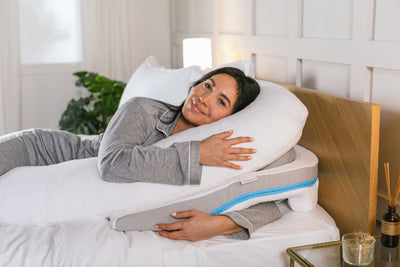
And hey, worst case? You’ll have a killer device for binge-watching shows in bed. That’s gotta count for something, right?