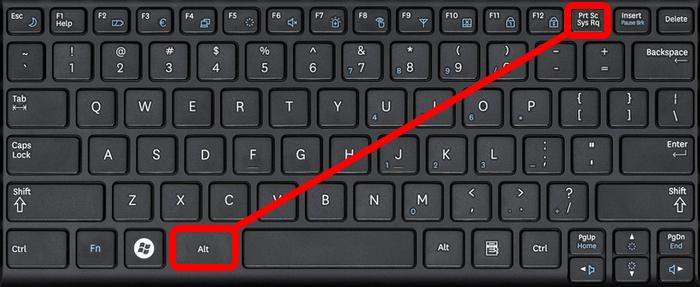
Taking notes is a big part of learning. Whether you’re a student, a professional, or just someone who likes to stay organized, knowing how to take notes on a laptop can help you save time and remember more.
Why Take Notes on a Laptop?
Typing is faster than writing by hand for many people. A laptop lets you type quickly, save your notes safely, and organize them better. You can also search your notes later and share them with others easily.
Quick Stats
- According to a study by the University of Nebraska, students who take digital notes can review and edit them more easily than those using paper.
- Pew Research says 73% of teens use laptops or desktops to complete schoolwork.
Best Ways to Take Notes on a Laptop
Here are some ways you can take better notes on your laptop:
1. Choose the Right Note-Taking App
Pick an app that works for you. Some popular ones include:
- Microsoft OneNote (great for organizing by subject)
- Google Docs (easy to share and collaborate)
- Evernote (good for saving links and images)
- Notion (custom layout and templates)
Try a few and see what feels best.
2. Use the Right Note-Taking Method
Not all notes are created equal. Try one of these methods:
Cornell Method
- Divide your page into three sections: notes, cues, and summary.
- Write main points during class.
- Add keywords and a short summary after class.
Outline Method
- Use bullet points or numbers to list topics and subtopics.
- Great for lectures with lots of information.
Mind Mapping
- Create diagrams that show relationships between ideas.
- Useful for creative subjects like art or literature.
3. Stay Organized
Keep your notes neat:
- Use folders for each subject or topic.
- Add dates and titles to every page.
- Highlight important info with bold text or color.
4. Avoid Distractions
Laptops can tempt you with social media and games. To stay focused:
- Turn off notifications.
- Use apps like Cold Turkey or Freedom to block distractions.
- Sit in a quiet spot.
Tips to Improve Your Note-Taking
Type Less, Understand More
Don’t try to write every word the teacher says. Focus on key points and ideas. This helps your brain remember better.
Review Your Notes Soon
Look over your notes the same day you took them. Add missing details while it’s still fresh.
Use Shortcuts
Learn keyboard shortcuts to save time. For example:
- Ctrl + B = bold text
- Ctrl + Z = undo
- Ctrl + F = find a word
Add Visuals
Insert charts, screenshots, or drawings if it helps you understand the topic better.
Save and Back Up Your Notes
Don’t lose your hard work. Use cloud storage like:
- Google Drive
- Dropbox
- iCloud
This way, your notes are safe even if your laptop breaks.
Use Smart Tools
AI tools can help you save useful pages, articles, and more. For example, this AI bookmark manager helps you save and organize your reading materials better. It’s a great way to keep your research in one place.
Common Mistakes to Avoid
- Typing too much without thinking
- Not reviewing your notes
- Not using folders or tags
- Getting distracted by games or videos
Final Thoughts
Learning how to take notes on a laptop is a skill that can boost your productivity. The more you practice, the better you’ll get at it.
Call to Action
Ready to upgrade your note-taking? Start by picking one note app and using it this week. Try different methods and see what works best for you. And don’t forget to back up your notes and stay focused. Happy note-taking!