In today’s competitive industrial landscape, manufacturing companies need tools that offer visibility, control, and automation across operations. Odoo Manufacturing stands out as an all-in-one ERP solution tailored to the needs of modern factories, whether small-scale workshops or large production plants. If you're planning to deploy Odoo for your manufacturing operations, this comprehensive step-by-step guide will walk you through everything from initial configuration to optimized production workflows.
Whether you're new to ERP systems or migrating from another platform, understanding how to configure Odoo for manufacturing correctly can significantly enhance productivity, reduce waste, and improve overall operational efficiency.
Why Choose Odoo Manufacturing?
Before diving into the setup, it’s important to understand why Odoo manufacturing is worth the investment:
Now, let’s begin your journey toward an optimized factory setup with Odoo.
Step 1: Initial Installation and App Selection
The first step in implementing Odoo for manufacturing is to install the necessary applications. The core modules you’ll need include:
To install these:
Once installed, these modules will be interconnected, forming the backbone of your factory’s ERP system.
Step 2: Configure Manufacturing Settings
Navigate to the Manufacturing module, and under Configuration > Settings, you will see a range of toggles and options. Here are the most important ones to enable:
These settings allow you to customize Odoo to reflect your actual manufacturing operations.
Step 3: Define Bill of Materials (BoM)
The Bill of Materials (BoM) is crucial to Odoo manufacturing. It lists the components required to produce a product.
To create a BoM:
You can also define:
Creating accurate BoMs ensures that inventory is updated correctly and production is planned effectively.
Step 4: Setup Work Centers and Routings
Work centers are individual locations or machines in your factory where specific operations occur. In Odoo:
Next, set up Routings:
This step allows you to control and optimize the flow of production across different parts of your factory.
Step 5: Manage Inventory and Reordering Rules
The Inventory module plays a crucial role in Odoo for manufacturing. It ensures that raw materials are available when needed without overstocking.
These rules help automate purchasing or production when stock drops below a set level.
Pro Tip: Enable multi-step routes like “Receive goods > Quality control > Stock” if you need complex inventory movement.
Step 6: Plan and Execute Manufacturing Orders
With your products, BoMs, and routing in place, you’re ready to create your first Manufacturing Order (MO).
To do so:
From here, you can:
MOs can be triggered manually or automatically based on Sales Orders or Reordering Rules.
Step 7: Implement Quality and Maintenance Controls
Poor product quality or equipment downtime can lead to production delays and increased costs. Odoo helps you manage both:
Quality Checks
Maintenance Requests
This ensures your products meet standards and equipment remains in peak condition.
Step 8: Monitor KPIs and Generate Reports
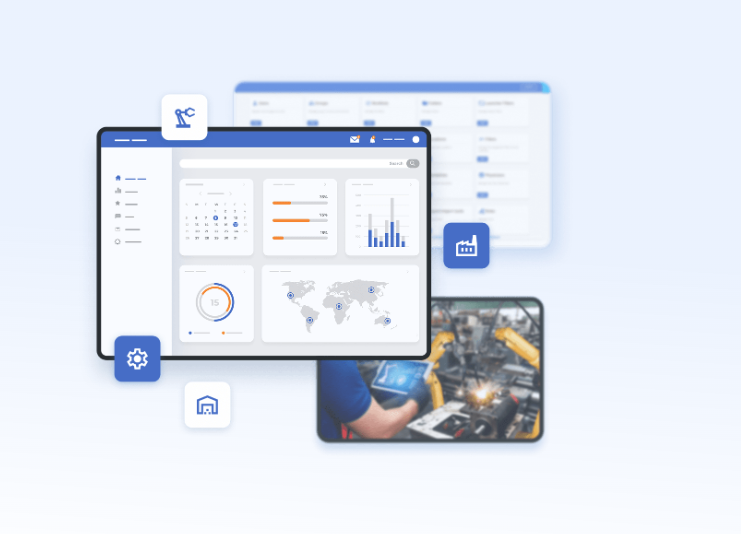
Odoo manufacturing offers robust reporting tools. Go to Manufacturing > Reporting > Manufacturing Orders or Work Orders to:
You can also integrate Odoo Studio or external BI tools for customized dashboards.
Step 9: Integrate with Sales, Accounting, and Procurement
To maximize Odoo’s capabilities, integrate Odoo manufacturing with other departments:
This creates a fully integrated ERP ecosystem that supports data-driven decision-making across your organization.
Step 10: Train Users and Go Live
Before full deployment:
When everything works as expected, migrate master data and transactions to the live environment.
Final Thoughts
Implementing Odoo for manufacturing is not just about installing software—it’s about transforming the way your factory operates. With its modular design, deep customization, and powerful automation features, Odoo can drive tangible benefits like:
Whether you're a small business looking to scale or a large enterprise aiming to optimize complex operations, Odoo manufacturing offers the tools and flexibility to support your journey.