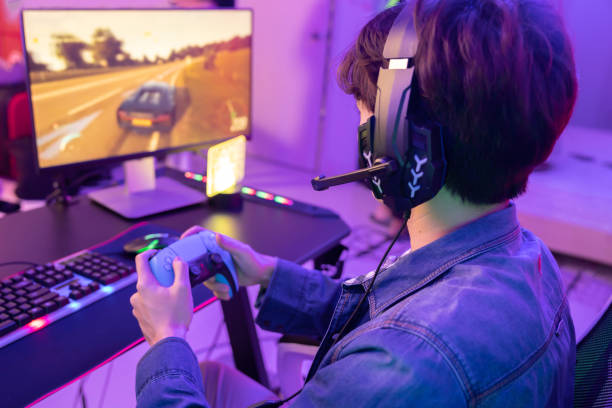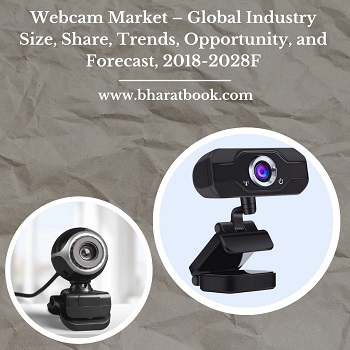
In the world of content creation and competitive gaming, a webcam can be just as important as your gameplay. Whether you're streaming live on Twitch or filming YouTube content, a webcam helps personalize your brand and engage your audience. However, not all webcams are created equal. With the vast number of models available—from budget options to professional-grade cameras—choosing the right one can be overwhelming. Your goal should be to balance video quality, features, and price according to your needs.
Gamers and streamers need a webcam that offers more than just decent resolution. You’ll want one that delivers crisp visuals, smooth frame rates, good low-light performance, and easy integration with streaming software. In this blog, we’ll break down the key factors to consider when choosing a webcam for gaming and offer guidance tailored to different streaming goals—whether you're just starting out or building a pro-level setup.
Understand Your Streaming Needs
The first step in choosing the right webcam is defining what you need it for. Are you a casual gamer looking to connect with friends, or are you a serious streamer aiming to grow an audience? For casual use, even a mid-range webcam can do the trick. But if you plan to produce content regularly or professionally, you’ll want higher-end specs to ensure consistent quality. The more defined your goals, the easier it is to prioritize features.
Your platform also matters. Twitch and YouTube have different formats and requirements. For instance, if you're focusing on fast-paced gameplay with minimal face cam, a basic webcam may suffice. However, if your content revolves around reactions, vlogs, or tutorials, your face becomes central to the experience. That’s when clarity, lighting, and color accuracy really count. Start by setting your intention—then build your webcam setup accordingly.
Resolution and Frame Rate Matter
One of the most crucial specs to look at when choosing a webcam is resolution. Today’s standard for streamers is 1080p (Full HD), though 4K webcams are becoming increasingly common. Full HD is generally enough for most content creators, offering a sharp and clear image without requiring too much computing power or bandwidth. However, if you're creating high-production-value content or using zoomed-in shots, a 4K webcam can be a valuable upgrade.
Frame rate is another important consideration. A webcam that can shoot at 60 frames per second (fps) provides smooth, lifelike motion, especially during animated reactions or movement-heavy shots. In contrast, 30fps may look choppy to viewers who are used to high refresh rates. Ideally, choose a webcam that offers 1080p at 60fps for a blend of clarity and smooth motion. It gives your stream a more professional, polished look.
Low-Light Performance and Image Sensors
Streaming setups vary wildly, and not everyone has access to professional lighting. This is where low-light performance becomes essential. A good webcam should be able to produce a clean, bright image even in poorly lit rooms. Look for webcams with larger image sensors and low-light correction features. These sensors collect more light and help reduce noise and grain in your footage, making your image look clearer and more natural.
Some webcams use software-based exposure correction, but that can only do so much. Cameras with physical light adjustment or HDR (high dynamic range) capabilities offer a better image under varied lighting conditions. If you stream at night or in a dimly lit space, prioritize low-light capability just as much as resolution. It’s worth investing in a webcam that ensures you still look your best even when your lighting isn’t.
Autofocus, Field of View, and Framing
Another critical feature to consider is autofocus. If you're moving around during your stream, leaning in to read chat, or holding up products to show viewers, you’ll want your webcam to stay in focus. Fixed-focus cameras can be cheaper but limit your mobility. Autofocus ensures that your face remains sharp, even as you change distance from the camera.
Field of view (FOV) is also a factor. A narrow FOV (around 60–70°) keeps the focus on you and minimizes background distractions. A wider FOV (up to 90° or more) can be useful if you want to show more of your environment or stream with multiple people. Many webcams now offer customizable framing through software, allowing you to crop, zoom, and adjust the scene. Picking the right FOV helps you control how you're presented to your audience, making your stream feel more intentional and professional.
Microphone Quality—Bonus or Deal-Breaker?
Most webcams come with built-in microphones, but their quality varies greatly. While a webcam mic might be enough for casual video calls, it's rarely suitable for serious streaming or gaming. They often pick up ambient noise, echo, and lack the clarity of dedicated microphones. That said, some higher-end webcams offer dual stereo mics and noise-canceling features, which are passable in a pinch.
If you already use a separate gaming microphone, webcam mic quality may not be a concern. However, for those starting on a budget, a decent webcam mic could serve temporarily until you invest in better audio gear. Always test your webcam's audio before going live, and consider upgrading to a dedicated mic as soon as your budget allows. Good visuals matter—but poor sound can be even more off-putting to your audience.
Compatibility with Software and Streaming Platforms
Your webcam is only as good as the software it works with. Most modern webcams are plug-and-play via USB and work with Windows, macOS, and common streaming software like OBS Studio, Streamlabs, Zoom, and Discord. However, not all webcams offer the same level of customization. Some come with dedicated apps that allow for manual control of exposure, white balance, saturation, and more.
Look for models with official support for streaming platforms and applications. Webcams like the Logitech StreamCam or Elgato Facecam are designed with creators in mind and come with integrated software to enhance video control. You should also check for compatibility with third-party tools like NVIDIA Broadcast or XSplit VCam if you plan to use background blur or AI enhancements. The easier it is to integrate your webcam with your workflow, the more seamless your streaming experience will be.
Budget, Brand, and Build Quality
Finally, your choice will often come down to price. Webcams range from $30 to over $300. For casual gamers or beginners, budget models like the Logitech C920 still deliver solid performance at a fair price. Mid-range options offer better frame rates and resolution, while premium webcams come with advanced features like 4K support, AI framing, and onboard processing.
Brand reliability is important, too. Logitech, Razer, Elgato, and AverMedia are popular among gamers for a reason—they offer consistent performance, good warranties, and strong software support. Also, consider the physical build. Is the webcam easy to mount? Does it offer a tripod screw or a privacy shutter? These small details can improve usability and peace of mind. Ultimately, your webcam should match your content goals and grow with your channel—not limit it.
Conclusion: Your Webcam Is an Extension of Your Brand
Choosing the right webcam isn’t just a tech decision—it’s a creative one. Your camera helps define how your audience sees you and how you represent your personality on screen. It affects not only the quality of your stream but also the connection you build with viewers. A great webcam doesn't have to be expensive, but it does need to meet your specific needs as a gamer and content creator.
By considering your goals, resolution requirements, lighting setup, software needs, and budget, you can confidently choose a webcam that enhances your content. Whether you're streaming to a few friends or thousands of subscribers, a clear, vibrant face cam makes your presence felt—and your content unforgettable.