Your computer knows you better than you think. Every click and pause tells a story. Modern AI-powered operating systems watch these patterns silently. They learn from your daily habits without making a fuss.
These smart systems work behind the scenes like a personal assistant you never hired. They notice when you open specific apps at certain times. They track how long you spend on different tasks. The goal is simple: make your computer feel faster and more intuitive.
Most users never realize this optimization is happening. The changes feel natural and seamless. Your PC adapts to your workflow automatically. Battery life improves without you changing settings. Apps load faster at just the right moments. Storage gets cleaned up while you sleep. This invisible intelligence transforms how we interact with technology.
Let's explore the six key behavior patterns these AI systems quietly perfect every single day.
How Daily Usage Patterns Are Learned and Optimized
AI operating systems track your first actions after boot-up. They notice which applications you launch immediately. Do you check your email before anything else? The system preloads your email client. Do you open a web browser first? Those browser processes get priority loading. An AI-enhanced PC anticipates these habits using predictive workload modeling, reducing startup latency and delivering a ready-to-work environment the moment your desktop appears.
The operating system reserves memory for your typical morning apps. Background processes get delayed until you finish your routine. This creates a smoother startup experience.
Network bandwidth gets prioritized for your usual morning tasks. Video conferencing apps load faster if you have early meetings.
1. App Launch Timing Predictions
Your AI-enhanced PC learns exactly when you use specific programs. It studies patterns across weeks and months.
The system preloads applications before you even click them. This happens during idle moments when resources are available. The result feels like instant app launches.
- Office apps get loaded before your typical work hours.
- Creative software preloads when you usually start projects.
- Gaming platforms are prepared during your regular play schedule.
2. Battery Usage Pattern Recognition
AI systems analyze how you use power throughout the day. They identify battery-draining activities and plan accordingly.
Adaptive Power Management
The operating system adjusts performance based on your location. Plugged in at your desk means full performance mode. Running on battery during commutes triggers efficiency protocols.
Screen brightness adapts to your preferences at different times. Processor speeds scale based on your current activity. Background tasks pause when battery levels match your usual charging routine.
If you talk about AI in Operating systems, the market is huge. The total market share is expected to surpass $35.740 billion by 2030.
3. File Access Frequency Mapping
Your operating system tracks which files you open regularly. Important documents get stored in faster memory locations.
Recently used files stay cached for quick access. Old files migrate to slower storage automatically. This happens without any manual organization from you.
- Frequently edited documents load in milliseconds.
- Project folders you access daily stay readily available.
- Archive files move to compressed storage zones.
- Temporary files get deleted based on your usage gaps.
4. Network Activity Optimization
AI monitors your internet usage patterns carefully. It learns which services need priority bandwidth.
Video streaming gets boosted during your entertainment hours. Large downloads schedule during your sleep time. Cloud backups happen when you typically step away from the computer.
The system even predicts when you'll need offline access. Files download automatically before your usual offline periods. This works great for commuters and travelers.
5. Keyboard and Mouse Behavior Analysis
Your input patterns reveal workflow preferences. The AI learns your typing speed and common shortcuts.
Autocomplete suggestions improve based on your writing style. Mouse sensitivity adjusts to match your movement patterns. Gesture controls become more responsive over time.
- Frequently typed phrases get suggested faster.
- Common file paths appear in quick access menus.
- Repetitive tasks trigger automation suggestions.
- Error corrections learn from your typical mistakes.
6. Storage Cleanup Scheduling
An AI-enhanced PC knows when you notice performance slowdowns. They schedule maintenance during your inactive periods.
Disk cleanup runs while you're away from the keyboard. Cache clearing happens during lunch breaks. System updates install when you typically shut down.
Duplicate files get flagged based on your deletion patterns. Temporary downloads clear after your usual retention time. Storage space stays optimized without manual intervention.
Conclusion
These six patterns create an operating system that feels alive. Your AI-enhanced PC becomes a true productivity partner. The beauty lies in the invisibility of these optimizations. You simply experience a faster and more responsive machine. No technical knowledge required. No settings to configure.
This represents the future of personal computing. AI doesn't replace human control. Instead, it amplifies your natural workflow. The technology fades into the background while your productivity moves to the foreground.
Your AI PC works harder, so you don't have to think about the technical details. That's the quiet revolution happening inside every AI-powered operating system today.

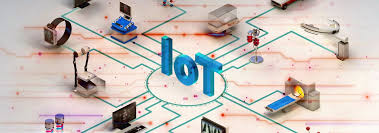
IoT Operating Systems Market report published by Value Market Research, which studies the future outlook of the market.
It includes the size, share, growth, trends, key players, segments and regional analysis in detail during the study year 2019-2027.The research report also covers the comprehensive profiles of the key players in the market and an in-depth view of the competitive landscape worldwide.
The major players in the Apple Inc., Blackberry Limited, ARM Ltd, Enea AB, Google Inc., Kaspersky Lab, Microsoft Corporation, Wind River, Canonical Ltd, eSol Co., Ltd., Green Hills Software, Mentor Graphics Corporation, A Subsidiary of Siemens, SYSGO AG, A Subsidiary of Thales Group, and Wittenstein.
This section includes a holistic view of the competitive landscape that includes various strategic developments such as key mergers & acquisitions, future capacities, partnerships, financial overviews, collaborations, new product developments, new product launches, and other developments.Get more information on "Global IoT Operating Systems Research Report" by requesting FREE Sample Copy at https://www.valuemarketresearch.com/contact/iot-operating-systems-market/download-sampleMarket SegmentationThe broad IoT Operating Systems has been sub-grouped into the User Type, Application Area and Region.
The report studies these subsets with respect to the geographical segmentation.
The strategists can gain a detailed insight and devise appropriate strategies to target specific market.