In today’s rapidly evolving industrial landscape, technology is at the heart of operational efficiency, safety, and productivity. As businesses strive to stay ahead of the competition, the demand for robust, reliable, and user-friendly computing solutions has never been greater. One such solution that has become indispensable across various industries is the Industrial Touch Screen Computer. At ValanoIPC, we understand that selecting the right industrial touch screen computer is not just a matter of preference—it’s a strategic decision that can significantly impact your business’s success.
However, with a multitude of options available in the market, choosing the best industrial touch screen computer for your unique business needs can be a daunting task. From understanding the specific requirements of your operational environment to evaluating the latest technological advancements, there are several factors to consider. Moreover, the right choice can enhance productivity, streamline workflows, and ensure long-term reliability, while the wrong one can lead to costly downtime and frequent maintenance issues.
Understanding Industrial Touch Screen Computers
It’s important to understand what sets an Industrial Touch Screen Computer apart from standard consumer-grade devices. Unlike traditional computers, industrial touch screen computers are specifically engineered to withstand harsh environments, including extreme temperatures, dust, moisture, vibration, and even chemical exposure. They are designed for continuous operation, often 24/7, and are built with rugged components to ensure durability and longevity.
Key Features of Industrial Touch Screen Computers
- Rugged Construction: Industrial touch screen computers are housed in robust enclosures, often made from stainless steel or aluminum, to protect against physical damage and environmental hazards.
- Sealed Design: Many models feature IP65, IP66, or even higher ingress protection ratings, making them resistant to water, dust, and other contaminants.
- Advanced Touch Technology: These computers utilize capacitive or resistive touch screens, allowing for precise input even when users are wearing gloves or the screen is wet.
- Wide Operating Temperature Range: Industrial touch screen computers can function reliably in extreme hot or cold conditions, making them suitable for a variety of settings.
- Flexible Mounting Options: They can be mounted on walls, panels, arms, or even vehicles, providing versatility in installation.
- Long Lifecycle Support: Manufacturers like ValanoIPC offer extended product availability and support, ensuring your investment is protected for years to come.
Step-by-Step Guide to Choosing the Best Industrial Touch Screen Computer
1. Assess Your Operational Environment
First and foremost, consider the environment in which the industrial touch screen computer will be deployed. Is it a cleanroom, a dusty warehouse, a food processing plant, or an outdoor location? Each environment presents unique challenges that must be addressed.
- Temperature Extremes: If your facility experiences high heat or freezing temperatures, select a model with a wide operating temperature range.
- Moisture and Dust: For wet or dusty environments, prioritize computers with high IP ratings.
- Vibration and Shock: In settings with heavy machinery or mobile applications, choose a computer with shock and vibration resistance.
2. Define Your Application Requirements
Next, identify the specific tasks the industrial touch screen computer will perform. Will it be used for data entry, machine control, inventory management, or as a human-machine interface (HMI)? The intended application will influence the required processing power, memory, storage, and connectivity options.
- Processing Power: For basic tasks, an entry-level processor may suffice. For complex applications, opt for higher-performance CPUs.
- Memory and Storage: Ensure sufficient RAM and storage capacity for smooth operation and data retention.
- Software Compatibility: Verify that the computer supports your preferred operating system and industrial software.
3. Choose the Right Touch Screen Technology
Industrial touch screen computers typically use either resistive or capacitive touch technology. Each has its advantages and is suited to different environments.
- Resistive Touch Screens: Operate with finger, glove, or stylus input. Ideal for environments where users wear gloves or where the screen may get wet.
- Capacitive Touch Screens: Offer multi-touch capabilities and higher clarity. Best for clean environments where users interact with bare fingers.
4. Evaluate Display Size and Resolution
The size and resolution of the display should match your workspace and application needs. Larger screens provide more visibility and are suitable for complex interfaces, while smaller screens are ideal for space-constrained areas.
- Screen Size: Common sizes range from 7 inches to 24 inches or more.
- Resolution: Higher resolution ensures clear, sharp images and text, which is crucial for detailed monitoring and control.
5. Consider Connectivity and Expansion Options
Industrial touch screen computers must integrate seamlessly with your existing systems and peripherals. Therefore, assess the available connectivity options.
- I/O Ports: Look for sufficient USB, serial (RS232/RS485), Ethernet, and HDMI ports.
- Wireless Connectivity: Wi-Fi, Bluetooth, and cellular options are essential for mobile or remote applications.
- Expansion Slots: Some models offer PCIe or other expansion slots for additional functionality.
6. Prioritize Durability and Maintenance
Reliability is paramount in industrial settings. Choose a computer with a fanless design to minimize maintenance and reduce the risk of failure due to dust ingress. Additionally, opt for models with easy-to-clean surfaces and tool-free access for servicing.
7. Check for Industry Certifications and Compliance
Depending on your industry, certain certifications may be required. For example, food and pharmaceutical industries may need computers with NSF or FDA compliance, while hazardous locations require ATEX or Class I, Division 2 certifications.
8. Evaluate Vendor Support and Warranty
Finally, select a reputable vendor like ValanoIPC that offers comprehensive support, extended warranties, and long-term product availability. This ensures that your investment is protected and that you have access to technical assistance when needed.
Benefits of Choosing the Right Industrial Touch Screen Computer
Making the right choice offers numerous advantages:
- Increased Productivity: Streamlined workflows and intuitive interfaces enable faster task completion.
- Enhanced Safety: Touch screens reduce the need for physical buttons, making cleaning easier and improving hygiene.
- Reduced Downtime: Rugged, reliable computers minimize the risk of unexpected failures.
- Scalability: Modular designs and expansion options allow for future upgrades as your business grows.
- Cost Savings: Long lifecycle support and reduced maintenance lower total cost of ownership.
Common Mistakes to Avoid
While selecting an industrial touch screen computer, businesses often make the following mistakes:
- Overlooking Environmental Factors: Failing to consider temperature, moisture, or dust can lead to premature failure.
- Underestimating Processing Needs: Choosing underpowered hardware can result in sluggish performance.
- Ignoring Future Expansion: Not planning for future connectivity or software upgrades can limit scalability.
- Neglecting Vendor Support: Opting for low-cost, unsupported products can lead to costly downtime.
Real-World Applications of Industrial Touch Screen Computers
Industrial touch screen computers are used across a wide range of industries, including:
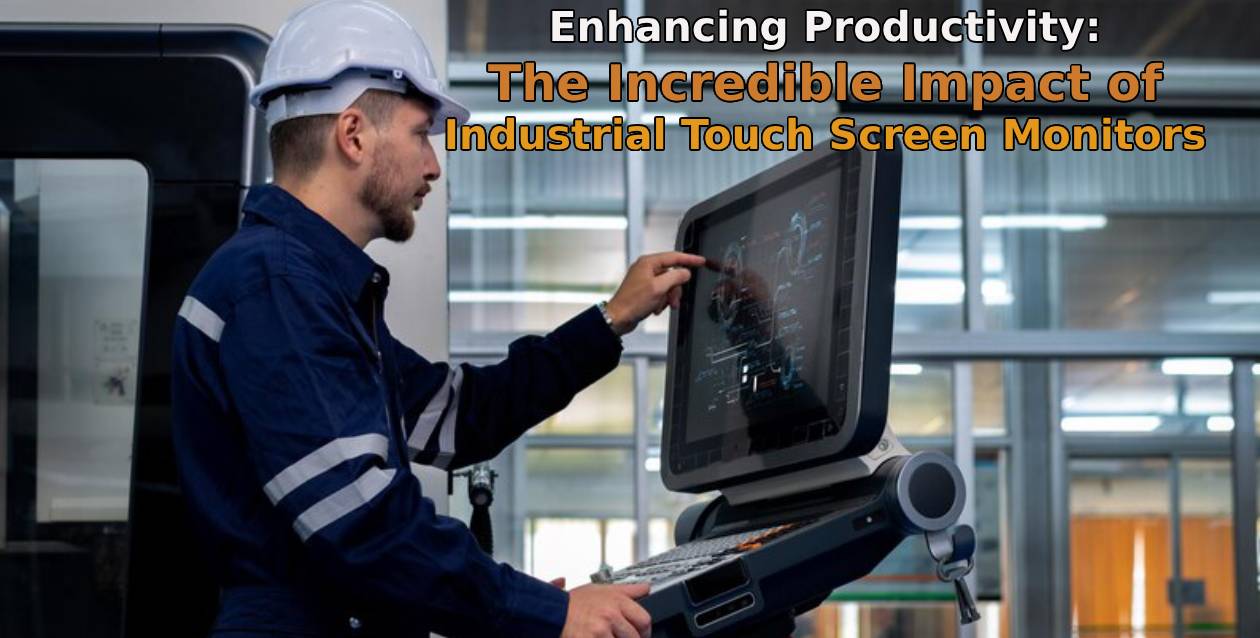
- Manufacturing: For machine control, process monitoring, and quality assurance.
- Logistics and Warehousing: For inventory management, order picking, and shipping.
- Food and Beverage: For recipe management, batch tracking, and compliance.
- Healthcare: For patient monitoring, data entry, and diagnostics.
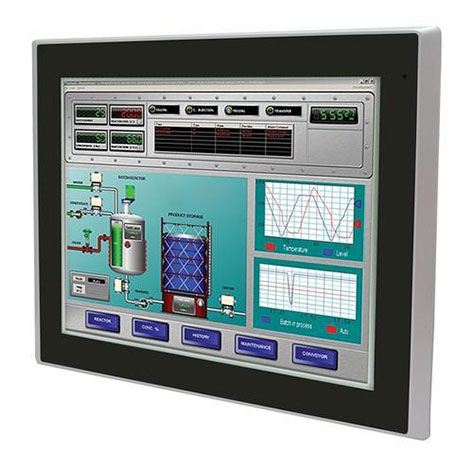
- Energy and Utilities: For SCADA systems, remote monitoring, and control.
How ValanoIPC Can Help?
At ValanoIPC, we specialize in providing high-quality industrial touch screen computers tailored to your business needs. Our team of experts will work with you to assess your requirements, recommend the best solutions, and provide ongoing support. With a wide range of models, customization options, and industry certifications, we are committed to helping you achieve operational excellence.
Choosing the best industrial touch screen computer for your business is a critical decision that requires careful consideration of your operational needs, environmental challenges, and long-term goals. By understanding the key features, technologies, and benefits, you can make an informed choice that enhances productivity, safety, and efficiency.

Frequently Asked Questions (FAQ)
1. What is the difference between an industrial touch screen computer and a regular touch screen PC?
An industrial touch screen computer is designed for harsh environments, featuring rugged construction, sealed enclosures, and extended temperature ranges. Regular touch screen PCs are intended for office or home use and lack the durability required for industrial settings.
2. How do I determine the right screen size for my application?
Consider the available space, the complexity of the interface, and the distance from which users will interact with the screen. Larger screens are better for detailed monitoring, while smaller screens are suitable for compact spaces.
3. Can industrial touch screen computers be used outdoors?
Yes, many models are designed for outdoor use, with sunlight-readable displays, wide temperature ranges, and weatherproof enclosures. Ensure the model you choose is rated for outdoor conditions.
4. What operating systems are supported?
Industrial touch screen computers typically support Windows, Linux, and sometimes Android. Verify compatibility with your preferred software before purchasing.
5. How do I maintain and clean an industrial touch screen computer?
Use a soft, damp cloth and mild detergent to clean the screen and enclosure. Avoid abrasive materials and harsh chemicals. Regularly inspect for dust buildup and ensure ventilation is unobstructed.
6. What is the typical lifespan of an industrial touch screen computer?
With proper maintenance, industrial touch screen computers can last 5-10 years or more, depending on usage and environmental conditions.
7. Can I customize the hardware or software?
Many manufacturers, including ValanoIPC, offer customization options for hardware (CPU, RAM, storage) and pre-installed software to meet specific business needs.
8. What support options are available?
ValanoIPC provides comprehensive support, including technical assistance, extended warranties, and on-site service options. Contact our team for more information.
Adaptek automation technology one of the leading industrial pc manufacturers in Chennai.
We provide high high quality products that you look for.
Further info visit here adaptek.in.