

Restaurants have changed the way they serve guests, and menus are a big part of that shift. A printed menu still works in some cases, but it no longer matches how most people prefer to browse, order, and interact today. Guests want speed. They want convenience. They want information on their phones without waiting for a server to bring a menu to the table.
That is where a digital menu for restaurants makes a real difference. When paired with QR codes, it gives restaurants a simple way to offer instant menu access, update items in real time, reduce printing costs, and create a smoother dining experience. This is not just about going paperless. It is about making service faster, smarter, and easier for both guests and staff.
In this article, the focus is on why QR codes have become essential for modern restaurant menus, how they work, what benefits they bring, and why more food businesses are making them part of daily operations.
What Is a Digital Menu for Restaurants?
A digital menu for restaurants is an online version of a restaurant menu that guests can view on their phones, tablets, or other devices. Instead of handing out a printed menu, the restaurant shares it through a QR code, link, tablet, or self-service screen. It shows food items, prices, descriptions, photos, and sometimes add-ons or combo choices in a more flexible format.
Unlike a paper menu, a restaurant digital menu can be updated anytime without reprinting anything. That means restaurants can quickly change prices, remove sold-out dishes, add seasonal items, or highlight special offers. It saves time, reduces menu errors, and gives guests a faster and more convenient way to explore what the restaurant offers.
How QR Codes Work with a Digital Menu in Restaurants
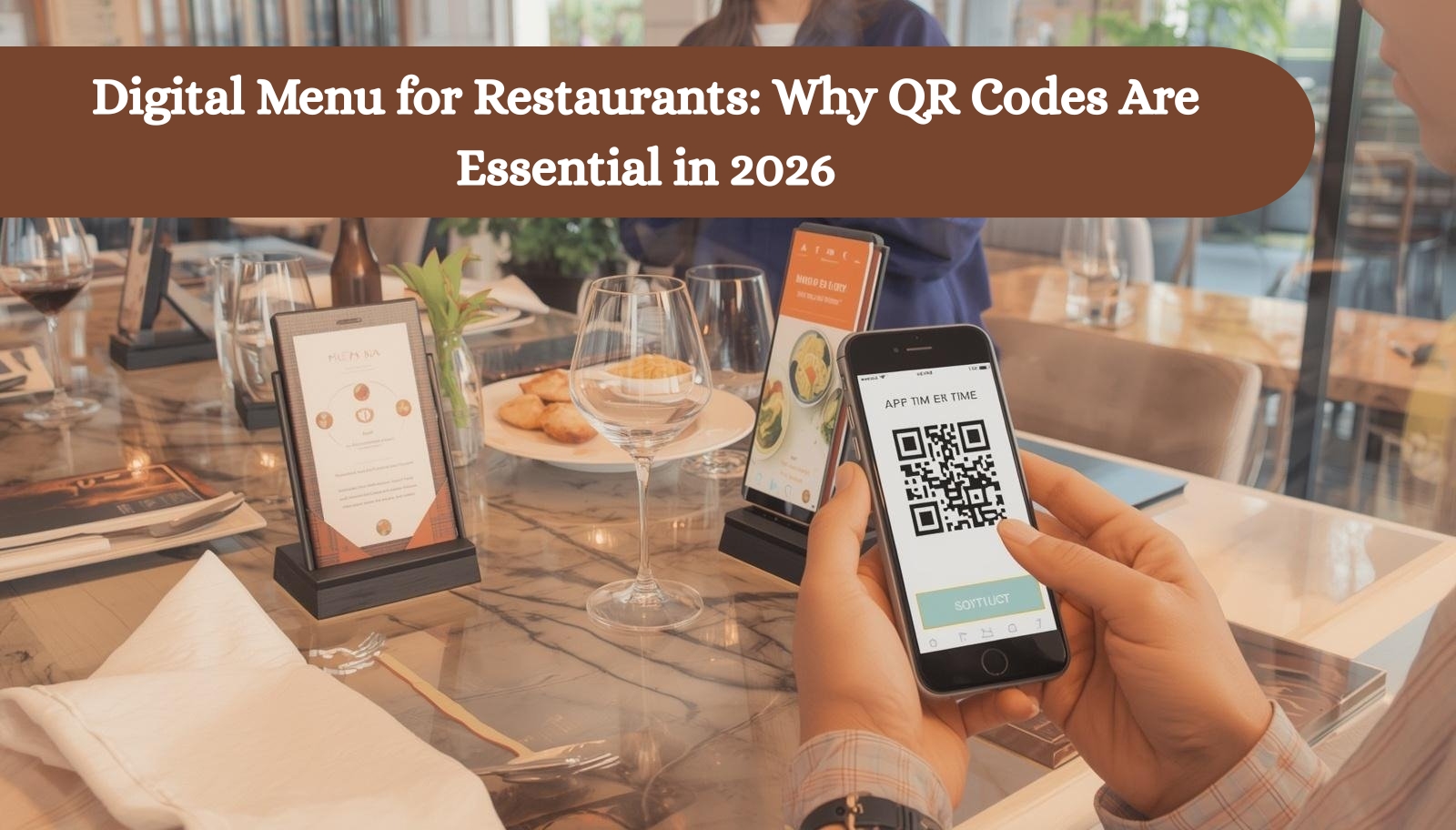
QR codes make digital menus easy to access without adding extra steps for the guest. The whole process feels quick and natural, even for first-time users. From scanning to browsing, everything happens in a few seconds right at the table.
Customer scans the QR code
Each table, counter, or takeaway spot has a printed QR code. The guest simply opens their phone camera and scans it. No app download is needed, which removes friction right away.
Menu opens instantly on mobile
Once scanned, the digital menu opens in the browser. It loads like a normal website, so guests can start browsing immediately without waiting or signing in.
Guest browses items, modifiers, and prices
The menu is organized into categories like starters, mains, and drinks. Guests can view images, read descriptions, check prices, and even explore add-ons or customizations in a clear and simple layout.
Order, payment, or staff call can happen from the same flow
In more advanced setups, the same QR system allows guests to place orders, pay directly, or request staff assistance. This keeps everything in one place and reduces back-and-forth between the table and the service team.
Why QR Codes Are Essential for Modern Restaurant Menus
QR codes have become a practical part of modern restaurant service because they solve real day-to-day problems. They are not just a digital add-on. They help restaurants serve faster, update menus instantly, and meet the expectations of guests who already use their phones for almost everything.
They make menu access instant
Guests do not need to wait for a printed menu or ask staff for one. A quick scan opens the menu in seconds, which makes the first step of ordering much faster.
They remove printing and reprinting costs
Restaurants often change prices, add limited-time dishes, or remove unavailable items. With QR codes, those updates happen digitally, so there is no need to print new menus again and again.
They support real-time menu updates
This is one of the biggest reasons QR codes matter. If a dish is sold out, a price changes, or a special item is added for the day, the menu can be updated right away without confusing guests or staff.
They improve order accuracy
When guests view the menu clearly on their own devices, there is less chance of miscommunication. If the system also supports ordering, it further reduces errors caused by rushed verbal orders.
They reduce wait times during peak hours
Busy service hours can slow everything down. QR code menus help guests start browsing as soon as they sit down, which speeds up ordering and helps staff handle more tables efficiently.
They support contactless dining without extra effort
Many guests now prefer fewer touchpoints during their dining experience. QR codes support that naturally by letting people access menus on their own phones without sharing printed materials.
They create a smoother guest experience
A good digital menu feels easy, modern, and convenient. Guests can check items at their own pace, zoom in if needed, and explore the menu without feeling rushed.
They help increase table turnover
When menu access and ordering move faster, tables move faster too. That can help restaurants serve more guests during busy periods without lowering service quality.
QR Code Menu Tools and Platforms for Restaurants
There is no single best tool for every restaurant. Some platforms are better for simple digital menus. Others are stronger for ordering, payments, marketing, or multi-location control. The right choice depends on how you want your digital menu to support daily service.
FineDine
FineDine is a strong option for restaurants that want more than a QR code menu. It combines QR menus with website tools, payments, and guest-facing features, which makes it useful for businesses that want a polished digital dining experience. It also emphasizes multilingual menu support and broader hospitality use cases.
Foodiv
Foodiv is a practical fit for restaurants that want QR code menus tied closely to ordering and operations. It supports digital menus, QR code table ordering, direct ordering, restaurant website features, and POS-connected workflows, which makes it a solid choice for food businesses that want one system for dine-in, takeaway, and delivery.
Square
Square works well for restaurants that want QR code ordering with payment built into the flow. Guests can scan a code, open the ordering page, place an order, add notes, and pay from mobile. It is especially useful for restaurants already using the Square ecosystem for online ordering and payments.
GloriaFood
GloriaFood is often considered by restaurants looking for an accessible online ordering and menu setup option. It is commonly used by smaller restaurants that want to get started with digital ordering without making the setup process feel too heavy.
Menubly
Menubly is usually a better fit for restaurants that want a simpler digital menu experience rather than a full restaurant operations system. It is useful when the main goal is to move from printed menus to a mobile-friendly QR menu without adding too many advanced tools at once.
Top Benefits of Using a Digital Menu with QR Codes
A digital menu with QR codes does more than replace paper. It improves how the restaurant runs every day. From service speed to menu control, it helps create a better experience for guests while making operations easier for the team.
Lower operational costs
Printed menus need regular updates. Prices change, new dishes are added, and some items are removed. A digital menu cuts that repeated printing cost and saves time for the staff who manage those updates.
Faster service for dine in and takeaway
Guests can open the menu the moment they scan the code. They do not have to wait for staff to hand them a menu, which helps speed up decision-making and ordering in both dine in and takeaway settings.
Easy updates for pricing, specials, and sold out items
Restaurants can make instant changes without delay. This is especially useful during busy hours when stock changes quickly or when daily specials need to be promoted without confusion.
Upselling through images, add ons, and combo suggestions
A digital menu can do more than list items. It can highlight extras, meal upgrades, popular pairings, and premium options in a simple way that feels helpful to the guest and supports higher order value.
Better data and menu performance insights
Many digital menu systems show which items get more views, what guests click most, and where interest drops. That gives restaurants useful information to improve menu design, pricing, and promotions over time.
More flexibility for multi location restaurants
For businesses with more than one outlet, digital menus make consistency much easier. Menu updates, branding changes, and offer changes can be managed faster across locations without relying on printed material for each branch.
Why Paper Menus and Static PDFs Are No Longer Enough
Paper menus and static PDFs may still seem like simple options, but they do not match the speed and flexibility restaurants need today. Guests expect fast access, clear information, and a smooth mobile experience. Traditional menu formats often create friction at the exact moment the restaurant should make ordering easy.
Printed menus are slow to update
Any price change, new item, or sold out dish means the menu becomes outdated. Reprinting takes time, adds cost, and creates waste. That makes printed menus hard to manage in fast-moving restaurant operations.
PDF menus are often hard to read on mobile
Many PDF menus were not designed for phone screens. Guests have to zoom in, scroll around, and search for items in a format that feels awkward. That slows down the browsing experience and can frustrate customers.
Static menus cannot support live availability
A paper menu or basic PDF cannot reflect real-time changes. If an item is unavailable or a special is added for the day, guests may still see outdated information. That leads to disappointment and unnecessary back-and-forth with staff.
Neither option supports a modern ordering journey well
Today’s restaurants need more than just a list of dishes. They need menus that can connect with ordering, add-ons, payments, promotions, and guest engagement. Paper menus and static PDFs stop at display, while a digital menu with QR codes supports the full dining flow more effectively.
Where Restaurants Can Use QR Codes Beyond the Menu
QR codes can do much more than open a menu. Once restaurants start using them well, they become a simple tool for improving service, speeding up interactions, and creating more touchpoints with guests throughout the dining journey.
Table ordering
Guests can scan a QR code at the table, view the menu, and place their order without waiting for staff to come over. This helps reduce delays and keeps service moving during busy hours.
Takeaway and pickup orders
QR codes can also be placed at the counter, storefront, or on promotional materials to direct customers to an online ordering page. This makes it easier for people to place takeaway or pickup orders quickly from their phones.
Payments
Some restaurants use QR codes to let guests pay directly at the table. This shortens the final step of the dining experience and reduces the time staff spend handling payment requests.
Feedback and reviews
After the meal, a QR code can take guests to a feedback form or review page. This gives restaurants an easy way to collect opinions, improve service, and encourage more public reviews from satisfied customers.
Loyalty offers and repeat visits
QR codes can connect guests to loyalty programs, discount offers, or special deals for their next visit. This helps restaurants stay connected with customers even after they leave.
Promotions on packaging, receipts, and windows
Restaurants can place QR codes on takeaway boxes, receipts, posters, and storefront windows to promote offers, digital menus, online ordering, or special campaigns. It turns everyday materials into useful marketing points.
Features to Look for in a Restaurant Digital Menu Platform
Choosing the right restaurant digital menu platform is not just about putting your menu online. The right system should make updates easy, improve the guest experience, and support daily restaurant operations without creating extra work for the team.
Mobile friendly menu layout
Most guests will open the menu on their phones, so the layout should be clean, fast, and easy to read. Categories, item names, prices, and buttons should all feel simple to browse on a small screen.
Easy self service updates
Restaurants should be able to change prices, remove sold out items, add new dishes, and update offers without needing technical help every time. A good platform makes menu control quick and practical.
Dynamic QR codes
Dynamic QR codes let restaurants update the destination without changing the printed code itself. This gives more flexibility when menus change, promotions are added, or different campaigns need to be managed.
Photos and item descriptions
Clear images and short descriptions help guests understand what they are ordering. This is especially useful for signature dishes, combo meals, and upselling premium items.
Modifiers and add ons
A strong digital menu platform should support extra choices like size, spice level, toppings, sides, or add-on drinks. This helps guests customize orders easily and improves order clarity.
POS or ordering integration
If the platform connects with the restaurant ordering system or POS, it can make operations much smoother. Orders can move faster, manual work drops, and the risk of missed entries becomes lower.
Multi language support
Restaurants that serve diverse guests can benefit from offering the menu in more than one language. It makes the experience easier for customers and helps avoid confusion while ordering.
Analytics and scan tracking
A useful platform should show how guests interact with the menu. Scan data, popular items, and menu views can help restaurants understand customer behavior and improve performance over time.
No app experience
Guests should not need to download an app just to see the menu. The best digital menu for restaurants opens directly in the browser, which keeps the process simple and removes unnecessary steps.
How to Set Up a Digital Menu with QR Codes for Your Restaurant
Setting up a digital menu with QR codes is simpler than it sounds. The goal is to create a smooth experience for guests while keeping things easy for your team to manage. Once the basics are in place, it becomes a part of your daily operations without extra effort.
Choose a digital menu platform
Start by selecting a platform that fits your restaurant’s needs. Look for something that is easy to manage, mobile-friendly, and supports updates without technical complexity.
Upload and organize your menu
Add your menu items and group them into clear categories like starters, mains, drinks, and desserts. A well-structured menu makes it easier for guests to find what they want quickly.
Add categories, photos, prices, and modifiers
Include clear item names, short descriptions, and accurate pricing. If possible, add images and options like add-ons or customizations to improve clarity and increase order value.
Generate branded QR codes
Create QR codes that link directly to your digital menu. You can customize them with your brand colors or logo so they feel like part of your restaurant identity.
Place QR codes in the right spots
Put QR codes where guests naturally look. Tables, counters, entrance areas, and takeaway packaging are all good locations that encourage quick access.
Test the experience on different phones
Before going live, scan the QR code on multiple devices. Check loading speed, layout, and navigation to make sure everything works smoothly.
Train staff and monitor usage
Make sure your team understands how the system works so they can guide guests when needed. Over time, monitor how customers use the menu and make small improvements to keep the experience smooth.
Best Places to Put QR Codes in a Restaurant
Placing QR codes in the right spots makes a big difference. The goal is simple. Put them where guests naturally look so scanning feels easy and effortless.
Table tents
Keep QR codes on every table so guests can scan as soon as they sit down.
Table stickers
Place codes directly on the table surface for quick and constant visibility.
Countertop displays
Use QR codes near the billing or ordering counter for walk-in and takeaway customers.
Entrance signage
Let guests view the menu before they even enter the restaurant.
Walls and waiting area
Give waiting guests something useful to do by browsing the menu in advance.
Takeaway packaging
Add QR codes on boxes and bags to encourage repeat orders and future visits.
Receipts
Use QR codes on receipts to guide customers to feedback, offers, or reordering.
Window displays
Show QR codes on glass windows to attract passersby and promote the menu instantly.
Common Mistakes Restaurants Make with QR Code Menus
A QR code menu can improve restaurant service, but only when the experience feels smooth for the guest. Small mistakes can make the menu harder to use and reduce the value of going digital in the first place.
Using a hard to read PDF
A PDF may seem like the easiest option, but it often creates a poor mobile experience. Guests have to zoom, scroll, and search too much, which makes browsing feel frustrating instead of simple.
Making the QR code too small
If the code is tiny or poorly printed, guests may struggle to scan it. That creates a bad first impression and slows down the ordering process right away.
Poor internet access in dining areas
Even a well-designed digital menu will not work properly if guests cannot load it. Weak WiFi or low mobile signal can turn a quick scan into an annoying wait.
No physical menu backup
Not every guest wants to use a phone. Some may prefer a printed menu, so keeping a few physical copies available is still a smart move.
Outdated menu content
A digital menu should always reflect current prices, available dishes, and active offers. If guests see sold out items or old pricing, trust drops quickly.
Slow mobile loading speed
If the menu takes too long to open, guests may lose patience. A digital menu should load fast and feel easy to use from the first tap.
No clear call to action near the QR code
Some guests may not know what the QR code is for right away. A simple line like scan to view menu or scan to order helps remove confusion and encourages action.
Are QR Code Menus Right for Every Restaurant?
QR code menus can work for almost every type of restaurant, but the way they are used can vary based on service style, customer behavior, and daily operations. The real question is not whether they fit modern restaurants. It is how each restaurant can use them in the most practical way.
Quick service restaurants
QR code menus help quick service restaurants move faster by reducing time spent on menu sharing and helping guests browse and order with less delay.
Casual dining restaurants
In casual dining, they improve table-side convenience and help guests explore the menu at their own pace without waiting for staff assistance.
Cafes and coffee shops
For cafes, QR codes are useful for showing drinks, snacks, seasonal items, and takeaway options in a clean and mobile-friendly format.
Cloud kitchens and takeaway focused businesses
These businesses benefit from QR codes by connecting customers directly to digital menus and online ordering without needing a dine-in setup.
Multi location restaurant businesses
For restaurants with multiple branches, QR code menus make updates easier across locations and help maintain a more consistent guest experience.
QR code menus may not fully replace printed menus in every case, especially where some guests prefer traditional formats. Still, for most modern restaurants, they are a smart and flexible addition that improves both service and convenience.
The Future of Digital Menus in Restaurants
Digital menus are moving beyond basic menu display. They are becoming a more active part of restaurant operations, guest experience, and revenue strategy. As restaurants continue to adopt smarter systems, digital menus will do much more than simply show food items.
Personalized recommendations
Future digital menus will suggest items based on customer preferences, popular combinations, time of day, or past orders, making the experience more relevant and useful.
POS connected live menu updates
Menus will stay more accurate as they connect directly with the POS and inventory systems. If an item sells out, the menu can reflect that instantly without manual changes.
Multilingual guest experiences
More restaurants will use digital menus to serve diverse customer groups with multiple language options, helping guests understand menu items more easily.
Integrated payment and loyalty flows
Digital menus will continue to connect with payment systems, loyalty programs, and offers, making the guest journey smoother from browsing to repeat purchase.
Data driven menu optimization
Restaurants will use menu view data, scan behavior, and item popularity to improve menu layout, pricing strategy, and promotions with better confidence.
Final Thoughts
A digital menu for restaurants is no longer just a modern extra. It has become a practical part of better restaurant service. With QR codes, restaurants can make menus easier to access, faster to update, and more useful for both guests and staff. What once felt like a trend now solves real problems inside daily operations.
For restaurants that want faster service, lower printing costs, better menu control, and a smoother guest experience, QR codes make a strong case. They do more than replace paper menus. They help restaurants create a dining experience that feels simple, efficient, and ready for how customers order today.
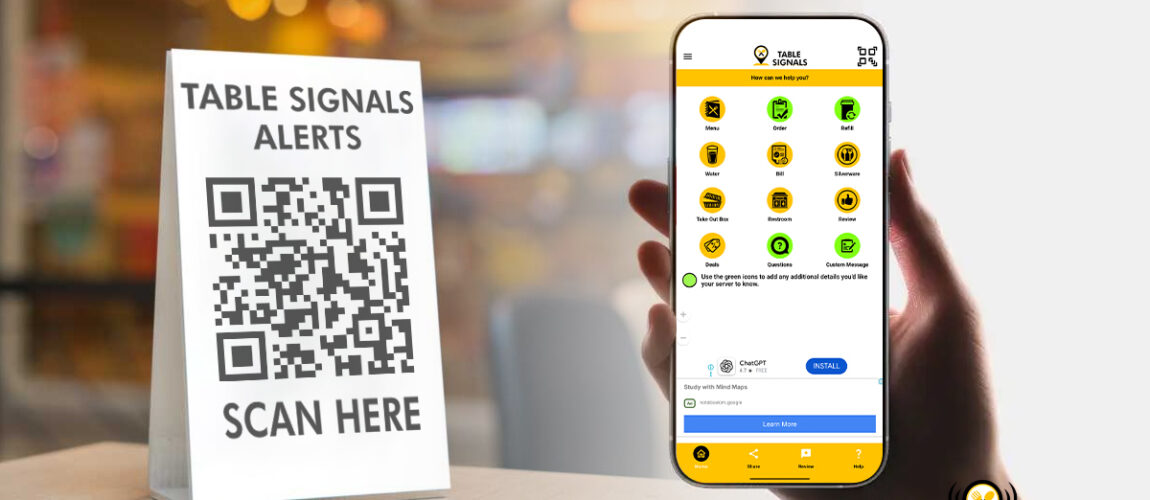
Better Restaurant Service with QR Code Solutions
Restaurant guests expect quick service and simple dining experiences. Long wait times for ordering, requesting help, or making payments may