


AI Tools for Coding in 2026 will no longer be just a trend, but a “working partner” for modern developers. From writing code to debugging, everything can be accelerated. This article will help you understand the role of AI in coding and choose the best tools for your needs.
10 Best AI Tools for Coding in 2026 (Developers Guide)
1. Claude Code
2. GitHub Copilot
3. Cursor
4. Amazon CodeWhisperer
5. Tabnine
6. Manus
7. Replit
8. Windsurf
9. Cline
10. Bolt.new
Are AI Tools Important for Developers?
Many people think AI coding tools are limited to auto-complete. In fact, this technology has evolved much deeper, leveraging machine learning and natural language processing to support nearly the entire software development lifecycle .
AI can play a role as:
- Assistant to do repetitive tasks
- Collaborators in solving complex problems
- Insight engine to read patterns in data engineering
From testing and documentation to DevOps , everything can now be accelerated with the help of AI. In fact, around 85% of developers already rely on AI to increase productivity, particularly in code suggestions, answering technical questions, and accelerating workflows.
However, there’s another side to consider. Anthropic’s study shows that while AI can speed up work by up to 80%, it also has the potential to make developers overly dependent. As a result, critical capabilities such as:
- Debugging
- Code-reading
- Code-writing
- Conceptual understanding
can decrease if not balanced with manual training.
This is where the developer’s role remains crucial. AI isn’t a replacement, but rather a tool. You still need to understand the logic behind the code to ensure the quality, security, and scalability of your application.
When used properly, AI tools can:
- Speed up delivery with automation
- Improve code quality
- Facilitate team collaboration
- Accelerate new developer onboarding
In short, AI helps developers work faster, without sacrificing quality.
10 Best AI Tools for Coding in 2026 (Developers Guide)
Best AI Tools for Coding
No single tool fits all needs. The best choice depends on your workflow, project complexity, and work preferences. Here are 10 AI tools for coding worth considering:
#1. Claude Code
Claude Code takes a slightly different approach than most AI coding assistants. Instead of being a plugin in an IDE, this tool lives directly in the terminal.
For developers who are used to CLI workflows, especially backend engineers, data engineers, or DevOps engineers, this approach feels more natural.
Main features:
- Terminal-first workflow
- Large context for reading codebase
- Agent that can edit files and run commands
Example use cases:
Performing multi-step tasks such as refactoring services, creating data pipelines, or performing complex debugging.
Advantages:
- Very powerful for complex problems
- Suitable for automation
Cons: No visual display like IDE
#2. GitHub Copilot
When talking about AI tools for coding, it’s hard not to mention GitHub Copilot . This developer-friendly tool integrates seamlessly with IDEs like VS Code.
Like a pair programmer working alongside you, Copilot can suggest the next line of code as you type. It can even populate a function using descriptive comments alone.
Main features:
- Auto code completion
- AI chat in editor
- Agent mode for automation
Usage example:
Writing API functions with only comments.
Advantages:
- Easy to use
- Integrated with GitHub workflow
Cons: Sometimes produces repetitive code
Read More:- https://techjustify.com/ai-tools-for-coding/

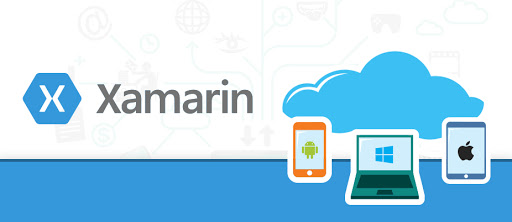
Xamarin application development services, you can easily use the skills of developers and coding power to build native applications for different platforms.
This is all possible on a shared C# codebase.
application developers will let you focus on one platform at a time and then later on other platforms.
These Frameworks and Libraries are used to create AI-powered web applications for enterprises.
As an emerging artificial intelligence development company, Oodles AI shares a quick reference guide for Javascript developers to build AI-based web apps efficiently.
We, at Oodles AI, are an evolving machine learning development company, providing dynamic AI solutions that automate business automation journey.Learn more: JavaScript based AI Frameworks For Machine Learning Applications