



Sam William

0

0

2


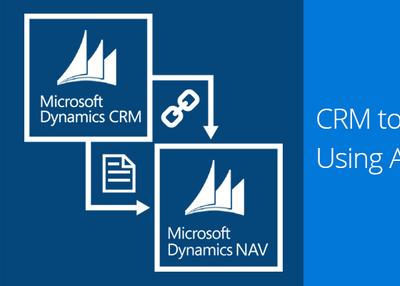
This example demonstrates how to integrate CRM online and Navision using azure service bus.
For implementing this you need to have an azure portal trial subscription, Dynamics 365 online trial account and Navision 2016.
Once registered whenever your entity record is created in CRM, all the entity attribute information will be sent to your Azure Service Bus Queue as per the message selected in PRT (XML/JSON).
Next you will have to write a console application to read the data from the queue and create customer in Microsoft Dynamics NAV.
Publish the console application as Azure Web Job for scheduling.
Step 1: Register New Azure Service Endpoint in Plugin Registration Tool
0
0
2
Sam William
From the Author
Related Articles

That's where Microsoft Dynamics 365 Sales comes into play. Understanding Microsoft Dynamics 365 SalesThe Evolution of Dynamics 365 SalesMicrosoft Dynamics 365 Sales, commonly known as Dynamics CRM, has come a long way since its inception. What Sets Dynamics 365 Sales ApartDynamics 365 Sales stands out in a crowded CRM market due to several key differentiators:Seamless Integration: It seamlessly integrates with other Microsoft applications, such as Microsoft 365 and LinkedIn Sales Navigator, providing a comprehensive ecosystem for sales teams. Benefits of Microsoft Dynamics 365 SalesImproved Sales EfficiencyIn today's fast-paced business world, efficiency is the name of the game. Licensing OptionsDynamics 365 Sales provides several licensing options, including Sales Professional and Sales Enterprise.
0
0
4
We will explore the grounds that make Dynamics 365 Calendar the best Calendly alternative for Microsoft users. In contrast, the Dynamics 365 Calendar is part of Dynamics 365 is the best alternative to Calendly for Dynamics 365 Users, allowing seamless scheduling without extra effort. Smarter Scheduling Without ConflictsCalendly is a good choice for one-on-one meetings and general scheduling, while Dynamics 365 Calendar is for scheduling with multiple resources in the Dynamics 365 system. Key Benefits of Using Dynamics 365 Calendar Over CalendlyIf your team is already using Microsoft Dynamics 365, Dynamics 365 Calendar makes scheduling easier without the need for additional integrations like Calendly. For Microsoft users, Dynamics 365 Calendar is the better choice because it brings everything together without extra hassle.
0
0
1

By eliminating human work and putting critical data at employees' fingertips, Microsoft Dynamics 365 CRM has helped businesses cut costs and enhance profits. How long does it take to set up Microsoft Dynamics 365 CRM? You must actively participate in the deployment process from start to finish to get the most out of Microsoft Dynamics 365 CRM. The process of implementation;As the world's first Microsoft Dynamics CRM partner, XcelTec specialises in helping businesses like yours adopt and optimise Microsoft Dynamics CRM for optimum value. Visit to explore more on Planning For a Microsoft Dynamics 365 CRM Implementation.
0
0
1